Ir al contenido
ImágenesGratis

Prompt de GPT Image 2 para retrato

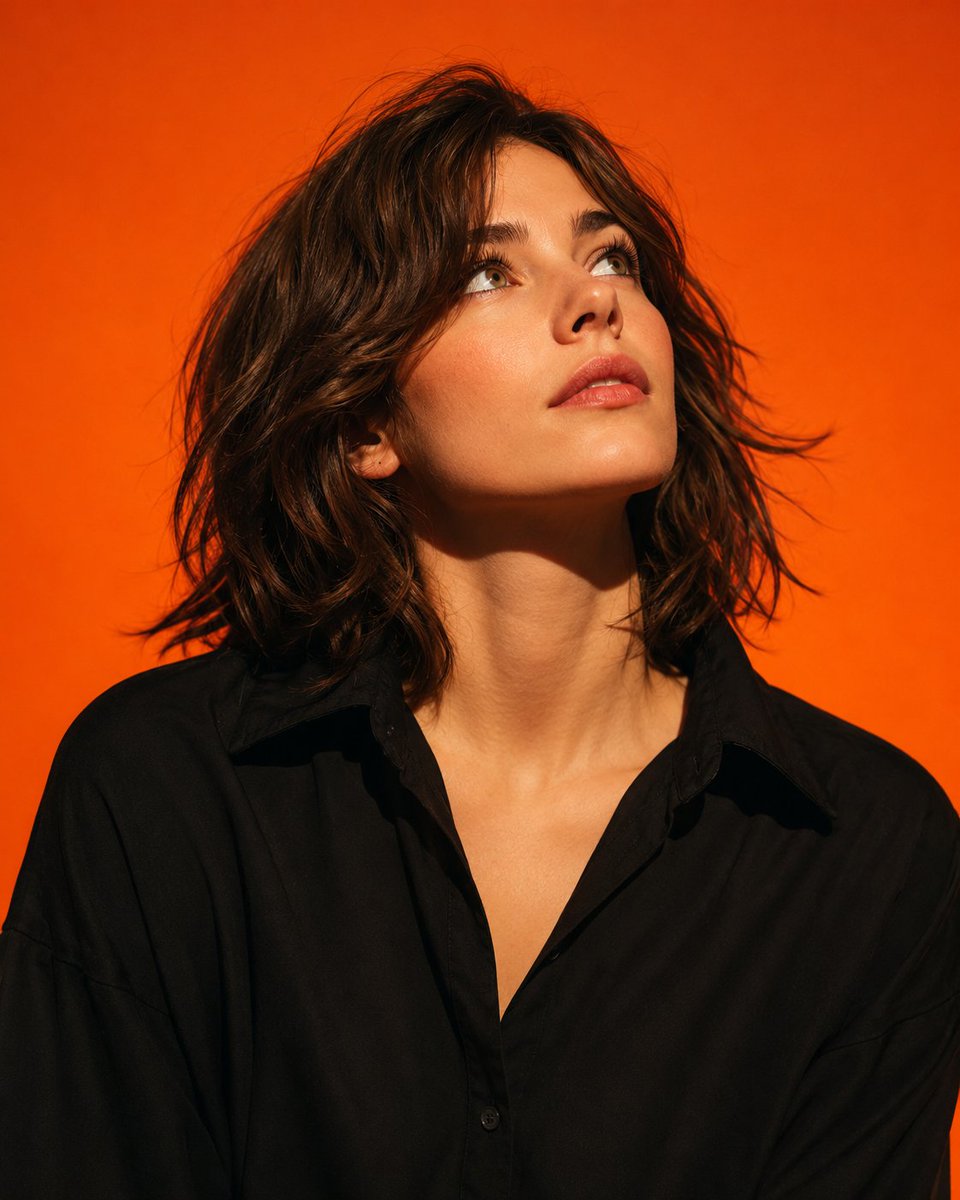
Un prompt fotográfico al estilo de GPT image 2 en Chatgpt: un retrato en plano medio corto de una mujer con cabello castaño hasta los hombros mirando hacia arriba contra un fondo naranja vibrante, con iluminación cálida, sombras suaves y una estética cinematográfica de estudio.

OpenAI

Ejemplos de la fuente

Estas imágenes provienen de la fuente original. DROPIDEA no ha probado estos ejemplos; los resultados dependen del modelo y los ajustes.

Listo para personalizar

Tu prompt

Inglés

Sustituye las variables en rojo por tus datos. Copia el texto completo y úsalo con tu agente preferido.

TXT MD Versión en inglés
GPT image 2 on Chatgpt Prompt 👇 A woman with shoulder-length brown hair gazes upward against a vibrant orange background. Subject: A woman with fair skin and shoulder-length brown hair that falls loosely around her face. Clothing: She wears a black collared shirt with a visible collar and button placket. Action: Her head is tilted slightly to the side, and she looks up and away from the camera with a neutral expression. Lighting: The scene features warm lighting that casts soft shadows on the left side of her face and neck, creating a dramatic contrast against the bright orange backdrop. Environment: A solid, smooth orange background fills the frame behind the subject. Camera: The shot is a medium close-up portrait with a shallow depth of field that keeps the focus sharply on the woman's face. Style Details: The image has a cinematic quality with high color saturation and a polished studio photography aesthetic.
Ver resultados

Tu prompt

GPT image 2 on Chatgpt Prompt 👇 A woman with shoulder-length brown hair gazes upward against a vibrant orange background. Subject: A woman with fair skin and shoulder-length brown hair that falls loosely around her face. Clothing: She wears a black collared shirt with a visible collar and button placket. Action: Her head is tilted slightly to the side, and she looks up and away from the camera with a neutral expression. Lighting: The scene features warm lighting that casts soft shadows on the left side of her face and neck, creating a dramatic contrast against the bright orange backdrop. Environment: A solid, smooth orange background fills the frame behind the subject. Camera: The shot is a medium close-up portrait with a shallow depth of field that keeps the focus sharply on the woman's face. Style Details: The image has a cinematic quality with high color saturation and a polished studio photography aesthetic.

Guía de variables

shoulder-length brown hair

Longitud y color del cabello; edítalo tanto en la línea inicial como en la línea Subject.

Línea inicial y línea "Subject:"

Valor de ejemplo

cabello negro corto

orange

Color de fondo; edítalo en los tres lugares: línea inicial, Lighting y Environment.

Línea inicial, líneas "Lighting:" y "Environment:"

Valor de ejemplo

fondo azul cielo

a black collared shirt with a visible collar and button placket

Descripción de la ropa en la línea Clothing.

Línea "Clothing:"

Valor de ejemplo

una blusa de seda blanca

Qué obtienes

  • Un retrato en plano medio corto de una mujer mirando hacia arriba y lejos de la cámara.
  • Un fondo naranja sólido que llena el encuadre detrás del sujeto.
  • Iluminación cálida y sombras suaves en un lado del rostro que crean un contraste dramático.
  • Calidad cinematográfica con alta saturación de color y una estética pulida de fotografía de estudio.

Casos de uso

  • Retratos profesionales para redes sociales.
  • Materiales de marketing y presentaciones visuales estilo estudio.
  • Referencias para experimentos de color e iluminación en fotografía.
  • Diseños artísticos y de pósters con aspecto cinematográfico.

Cómo usarlo

  • Abre Chatgpt, selecciona el modelo GPT image 2 e inicia una nueva generación de imagen.
  • Copia el prompt completo y pégalo en el campo de prompt sin eliminar ninguna línea.
  • Para personalizar, edita variables como el color de cabello o el color de fondo, manteniendo la descripción coherente en todas las menciones.
  • Deja sin cambios los ajustes técnicos como GPT image 2 y la poca profundidad de campo.
  • Genera la imagen; para un resultado distinto, ajusta el color de fondo o la iluminación y vuelve a intentarlo.

Prompts relacionados