Profesional y gratuito: Los 10 mejores sitios para capturar pantalla en línea (imágenes y video)
 Por Admin
Sitios para captura de pantalla en línea Mejores sitios para captura de pantalla en línea Nota: Este artículo ha sido actualizado en agosto de 2024 para incluir la información más reciente y los sitios disponibles para captura de pantalla y grabación de video en línea. Editor del sitio.
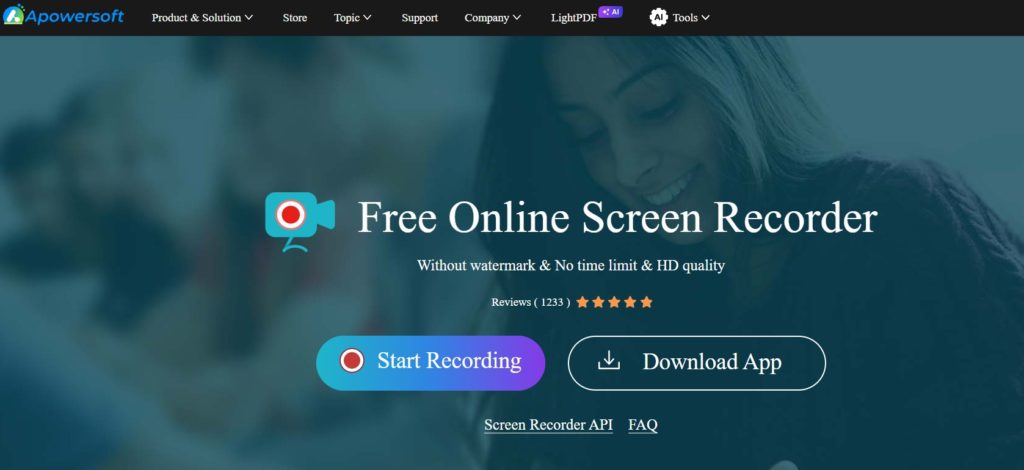
Características: Facilidad de uso: Grabación de alta calidad: Múltiples opciones de edición y personalización: Capacidad para programar grabaciones: Soporte para grabación de cámara web: Desventajas: Versión gratuita limitada: Puede experimentar algo de lentitud en el rendimiento: Versión gratuita vs. versión de pago: Versión gratuita: Versión de pago: 2. screencapture.com Características: Completamente gratuito: Facilidad de uso: Sin marcas de agua: No requiere registro ni descarga: Compatible con todos los sistemas operativos: Desventajas: No ofrece opciones de edición: No admite grabación de video: Puede que no funcione bien en todos los navegadores: Versión gratuita vs. versión de pago: Esta herramienta es completamente gratuita y no tiene versión de pago. Características: Grabación de alta calidad: Opciones de edición avanzadas: Capacidad para compartir grabaciones fácilmente: Soporte para grabación de cámara web: Interfaz fácil de usar: Desventajas: Versión gratuita limitada: Puede requerir inicio de sesión: 4.
Panopto Recorder Características: Grabación de múltiples fuentes: Uso compartido fácil: Herramientas de edición básicas: Análisis avanzado: Integración con sistemas de gestión del aprendizaje: Desventajas: El servicio es de pago: Puede ser algo complejo para principiantes: Versión gratuita vs. versión de pago: No hay versión gratuita. Relacionado: Revisión de AceThinker Mejor editor de video en línea gratuito para principiantes Características: Completamente gratuito: No requiere registro ni descarga: Fácil de usar: Compatible con todos los sistemas operativos: Desventajas: La calidad de imágenes y videos puede ser menor: No ofrece opciones de edición avanzadas: Versión gratuita vs. versión de pago: Esta herramienta es completamente gratuita y no tiene versión de pago. Relacionado: Revisión de Flexclip: Crear y editar videos en línea Características: Interfaz fácil de usar: Capacidad para grabar pantalla y audio: Biblioteca de medios rica: Herramientas de edición avanzadas: Uso compartido fácil: Desventajas: Versión gratuita limitada: Puede tomar algún tiempo aprender a usar todas las características: Versión gratuita vs. versión de pago: Versión gratuita: Versión de pago: Características: Facilidad de uso: Grabación de pantalla y audio: Agregar comentarios de voz y texto: Editar videos: Uso compartido fácil: Desventajas: Versión gratuita limitada: Opciones de edición limitadas: Características: Facilidad de uso: Capacidad para grabar pantalla, audio y cámara web: Herramientas de edición básicas: Uso compartido fácil: Integración con Google Classroom: Desventajas: Requiere navegador Chrome: Versión gratuita limitada: Versión gratuita vs. versión de pago: Versión gratuita: Versión de pago: .
Descargar la extensión desde la tienda de extensiones del navegador Chrome Características: Interfaz fácil de usar: Capacidad para grabar pantalla, audio y cámara web: Biblioteca de medios rica: Herramientas de edición avanzadas: Integración con servicios de Microsoft: Desventajas: Versión gratuita limitada: Puede tomar algún tiempo aprender a usar todas las características: Versión gratuita vs. versión de pago: Versión gratuita: Versión de pago: 10. Características: Desventajas: Versión gratuita vs. versión de pago: Versión gratuita: Versión de pago: Recomendaciones según las necesidades del usuario: Simplicidad y rapidez: Características de edición avanzadas: Grabación profesional: Grabación desde dispositivos móviles: Integración con navegador Chrome: Consejo final: Captura de pantalla en computadora y dispositivos móviles: Para computadora: Para Mac: Para iPhone: Para grabar juegos en el teléfono: Cómo usar sitios de captura de pantalla en línea (en general): Visita el sitio web: Inicia el proceso de captura: Selecciona el área de captura: Haz clic en el botón "Capturar" Guarda o edita la imagen: Consejos para mejorar la calidad de las capturas de pantalla: Ajusta la iluminación: Organiza tu escritorio: Utiliza la resolución adecuada: Usa herramientas de edición (si están disponibles):
DROPIDEA
Esperamos que este artículo te haya aportado valor real. En DROPIDEA, siempre nos esforzamos por ofrecer contenido de alta calidad que te ayude a crecer y evolucionar en el espacio digital. Síguenos para más artículos y guías útiles.
Admin
DROPIDEA
Últimos artículos

¿Aprovechó Musk el lanzamiento de «Dots» de OpenAI a través del dominio dot.com?

Peak XV eleva el límite de sus inversiones semilla a 5 millones de dólares

Esperada cena entre el CEO de Anthropic y Donald Trump en medio de desacuerdos sobre la seguridad de la inteligencia artificial

Google prueba las compras directas de Flipkart a través de Gemini en la India