Skip to content
ImagesFree

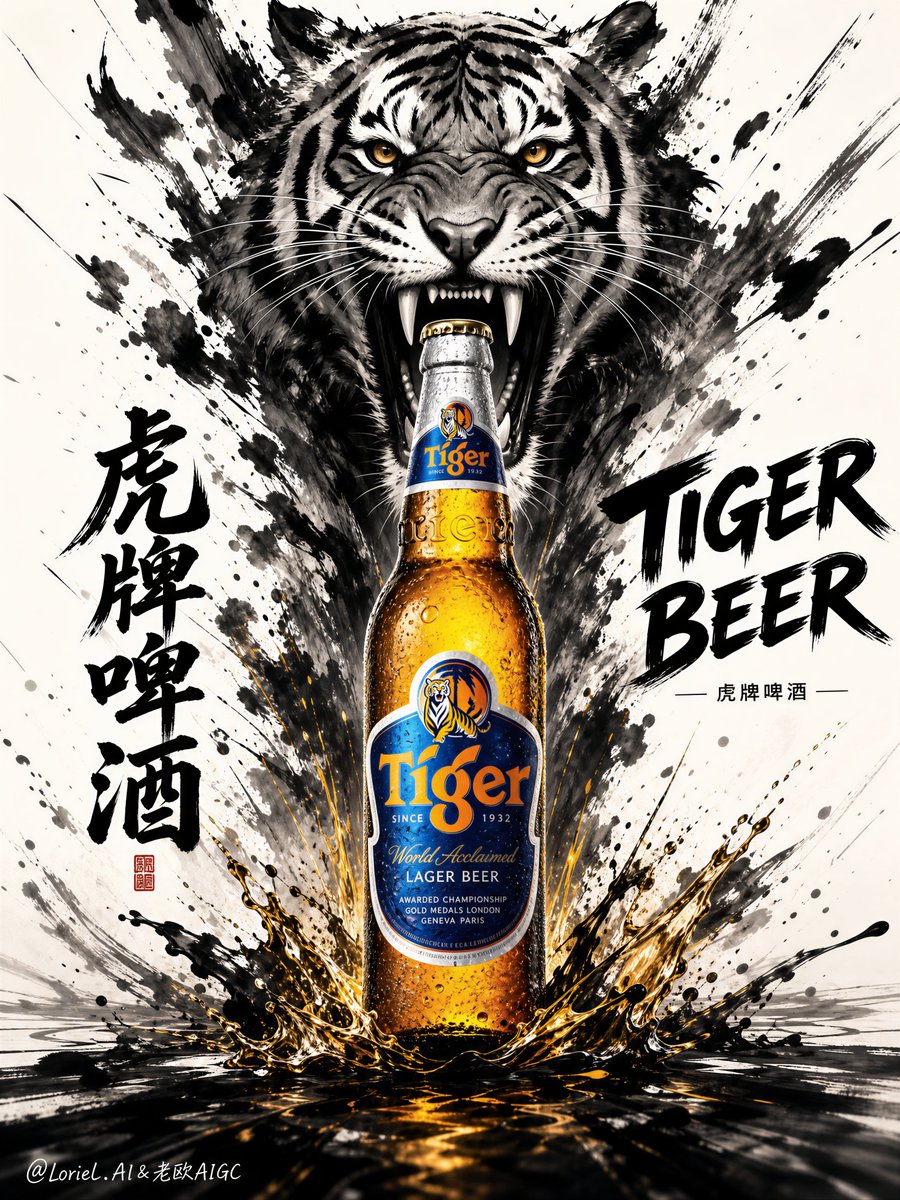
Messy Dirty Ink and Cheap Watercolor Tiger Effects

A negative prompt list to avoid when generating a beverage bottle advertisement design, including messy ink, cheap watercolor effect, cartoon tiger, blurry label, bottle distortion, cluttered composition, and random paint mess.

OpenAI

Source previews

These example images come from the original source. DROPIDEA has not independently tested these examples; results depend on the model and settings.

Ready to personalize

Your prompt

English

Replace the red variables with your information. Copy the full prompt and use it with your preferred agent.

TXT MD English version
messy dirty ink, cheap watercolor effect, cartoon tiger, blurry label, bottle distortion, cluttered composition, random paint mess, low-end beer ad, bar background, fruit garnish, multiple bottles, weak branding, neon effects, graffiti style, muddy splashes, overdesigned typography, low detail glass, fake packaging, chaotic unreadable poster
Preview results

Your prompt

messy dirty ink, cheap watercolor effect, cartoon tiger, blurry label, bottle distortion, cluttered composition, random paint mess, low-end beer ad, bar background, fruit garnish, multiple bottles, weak branding, neon effects, graffiti style, muddy splashes, overdesigned typography, low detail glass, fake packaging, chaotic unreadable poster

What you get

  • Automatic filtering of unwanted effects such as messy ink and cheap watercolor.
  • Reduced distracting elements like multiple bottles and random garnishes.
  • Cleaner, more professional product advertisement designs.

Use cases

  • Designing professional beverage bottle advertisements.
  • Generating high-quality product images free of clutter.
  • Improving label and packaging appearance in generated designs.

How to use

  • Copy the full list and paste it into the Negative Prompt field of your image generation tool.
  • Add your main positive prompt describing the desired bottle and advertisement design.
  • Generate the image, review the result, and regenerate if any listed flaws appear.
  • Keep the list unchanged to maintain effective filtering.

Related prompts