Result 1OpenAI
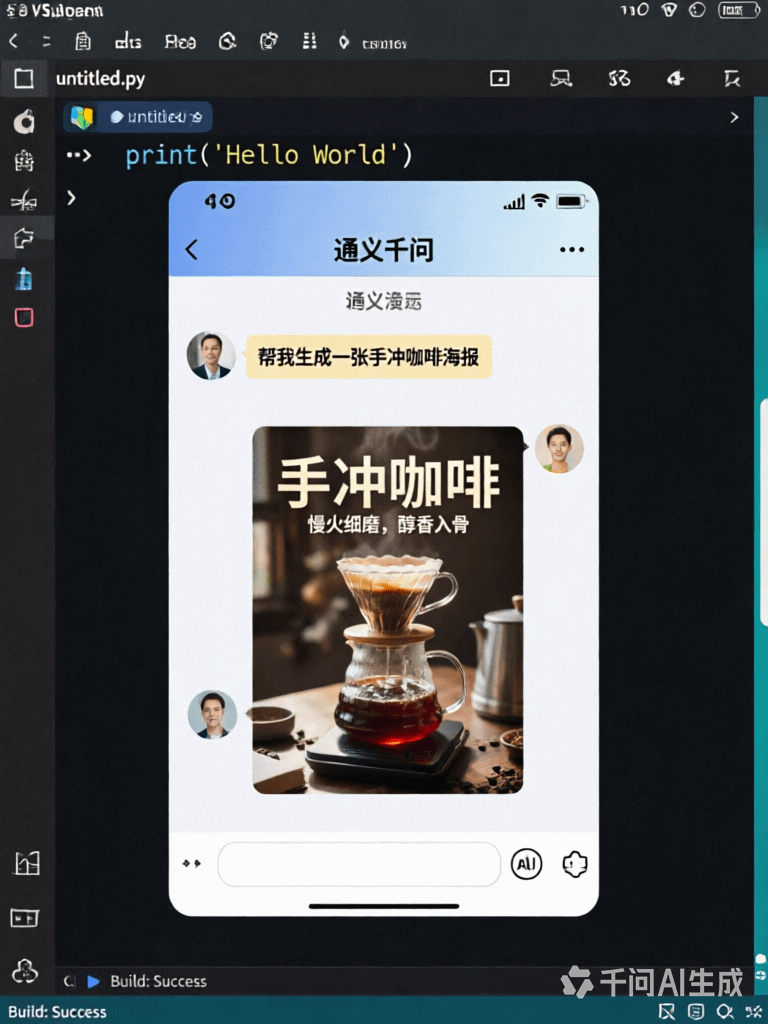
A prompt for a realistic layered 'picture-in-picture' image: an outer VSCode programming interface, a nested Qwen App chat interface with a sent message, and a coffee poster visible inside the chat, preserving micro details like clock digits and button text.
These example images come from the original source. DROPIDEA has not independently tested these examples; results depend on the model and settings.

Replace the red variables with your information. Copy the full prompt and use it with your preferred agent.
VSCodeThe app shown as the outermost layer; swap it for any code editor or app while keeping the realistic description.
In the first line of the English template, after 'a realistic' and before 'programming interface'.
Example valueAndroid Studio
Qwen AppThe chat app nested in the middle of the image, where the message and artwork appear.
In the first line, in the phrase 'a Qwen App chat interface'.
Example valueDoubao App
Help me generate a hand-brewed coffee posterThe message you send inside the chat; it must appear verbatim in the generated image.
Between the quotation marks '...' in the first sentence; edit only the text inside them.
Example valueHelp me design a logo for a café
exquisite coffee posterThe artwork the assistant replies with, shown inside the chat interface; change its type to match your message.
In the second sentence, in the phrase 'replies with an exquisite coffee poster'.
Example valuean elegant café logo
Image prompt generating a portrait of a young woman whose face, hair and shoulders are formed entirely from glowing...
A code-style template where text becomes object: a word is curved to its boundary and exactly one letter morphs int...
An announcement post about the author's first plugin for Hermes Agent, Hermes Image Studio, which lets you generate...
An installable SKILL.md that expands one short idea into production-ready cinematic prompts for AI image and video...