Skip to content
ImagesFree

Guide to Building Trustworthy AI Agents

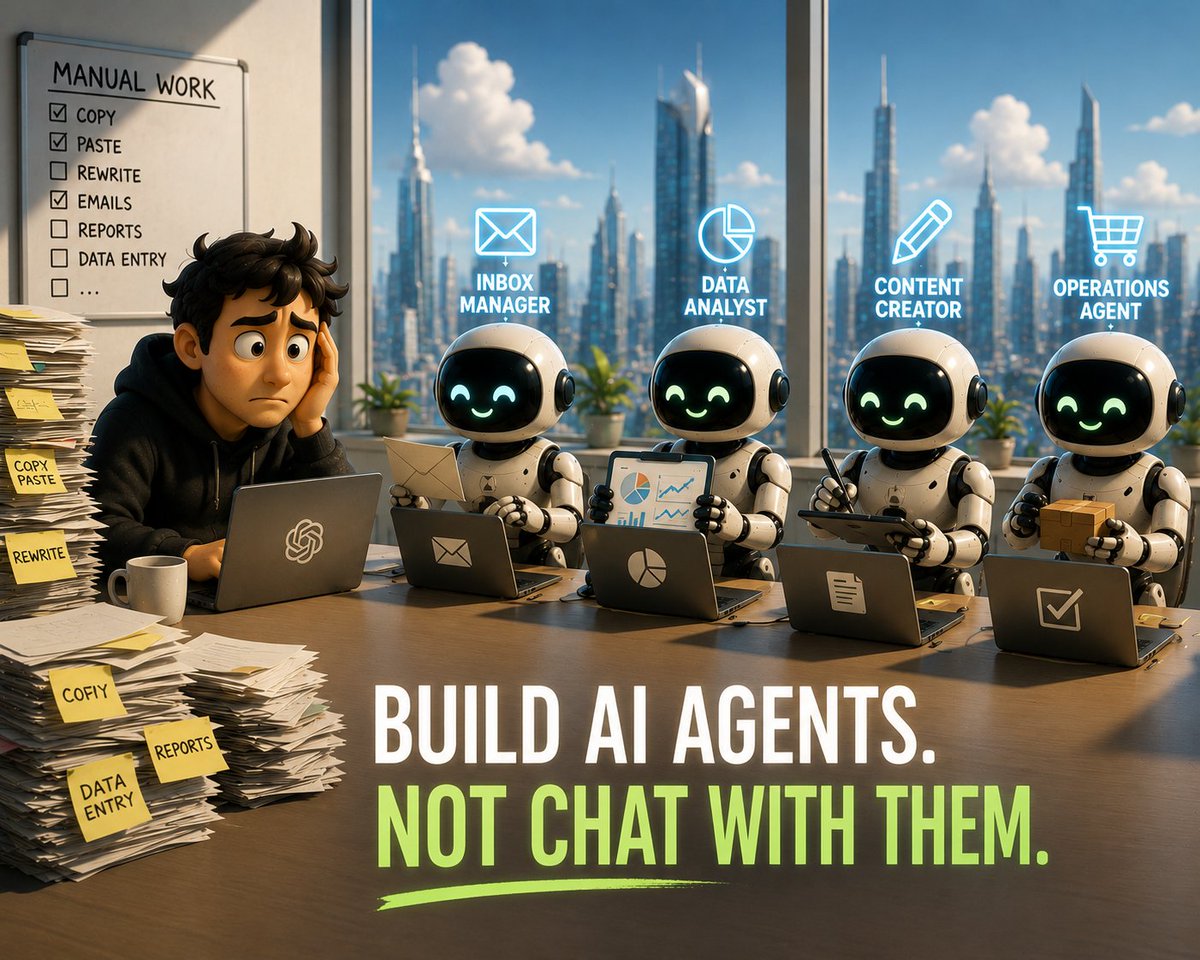
A practical methodology for building specialized AI agents: define the final outcome precisely, give the agent an identity via three configuration files, equip it with context from past logs, narrow its scope, and build trust in stages through guardrails, review, and autonomous execution.

Image generation

Source previews

These example images come from the original source. DROPIDEA has not independently tested these examples; results depend on the model and settings.

Ready to personalize

Your prompt

English

Replace the red variables with your information. Copy the full prompt and use it with your preferred agent.

TXT MD English version
"Handle my emails." Good prompt: "Done means every morning at 9:00 AM the inbox is empty, replies are drafted in my voice, and VIP escalations are flagged to the top." 👤 2. Give it an Identity. An LLM out of the box knows a little about everything, making it generic. Giving it an identity focuses its genius. You need 3 simple plain-text configuration files to ground it: The Soul File: Defines its personality, values, quirks, and exact communication voice. The Identity File: Its name, specific DNA, core role, and strict boundary parameters (e.g., "Inbox only. Never touch my calendar."). The User File: Massive context about you—your goals, your business ecosystem, and who the agent is serving. 🛠️ 3. Equip It. Context is your agent's ultimate moat. To let it work effectively, you must map your workflows. The best way? Reverse prompt the source. Instead of writing a manual playbook, connect your agent to past logs (like your last 50 sent emails) and prompt it: "Study my tone, sentence length, and best practices. Generate a style guide capturing my voice, and draft the next unread email as a test." 🔎 4. Narrow the Scope Avoid the "Mega-Agent" trap. Do not build one agent to handle marketing, coding, and admin—it leads to massive context rot. You need one specialized agent per lane. For complex workflows, build a Manager Agent whose sole job is to orchestrate, delegate, and monitor specialized sub-agents underneath it. 🤝 5. Trust in Stages. You don’t hand over the keys to the car on day one. You build trust systematically: Guardrails: Define hard code boundaries inside the identity files. Review: Set it to generate drafts/actions for approval first. Loosen the leash: Allow autonomous execution on low-risk tasks (like forwarding sorting logs). Heartbeat: Turn on the recurring timer loop so it executes solo every 15 minutes. Where to start?Look for tasks that fit the Rules of R: Is it Repetitive? Is it Rules-based? Does automating it generate a massive Return on Time? Stop babysitting chatbots. Start orchestrating your digital workforce.
Preview results

Your prompt

"Handle my emails." Good prompt: "Done means every morning at 9:00 AM the inbox is empty, replies are drafted in my voice, and VIP escalations are flagged to the top." 👤 2. Give it an Identity. An LLM out of the box knows a little about everything, making it generic. Giving it an identity focuses its genius. You need 3 simple plain-text configuration files to ground it: The Soul File: Defines its personality, values, quirks, and exact communication voice. The Identity File: Its name, specific DNA, core role, and strict boundary parameters (e.g., "Inbox only. Never touch my calendar."). The User File: Massive context about you—your goals, your business ecosystem, and who the agent is serving. 🛠️ 3. Equip It. Context is your agent's ultimate moat. To let it work effectively, you must map your workflows. The best way? Reverse prompt the source. Instead of writing a manual playbook, connect your agent to past logs (like your last 50 sent emails) and prompt it: "Study my tone, sentence length, and best practices. Generate a style guide capturing my voice, and draft the next unread email as a test." 🔎 4. Narrow the Scope Avoid the "Mega-Agent" trap. Do not build one agent to handle marketing, coding, and admin—it leads to massive context rot. You need one specialized agent per lane. For complex workflows, build a Manager Agent whose sole job is to orchestrate, delegate, and monitor specialized sub-agents underneath it. 🤝 5. Trust in Stages. You don’t hand over the keys to the car on day one. You build trust systematically: Guardrails: Define hard code boundaries inside the identity files. Review: Set it to generate drafts/actions for approval first. Loosen the leash: Allow autonomous execution on low-risk tasks (like forwarding sorting logs). Heartbeat: Turn on the recurring timer loop so it executes solo every 15 minutes. Where to start?Look for tasks that fit the Rules of R: Is it Repetitive? Is it Rules-based? Does automating it generate a massive Return on Time? Stop babysitting chatbots. Start orchestrating your digital workforce.

What you get

  • A five-step framework for building a specialized, trustworthy AI agent
  • A three-file configuration structure: Soul, Identity, and User
  • A reverse-prompting method to extract style from real logs
  • A Manager Agent delegation model with specialized sub-agents
  • A staged trust-building roadmap from review to autonomous execution
  • The Rules of R for selecting automation-worthy tasks

Use cases

  • Managing email and replies in the user's own voice
  • Automating repetitive rules-based tasks like sorting and forwarding
  • Building teams of specialized digital agents for marketing, admin, and beyond
  • Training agents on the writing style of a person or brand

How to use

  • Define a measurable final outcome for your task, such as an empty inbox every morning at 9:00 AM drafted in your own voice.
  • Create the three configuration files: a Soul File for personality and voice, an Identity File for role and strict boundaries, and a User File for your full context.
  • Connect the agent to your past logs (like your last 50 sent emails) and ask it to extract a style guide capturing your tone.
  • Assign one specialized agent per lane and avoid the Mega-Agent trap, using a Manager Agent to coordinate sub-agents in complex workflows.
  • Apply the trust stages: hard guardrails, then drafts for approval, then autonomous execution of low-risk tasks, then a recurring 15-minute loop.

Related prompts