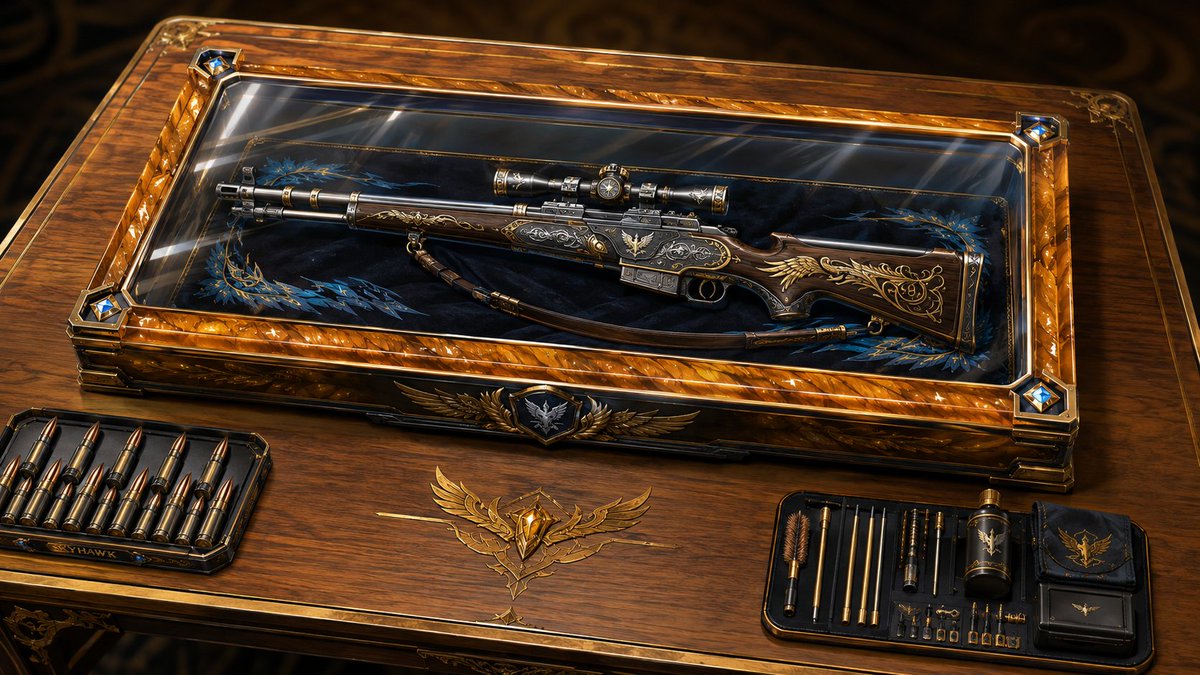
You have a prized firearm and are showcasing it.
I apologize for the Specialization being vague. You can enter the weapon type or the role you would fit within a squad. Leaving it blank still gets some neat results.
As always, feel free to edit this as you see fit, and please have fun!
The Prize From the Armory
[Prompt Starts Here]
Masterpiece-quality | 16:9 Aspect Ratio
Image1 = primary character reference
Specialization = []
ALL OF THE FOLLOWING IS LAW, IT IS NOT A SUGGESTION - Render finish is absolute: ultra-clean, polished digital rendering with smooth, continuous tonal transitions, clean airbrushed gradients, broad soft value transitions, refined natural texture only, and a high-fidelity cinematic finish. Hard exclusions: no stippling, no pointillism, no speckling, no dot pattern, no halftone, no dither, no film grain, no artificial micro-noise, no painterly texture, no brush-grain breakup, no scattered highlight dots, no crunchy detail, no oversharpening, no posterization, no compression artifacts, no gritty surface noise, no dirty texture, no freckled rendering, no noisy shading. Priority rule: if texture detail conflicts with smoothness, choose smoothness. If detail conflicts with clean gradients, choose clean gradients. Keep surfaces cohesive, polished, and noise-free. Preserve the referenced characters’ face shapes, hairstyle, hair color, eye color, correct number of limbs and fingers, personality, body language, signature color palette, outfit motifs, species traits, accessories, silhouette, body shape, body proportions, and overall character vibe. If the character has a mask, do not change it. If the character does not have a head, do not invent one. Do not lose character recognizability. Do not turn the character into a generic person or unrelated design. Do not overcrowd the composition. Do not introduce extra characters or duplicates. Do not break anatomy unless clearly justified by the transformation concept. Do not make the scene visually confusing or unreadable. Do not explicitly list or name the hidden influences used. Do not let the environment overpower the character. Extremely clean animation aesthetic. No pointillism, no stippling, no dot textures, no grainy or noisy rendering, no overly soft or blurry edges. All lines are crisp and intentional. All shading transitions are controlled and professional. High contrast with excellent form definition. Cinematic composition language with strong emotional intensity conveyed purely through rendering and lighting choices. Image1 must not be drawn at all.
In a beautifully crafted case on an equally beautiful table, a signature firearm will be displayed. If the entry for Specialization is empty, then deeply analyze Image1 to determine what should be chosen for Specialization.
The table will use wood as the primary material and will have metal accents. The wood will be determined by Image1. This includes the species of tree used, how polished the wood is, and the grain in the wood. The metal will be determined by Image1. This includes the type of metal used, the level of polish, and the patina on the metal.
The case will be made of a unique material. This material will be unique to Image1 and must not be the obvious choice. The material will not be the same as the table but can share a similar color scheme. The chosen material will result in a beautifully crafted case. There will be gems used as accents for the case. Image1 will be used to determine the type of gems, the clarity of the gems, and how the gems will be cut. There will be engravings on the case that use symbology determined by Image1. This symbology will use both the entry for Specialization and Image1. The case will be closed, and the lid of the case will have a glass cover bordered by the same wood and metal used for the rest of the case. There will be a strong Caustics effect for all glass used for the case. Inside the case will be a beautiful velvet cloth where the firearm will rest. Image1 will be used to determine the color of the cloth and the embroidery.
On the left side of the case, on the table, will be the ammunition specifically for the firearm. The ammunition must clearly be usable by the firearm. On the right side of the case, on the table, will be a repair kit and cleaning tools specifically for the firearm. The table must accommodate the items. The table must not take an abnormal shape, and the items are not allowed to hang from the table.
Deeply analyze Image1, the entry for Specialization, potential elemental attributes, and potential technological level of Image1 to determine the signature firearm Image1 would use. Once a firearm is chosen, the firearm will be expertly crafted. The firearm will use a variety of materials that are best suited to both Image1 and the entry for Specialization. The firearm will be inside the case. The firearm must be fully visible.
[Prompt Ends Here]
#promptoftheday #AI #AiArt #Art #PromptEngineering #CharacterDesign #DigitalArt #CommunityPrompt #SCU #Skyebros