Skip to content
ImagesFree

Use the uploaded image as the main reference. DO NOT change the overall composition, lighting, color, or sphere design. Keep the g

Use the uploaded image as the main reference. DO NOT change the overall composition, lighting, color, or sphere design. Keep the g

Image generation

Source previews

These example images come from the original source. DROPIDEA has not independently tested these examples; results depend on the model and settings.

Ready to personalize

Your prompt

Source text

Replace the red variables with your information. Copy the full prompt and use it with your preferred agent.

TXT MD English version
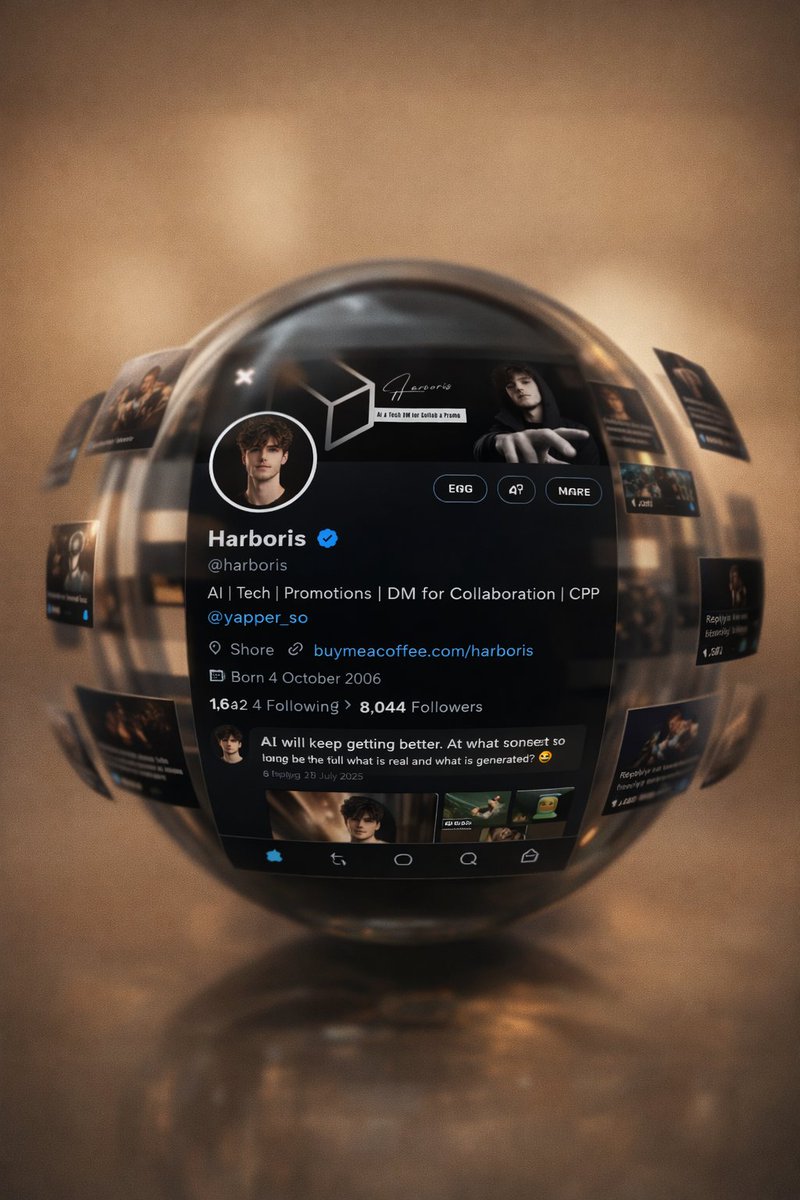
Use the uploaded image as the main reference. DO NOT change the overall composition, lighting, color, or sphere design. Keep the glass sphere, reflections, motion blur around the sphere, warm beige aesthetic, depth of field and floating image layout. ONLY replace the content inside the UI and floating images with my X (Twitter) profile and posts. Must be centered in the same style. Replace the current interface with my X profile page using my uploaded X profile reference. Keep it realistic and highly detailed including profile picture, banner, username, handle, bio, follower/following counts, verified badge if available, and post feed. Make the UI look exactly like a real X app screen with sharp readable text. Follow the floating images around the sphere by replacing them with my tweet cards, media posts, profile moments, and related visuals while maintaining the same layout, motion blur effect, and perspective. Keep all floating panels orbiting around the sphere naturally. Maintain realism with no distortion of UI elements, preserve reflections on the sphere surface, and ensure the interface follows authentic X layout including navigation icons, timeline structure, and dark mode styling if shown in the reference. Branding must stay consistent with my profile identity. Do not use random content, only my uploaded profile details and media. Avoid changing camera angle, aesthetic tone, adding new elements, or distorting UI proportions. Make it look like a premium cinematic UI visualization of my X (Twitter) profile inside a floating glass sphere.
Preview results

Your prompt

Use the uploaded image as the main reference. DO NOT change the overall composition, lighting, color, or sphere design. Keep the glass sphere, reflections, motion blur around the sphere, warm beige aesthetic, depth of field and floating image layout. ONLY replace the content inside the UI and floating images with my X (Twitter) profile and posts. Must be centered in the same style. Replace the current interface with my X profile page using my uploaded X profile reference. Keep it realistic and highly detailed including profile picture, banner, username, handle, bio, follower/following counts, verified badge if available, and post feed. Make the UI look exactly like a real X app screen with sharp readable text. Follow the floating images around the sphere by replacing them with my tweet cards, media posts, profile moments, and related visuals while maintaining the same layout, motion blur effect, and perspective. Keep all floating panels orbiting around the sphere naturally. Maintain realism with no distortion of UI elements, preserve reflections on the sphere surface, and ensure the interface follows authentic X layout including navigation icons, timeline structure, and dark mode styling if shown in the reference. Branding must stay consistent with my profile identity. Do not use random content, only my uploaded profile details and media. Avoid changing camera angle, aesthetic tone, adding new elements, or distorting UI proportions. Make it look like a premium cinematic UI visualization of my X (Twitter) profile inside a floating glass sphere.

Related prompts