Skip to content
ImagesFree

Negative Traits List for Cheap Appliance Product Images

A negative prompt listing attributes to avoid when generating product images: generic catalog, cheap retail flyer, cluttered scene, wrong proportions, plastic materials, cartoon dust, messy typography, and bright cheap red overload.

OpenAI

Source previews

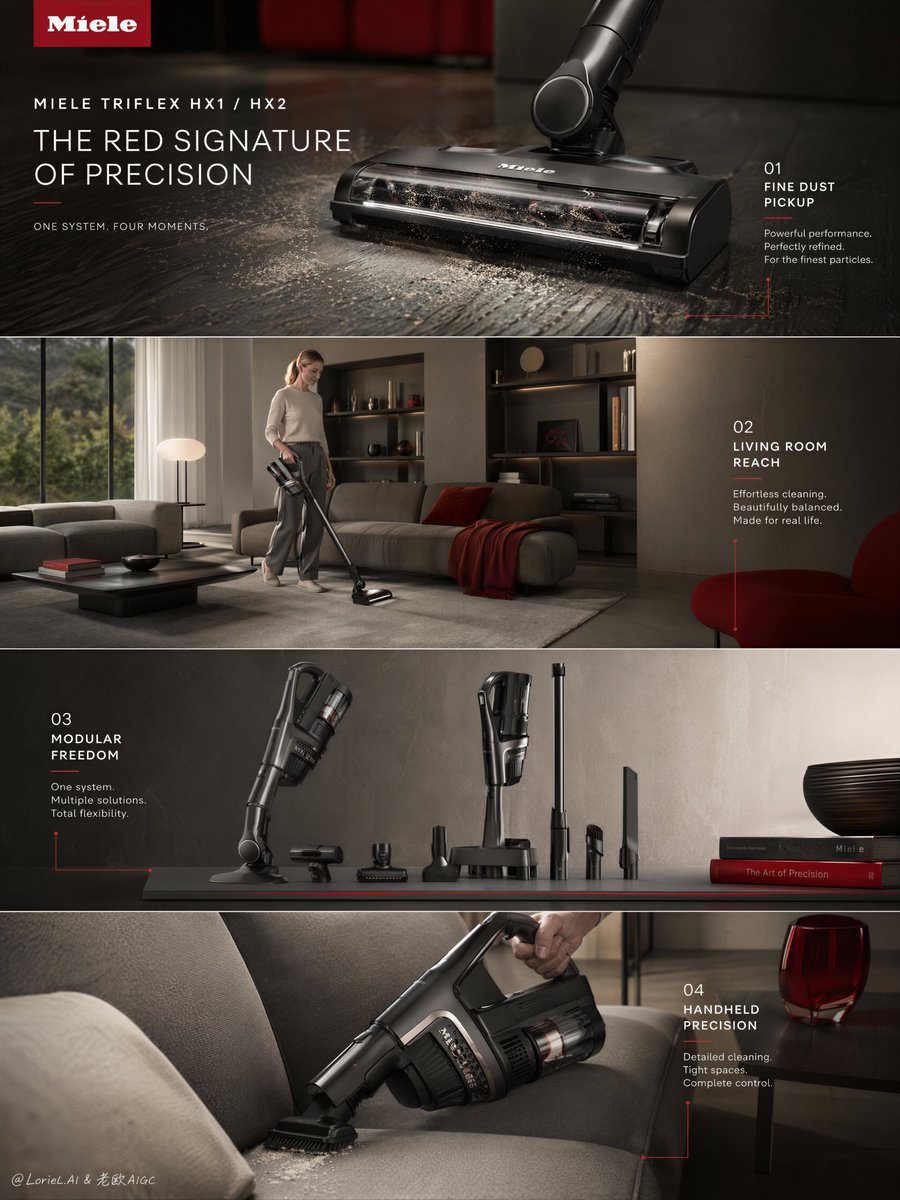
These example images come from the original source. DROPIDEA has not independently tested these examples; results depend on the model and settings.

Ready to personalize

Your prompt

English

Replace the red variables with your information. Copy the full prompt and use it with your preferred agent.

TXT MD English version
generic appliance catalog, cheap retail flyer, cluttered home scene, wrong vacuum proportions, plastic-looking materials, exaggerated mess, cartoon dust, low-detail floorhead, weak product focus, messy typography, influencer lifestyle aesthetic, bad anatomy, bright cheap red overload, overdecorated layout, low-end e-commerce collage
Preview results

Your prompt

generic appliance catalog, cheap retail flyer, cluttered home scene, wrong vacuum proportions, plastic-looking materials, exaggerated mess, cartoon dust, low-detail floorhead, weak product focus, messy typography, influencer lifestyle aesthetic, bad anatomy, bright cheap red overload, overdecorated layout, low-end e-commerce collage

What you get

  • A ready negative attribute list preventing cheap, cluttered product image patterns.
  • Exclusion of wrong proportions, plastic-looking materials, and cartoon dust.
  • Avoidance of messy typography and exaggerated influencer aesthetics.

Use cases

  • High-quality product images for e-commerce stores.
  • Retail ads and professional catalog covers.
  • Marketing designs for home appliances with strong product focus.

How to use

  • Copy this negative prompt and paste it into the Negative Prompt field of your image generation tool.
  • Pair it with a positive prompt accurately describing the desired product, such as a vacuum in an elegant studio with professional lighting.
  • Generate the image, then review the result to ensure it avoids the listed traits like plastic materials or messy typography.
  • Adjust or remove some negative traits to suit your brand style.
  • Retry with different generation settings until you get a clean, product-focused image.

Related prompts