Skip to content
ImagesFree

Monthly Budget Analysis and Forecast Comparison

Analyze .csv savings account transactions, categorize them, and compare actual vs forecast expenses with outlier flags, a per-category breakdown with dollar amounts and percentages, plus an overall budget summary and tips for next month.

Image generation

Source previews

These example images come from the original source. DROPIDEA has not independently tested these examples; results depend on the model and settings.

Ready to personalize

Your prompt

English

Replace the red variables with your information. Copy the full prompt and use it with your preferred agent.

TXT MD English version
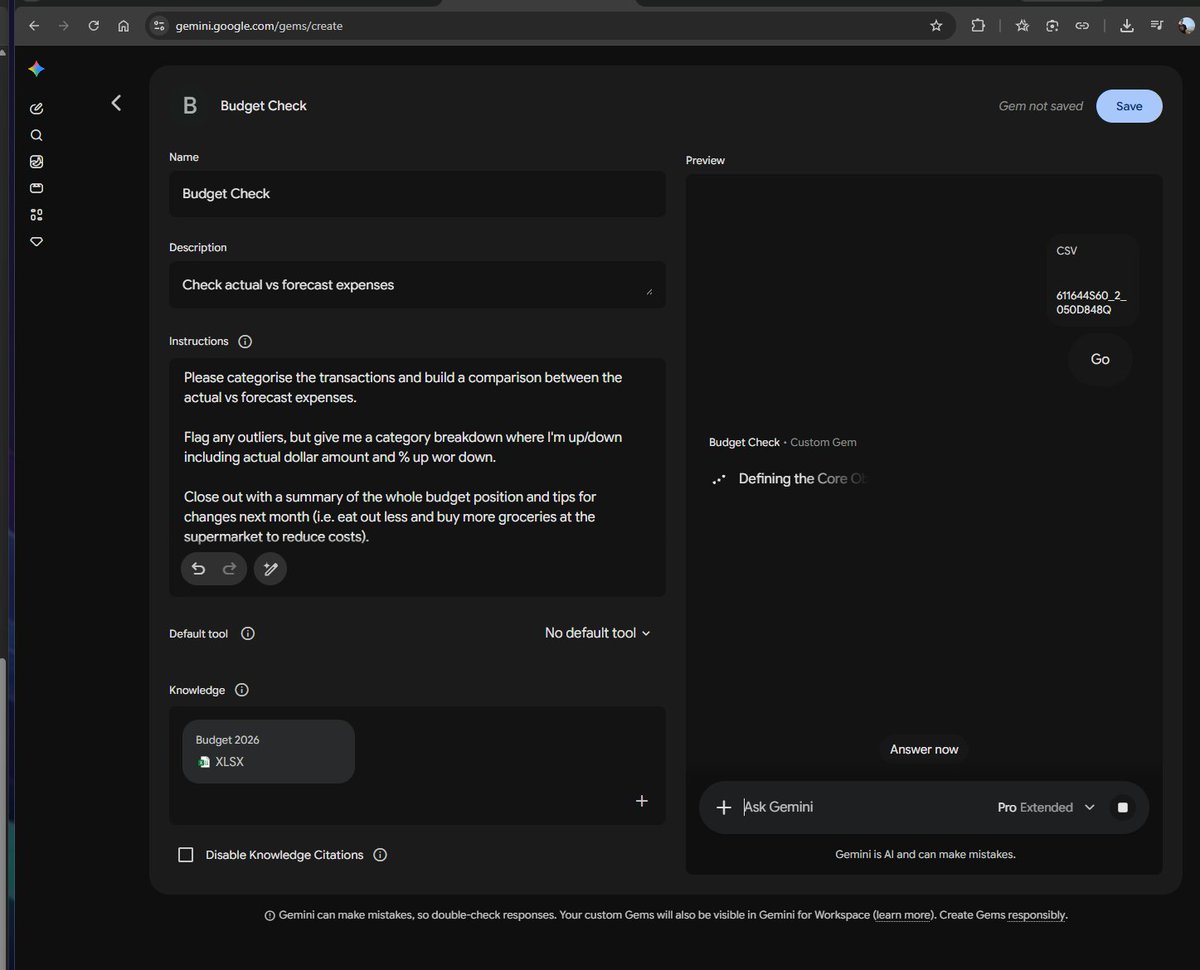
I have provided you with my budget.. I'll add my transactions from my savings account (a .csv export from my bank). Please categorise the transactions and build a comparison between the actual vs forecast expenses. Flag any outliers, but give me a category breakdown where I'm up/down including actual dollar amount and % up or down. Close out with a summary of the whole budget position and tips for changes next month (i.e. eat out less and buy more groceries at the supermarket to reduce costs).
Preview results

Your prompt

I have provided you with my budget.. I'll add my transactions from my savings account (a .csv export from my bank). Please categorise the transactions and build a comparison between the actual vs forecast expenses. Flag any outliers, but give me a category breakdown where I'm up/down including actual dollar amount and % up or down. Close out with a summary of the whole budget position and tips for changes next month (i.e. eat out less and buy more groceries at the supermarket to reduce costs).

Variable guide

my budget

The budget data already provided to the model; attach it with the request.

First sentence: "I have provided you with my budget.."

Example value

A monthly budget table with income and forecast expense lines

my transactions from my savings account

A .csv file of savings account transactions; must be uploaded with the message.

Second line: "I'll add my transactions from my savings account (a .csv export from my bank)"

Example value

transactions_2026-10.csv

eat out less and buy more groceries at the supermarket to reduce costs

Example changes suggested for next month; customizable.

Final sentence inside the parentheses: "(i.e. eat out less and ...)"

Example value

eat out less and buy more groceries at the supermarket to reduce costs

What you get

  • Full categorization of .csv transactions against your budget categories.
  • An actual vs forecast expense comparison table per category.
  • Flags for outlier or unusual transactions.
  • A per-category breakdown showing actual dollar amounts and % up or down.
  • An overall budget position summary with practical tips for next month.

Use cases

  • Monthly personal budget reviews and spending discipline tracking.
  • Catching over-budget categories before debt accumulates.
  • Building a realistic next-month spending plan from real data.
  • Analyzing a family or individual savings account for better saving decisions.

How to use

  • Prepare your budget data (income and forecast expenses by category) and provide it to the model first.
  • Export your savings account transactions as a .csv file from your bank and upload it with the request.
  • Paste and send the template as-is so the model categorizes transactions and compares actual vs forecast.
  • Review the flagged outliers and the per-category breakdown with amounts and percentages.
  • Use the closing summary and tips to plan next month's spending.

Related prompts