Skip to content
ImagesFree

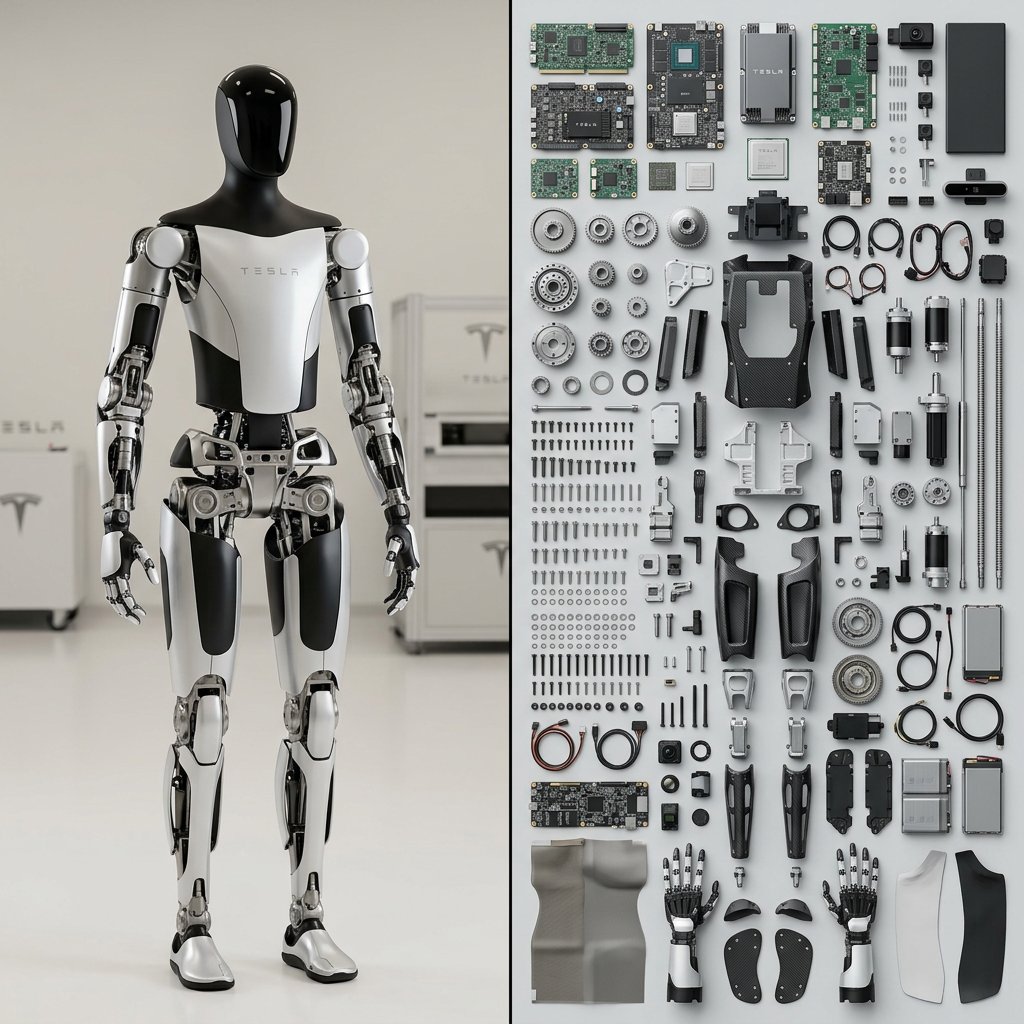
Do this for Tesla Optimus Robot Output 1x2: left side {subject} right side = $ prompt $ prompt= <instructions> Input = Subject Fun

Do this for Tesla Optimus Robot Output 1x2: left side {subject} right side = $ prompt $ prompt= <instructions> Input = Subject Fun

Gemini

Source previews

These example images come from the original source. DROPIDEA has not independently tested these examples; results depend on the model and settings.

Ready to personalize

Your prompt

Source text

Replace the red variables with your information. Copy the full prompt and use it with your preferred agent.

TXT MD English version
Do this for Tesla Optimus Robot Output 1x2: left side {subject} right side = $ prompt $ prompt= <instructions> Input = Subject Function Render_Knoll ($Subject) Anchor: `[Deconstructed $ Subject] :: [Knolling Photography Layout]::5` Morphology: `The constituent parts of [$Subject] dismantled and arranged in a neat grid, 90-degree parallel alignment, overhead flat-lay composition, organized chaos::4` Material Physics: `Realistic textures of the internal components (circuit boards, gears, screws, fabric), clean matte background surface::3` Illumination: `Even, flat studio lighting, soft shadows directly underneath objects, no dramatic contrast::2` Render Stack: `Overhead product photography, 50mm lens, f/8 for full sharpness, 8k, high fidelity::1` Negative: `[Assembled object, perspective angles, messy, overlapping items, blurry background]:: -1` </instructions>
Preview results

Your prompt

Do this for Tesla Optimus Robot Output 1x2: left side {subject} right side = $ prompt $ prompt= <instructions> Input = Subject Function Render_Knoll ($Subject) Anchor: `[Deconstructed $ Subject] :: [Knolling Photography Layout]::5` Morphology: `The constituent parts of [$Subject] dismantled and arranged in a neat grid, 90-degree parallel alignment, overhead flat-lay composition, organized chaos::4` Material Physics: `Realistic textures of the internal components (circuit boards, gears, screws, fabric), clean matte background surface::3` Illumination: `Even, flat studio lighting, soft shadows directly underneath objects, no dramatic contrast::2` Render Stack: `Overhead product photography, 50mm lens, f/8 for full sharpness, 8k, high fidelity::1` Negative: `[Assembled object, perspective angles, messy, overlapping items, blurry background]:: -1` </instructions>

Related prompts