Skip to content
ImagesFree

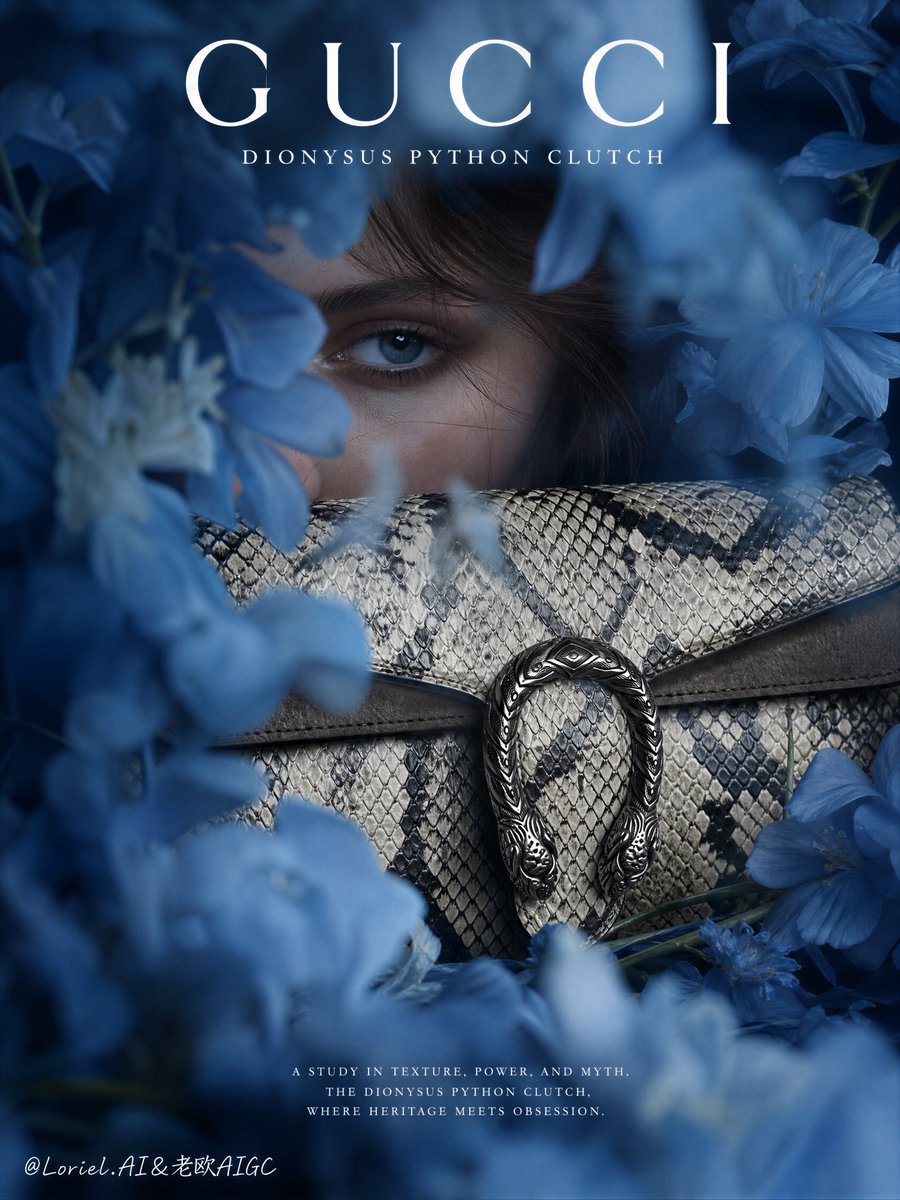
Cheap Handbag with Fake Gucci Details and Messy Flowers

A negative prompt list to avoid flaws when generating luxury handbag imagery: cheap materials, counterfeit branding, messy flowers, muddy shadows, and anatomical distortions.

OpenAI

Source previews

These example images come from the original source. DROPIDEA has not independently tested these examples; results depend on the model and settings.

Ready to personalize

Your prompt

English

Replace the red variables with your information. Copy the full prompt and use it with your preferred agent.

TXT MD English version
cheap handbag, fake Gucci details, wrong tiger-head clasp, generic snake texture, plastic leather, messy flowers, bouquet overload, dirty petals, muddy shadows, black blotches, noisy dark areas, distorted face, incorrect anatomy, warped eye, extra limbs, low-detail product, weak branding, cartoon styling, fantasy clutter, busy background, multiple bags, rough typography, overexposed blue tones, blurry clutch
Preview results

Your prompt

cheap handbag, fake Gucci details, wrong tiger-head clasp, generic snake texture, plastic leather, messy flowers, bouquet overload, dirty petals, muddy shadows, black blotches, noisy dark areas, distorted face, incorrect anatomy, warped eye, extra limbs, low-detail product, weak branding, cartoon styling, fantasy clutter, busy background, multiple bags, rough typography, overexposed blue tones, blurry clutch

What you get

  • A product image free of counterfeit branding and cheap-looking details.
  • Clean lighting and balanced shadows without dark blotches.
  • Crisp handbag details without distortions or extra limbs.

Use cases

  • Fashion and luxury bag product photography.
  • Marketing ads for handbags.
  • E-commerce store product displays.

How to use

  • Paste this text into the Negative Prompt field of your image generation tool.
  • Add a reference image of the original handbag if the tool supports reference images for better accuracy.
  • Set the negative prompt strength between 0.6 and 0.8 for the best balance.
  • Generate the image and check whether any listed flaws appear.
  • Retry with adjusted settings if any flaws show up.

Related prompts