Skip to content
ImagesFree

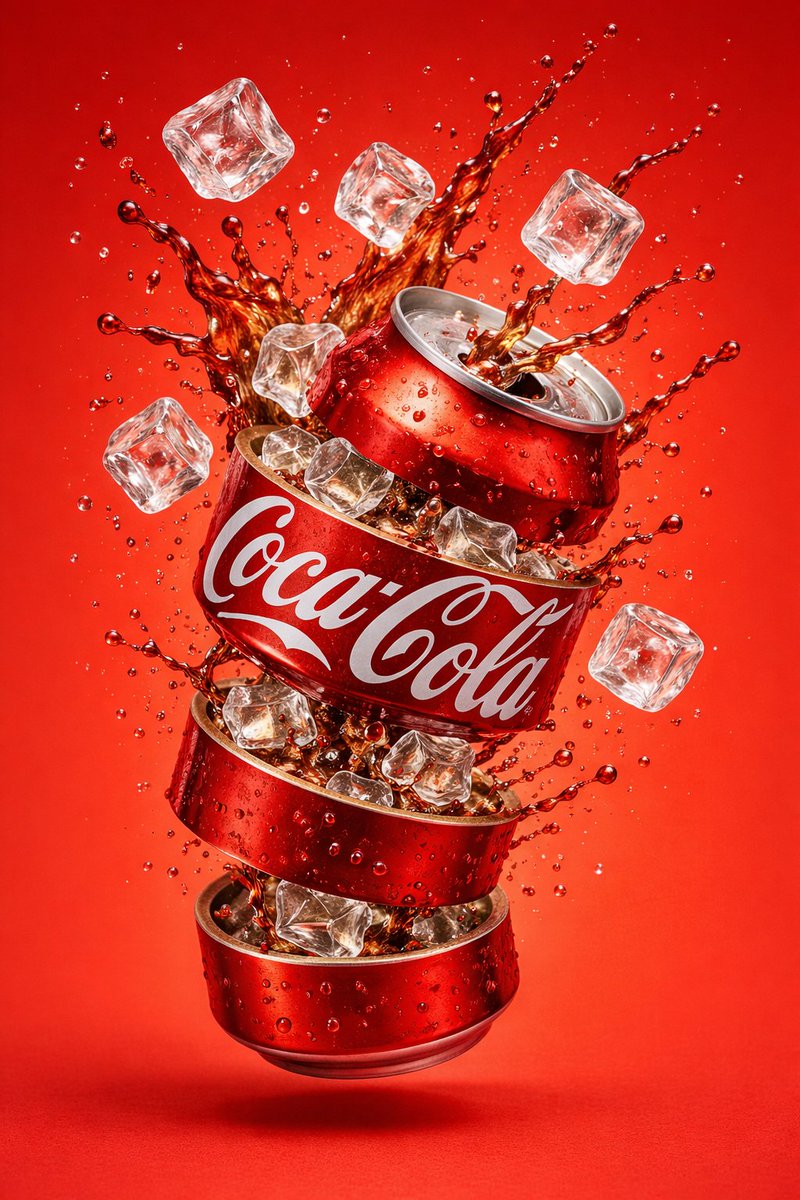
Hyper-Realistic Floating Soda Can Product Shot

A JSON prompt that generates a hyper-realistic commercial product photo of a carbonated beverage can floating mid-air, wearing a label with your brand name on a deep blue band, surrounded by a frozen bright green liquid splash and floating fresh fruit slices, under studio lighting with soft shadows and a smooth gradient backdrop, in ultra-sharp photorealistic 8K quality.

OpenAI

Source previews

These example images come from the original source. DROPIDEA has not independently tested these examples; results depend on the model and settings.

Ready to personalize

Your prompt

English

Replace the red variables with your information. Copy the full prompt and use it with your preferred agent.

TXT MD English version
{ "resolution": "8K", "style": "hyper-realistic commercial product photography", "composition": { "subject": "carbonated beverage can", "position": "center frame, floating mid-air", "orientation": "slightly tilted vertical", "framing": "tight hero shot" }, "can_details": { "material": "metallic aluminum", "top_bottom": "silver with visible pull tab", "surface": "glossy with condensation droplets", "label": { "text": "{{BRAND_NAME}}", "font": "bold uppercase sans-serif", "color": "white", "background_band": "deep blue", "placement": "wrapped around center of can" } }, "liquid_effects": { "color": "bright green", "type": "carbonated liquid splash", "motion": "frozen mid-explosion", "details": [ "semi-transparent fluid", "fine droplets suspended in air", "dynamic curved splash arcs", "visible carbonation bubbles" ] }, "fruit_elements": { "type": "sliced fruit", "motion": "floating around the can", "texture": "fresh, juicy, glossy" }, "lighting": { "type": "studio lighting", "highlights": "strong reflections", "shadows": "soft" }, "background": { "color": "smooth gradient matching liquid tone", "environment": "clean studio backdrop" }, "render_quality": { "sharpness": "ultra-sharp", "contrast": "high", "realism": "photorealistic" } } #GPTimage2 #aiimage
Preview results

Your prompt

{ "resolution": "8K", "style": "hyper-realistic commercial product photography", "composition": { "subject": "carbonated beverage can", "position": "center frame, floating mid-air", "orientation": "slightly tilted vertical", "framing": "tight hero shot" }, "can_details": { "material": "metallic aluminum", "top_bottom": "silver with visible pull tab", "surface": "glossy with condensation droplets", "label": { "text": "{{BRAND_NAME}}", "font": "bold uppercase sans-serif", "color": "white", "background_band": "deep blue", "placement": "wrapped around center of can" } }, "liquid_effects": { "color": "bright green", "type": "carbonated liquid splash", "motion": "frozen mid-explosion", "details": [ "semi-transparent fluid", "fine droplets suspended in air", "dynamic curved splash arcs", "visible carbonation bubbles" ] }, "fruit_elements": { "type": "sliced fruit", "motion": "floating around the can", "texture": "fresh, juicy, glossy" }, "lighting": { "type": "studio lighting", "highlights": "strong reflections", "shadows": "soft" }, "background": { "color": "smooth gradient matching liquid tone", "environment": "clean studio backdrop" }, "render_quality": { "sharpness": "ultra-sharp", "contrast": "high", "realism": "photorealistic" } } #GPTimage2 #aiimage

Variable guide

{{BRAND_NAME}}

The brand name shown as bold white text on the label band; replace the entire token including the double braces.

Path can_details.label.text inside the JSON object.

Example value

FizzyNova

carbonated beverage can

The main product in the image; can be changed to another drink while keeping related details consistent.

Path composition.subject inside the JSON object.

Example value

energy drink can

bright green

Color of the liquid and splash; per background.color, the gradient backdrop is expected to follow it.

Path liquid_effects.color inside the JSON object.

Example value

ruby red

sliced fruit

Type of fruit floating around the can; choose one that suits the drink's flavor.

Path fruit_elements.type inside the JSON object.

Example value

lemon slices

deep blue

Color of the label's background band behind the brand name text.

Path can_details.label.background_band inside the JSON object.

Example value

crimson

What you get

  • A hero advertising shot of a metallic carbonated beverage can floating mid-frame and slightly tilted.
  • A label showing your brand name in bold white uppercase letters on a deep blue band wrapped around the can.
  • A bright green liquid splash frozen mid-explosion with fine suspended droplets and visible carbonation bubbles.
  • Fresh, juicy, glossy fruit slices floating around the can under studio lighting with soft shadows.
  • Ultra-sharp photorealistic quality with high contrast at 8K resolution on a smooth gradient studio backdrop.

Use cases

  • Soft drink and beverage advertising campaigns.
  • Social media marketing posts and ads.
  • Product visuals for e-commerce stores and landing pages.
  • Brand identity presentations and packaging design proposals.

How to use

  • Copy the full JSON template exactly as is, without changing any keys, structure, or technical settings such as the 8K resolution.
  • Replace {{BRAND_NAME}} with the brand name you want displayed on the label band.
  • Adjust editable creative values such as the liquid color, fruit type, or band color to match your brand identity.
  • Paste the template into an image generation tool compatible with the #GPTimage2 tag and submit it.
  • Retry a few times if needed, since image generation is stochastic and an identical result cannot be guaranteed every run.

Related prompts