Professional and free: The best 10 sites for online screen capture (photos and video)
 By Admin
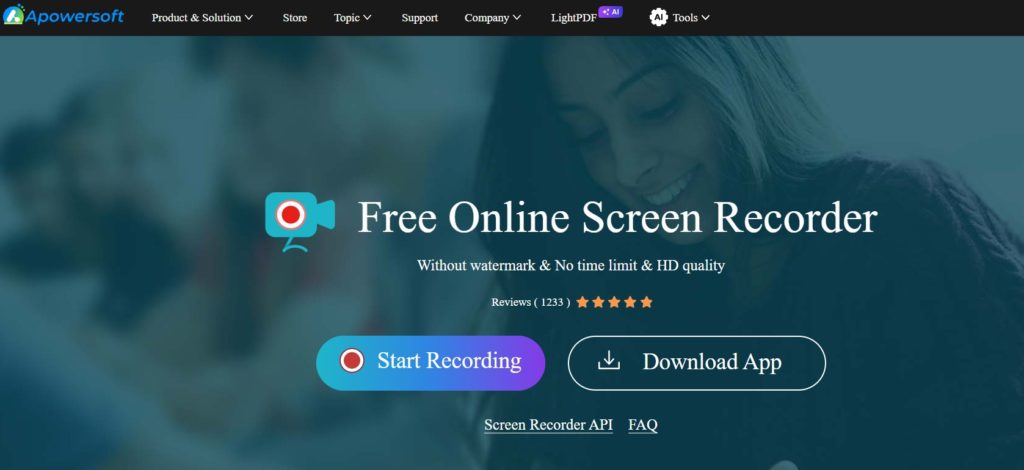
Online screen recording sites The best online screen recording sites Disclaimer: This article was updated in August 2024 to include the latest information and sites available for screen recording and video recording online. Site editor. Features: Ease of use: High-quality recording: Multiple editing and customization options: Ability to schedule recordings: Webcam recording support: Disadvantages: The free version is limited: You may experience some slow performance: Free vs paid version: Free version: Paid version: 2.
screencapture.com Features: Completely Free: Ease of Use: No Watermarks: Doesn't require any registration or downloading: Support for all operating systems: Disadvantages: Doesn't offer editing options: Doesn't support video recording: May not work well on all browsers: Free vs. Paid Version: This tool is completely free and there is no paid version of it. Features: High-quality recording: Advanced editing options: Easily share recordings: Support for webcam recording: User-friendly interface: Cons: Free version is limited: May require login: 4. Panopto Recorder Features: Multi-source recording: Easy sharing: Basic editing tools: Advanced analytics: Integration with learning management systems: Cons: Paid service: May be a bit complicated for beginners: Free vs paid version: There is no free version.
Related: AceThinker Review Best Free Online Video Editor for Beginners Features: Completely free: No registration or download required: Easy to use: Support for all operating systems: Disadvantages: Image and video quality may be lower: Does not offer advanced editing options: Free vs paid version: This tool is completely free and there is no paid version of it. Related: Flexclip Review: Create and Edit Online Videos Features: Easy-to-use interface: Ability to record screen and audio: Rich media library: Advanced editing tools: Easy sharing: Disadvantages: The free version is limited: It may take some time to learn to use all the features: Free vs. Basic: Easy Sharing: Google Classroom Integration: Cons: Requires Chrome Browser: Free version is limited: Free vs. Paid version: Free version: Paid version: . Download the extension from the Chrome browser extensions store Features: Easy-to-use interface: Ability to record screen, audio, and webcam: Rich media library: Advanced editing tools: Integration with Microsoft services: Disadvantages: The free version is limited: It may require some time to learn to use all the features: Free versus paid version: Free version: Paid version: 10.
Features: Disadvantages: Free versus paid version: Free version: Paid version: Recommendations based on user needs: Simplicity and speed: Advanced editing features: Professional recording: Recording from mobile: Integration with Chrome browser: Final tip: Screen capture on computer and mobile: For computer: For Mac: For iPhone: To record games on the phone: How to use online screen recording sites (in general): Visit the site: Start the capture process: Choose the capture area: Press the “Capture” button Save or edit the image: Tips to improve the quality of the shots Screen: Adjust the lighting: Organize the desktop: Use the appropriate resolution: Use editing tools (if available):
DROPIDEA
We hope this article has added real value to you. At DROPIDEA, we always strive to deliver high-quality content that helps you grow and evolve in the digital space. Follow us for more useful articles and guides.
Admin
DROPIDEA
Latest Articles

Did Musk Troll OpenAI's Launch of «Dots» Through the dot.com Domain?

Peak XV Raises Its Seed Investment Cap to $5 Million

Anticipated Dinner Between Anthropic's CEO and Donald Trump Amid Disagreements Over AI Safety

Google Tests Direct Purchases from Flipkart via Gemini in India