Adding a comment in PowerPoint - using the Callout feature for information within Powerpoint
 By Admin
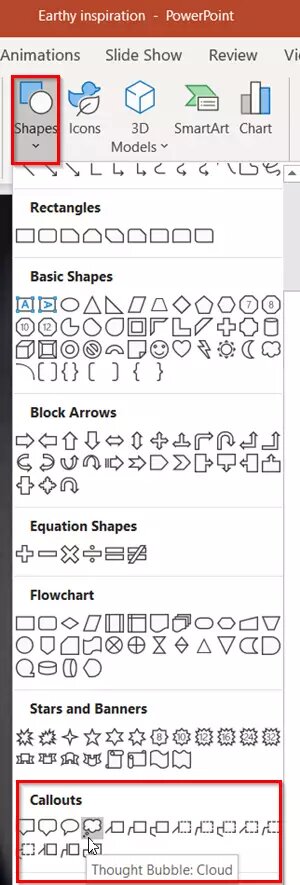
Callout comments inside PowerPoint come with many features, as they come in formats (shapes/boxes/pictures) and you can use them to add information and clarifications in the form of Callout comments inside presentations. You can use it statically or in motion, adding multiple effects. Read also: 10 tips for creating a distinctive, professional PowerPoint presentation. Read also |
The 10 best sites to download ready-made PowerPoint templates. Read also: - The most powerful free alternatives to PowerPoint - 7 programs for creating presentations
DROPIDEA
We hope this article has added real value to you. At DROPIDEA, we always strive to deliver high-quality content that helps you grow and evolve in the digital space. Follow us for more useful articles and guides.
Admin
DROPIDEA
Latest Articles

Peak XV Raises Its Seed Investment Cap to $5 Million

Anticipated Dinner Between Anthropic's CEO and Donald Trump Amid Disagreements Over AI Safety

Google Tests Direct Purchases from Flipkart via Gemini in India

Crusoe Cancels $1.25 Billion Data Center Turbine Deal