Skip to content
ImagesFree

Hand-Drawn to Realistic Fighter Shot

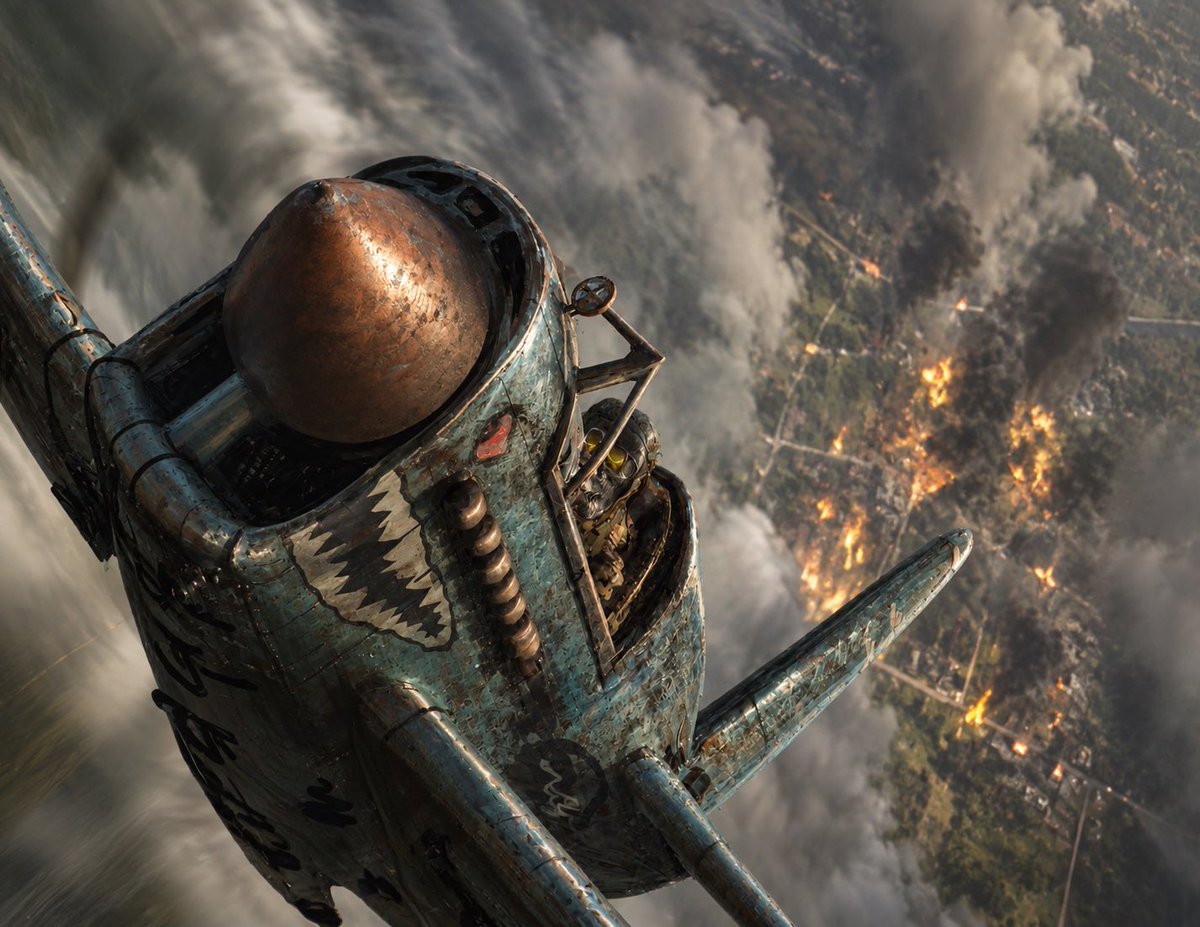
Transforms a hand-drawn illustration of a teal shark-mouth fighter plane with a copper-helmeted pilot into a realistic cinematic shot with metallic textures, volumetric clouds, and a burning landscape.

OpenAI

Source previews

These example images come from the original source. DROPIDEA has not independently tested these examples; results depend on the model and settings.

Ready to personalize

Your prompt

English

Replace the red variables with your information. Copy the full prompt and use it with your preferred agent.

TXT MD English version
Based on the provided reference images, transform the hand-drawn illustration into a realistic cinematic shot. Preserve the original composition, including the weathered teal fighter plane with a shark-mouth nose art and the pilot wearing a copper helmet and yellow goggles. Simulate the effect of shooting with a high-end camera lens: replace the paint brushstrokes with realistic metallic textures, clearly visible rivets, and scratches on the fuselage. Enhance the background details to present volumetric clouds and a high-altitude bird's-eye view of a burning landscape below, while maintaining the same shooting angle and motion blur effect.
Preview results

Your prompt

Based on the provided reference images, transform the hand-drawn illustration into a realistic cinematic shot. Preserve the original composition, including the weathered teal fighter plane with a shark-mouth nose art and the pilot wearing a copper helmet and yellow goggles. Simulate the effect of shooting with a high-end camera lens: replace the paint brushstrokes with realistic metallic textures, clearly visible rivets, and scratches on the fuselage. Enhance the background details to present volumetric clouds and a high-altitude bird's-eye view of a burning landscape below, while maintaining the same shooting angle and motion blur effect.

What you get

  • A realistic cinematic shot derived from your original hand-drawn artwork.
  • Realistic metallic details with visible rivets and fuselage scratches.
  • An enhanced background with volumetric clouds and a burning landscape seen from high altitude.
  • Preservation of the same shooting angle and motion blur effect.

Use cases

  • Realistic YouTube thumbnails for aviation or military history videos.
  • Turning concept sketches into realistic shots for presentations.
  • Marketing assets for games or films with an aerial combat theme.
  • Digital artwork blending hand-drawn style with realism.

How to use

  • Upload the hand-drawn reference illustration you want to transform into a realistic shot.
  • Make sure the image shows the teal fighter with shark-mouth art and the pilot with the copper helmet and yellow goggles.
  • Paste the template as-is into an image generation tool that supports reference images.
  • Review the output to confirm the original composition, camera angle, and motion blur are preserved.
  • Regenerate with a different random seed or resolution settings if you need alternative versions.

Related prompts