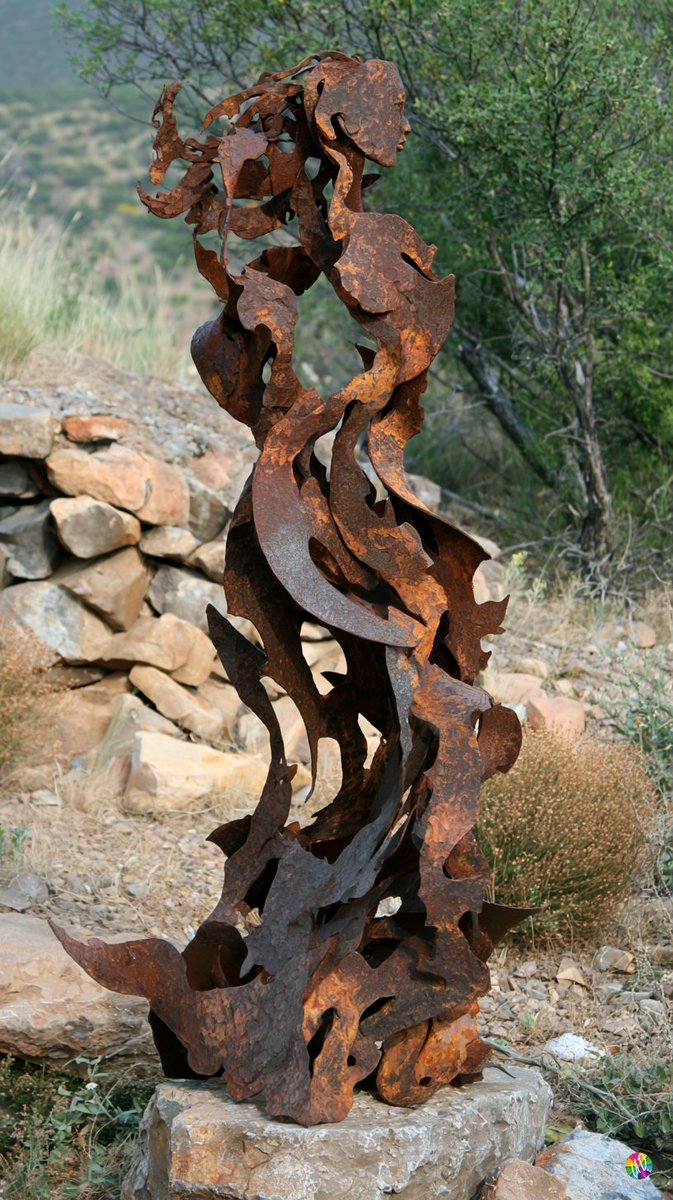
Result 1Midjourney
Image prompt generating an intricate mother-and-son sculpture with organic flowing forms, made entirely of wrought iron with hammer marks, using only its natural colors for patterns, placed on a hillside monument base. Vertical 9:16 aspect ratio.
These example images come from the original source. DROPIDEA has not independently tested these examples; results depend on the model and settings.
Replace the red variables with your information. Copy the full prompt and use it with your preferred agent.
[OBJECT]Sculpture subject; edit the literal after OBJECT= and its four token occurrences.
Replace [OBJECT] in all four spots and the OBJECT= line
Example valuean abstract viola bird sculpture
[MATERIAL]Build material with natural colors; edit the MATERIAL= line and both tokens.
Replace [MATERIAL] in both spots and the MATERIAL= line
Example valuepolished walnut wood
[CONNECTOR_INSTRUCTION]Connector word defining the sculpture's relation to the base.
Replace [CONNECTOR_INSTRUCTION] and the CONNECTOR_INSTRUCTION= line
Example valueinside a recess of
[BASE_MATERIAL]Type of base or setting the sculpture sits on.
Replace [BASE_MATERIAL] and the BASE_MATERIAL= line
Example valuea museum marble plinth
A full 3-stage quadruped animation pipeline: generate an orthographic 2-view reference sheet, run headless Blender...
A prompt template for generating cute, anthropomorphic 3D food mascots featuring realistic textures, cinematic stud...
A detailed character reference sheet prompt generating multiple orthographic and close-up views of a gentle, pearl-...
A customizable 3D portrait depicts an ancient Chinese woman holding a flower near her face under soft backlighting.