Skip to content
ImagesFree

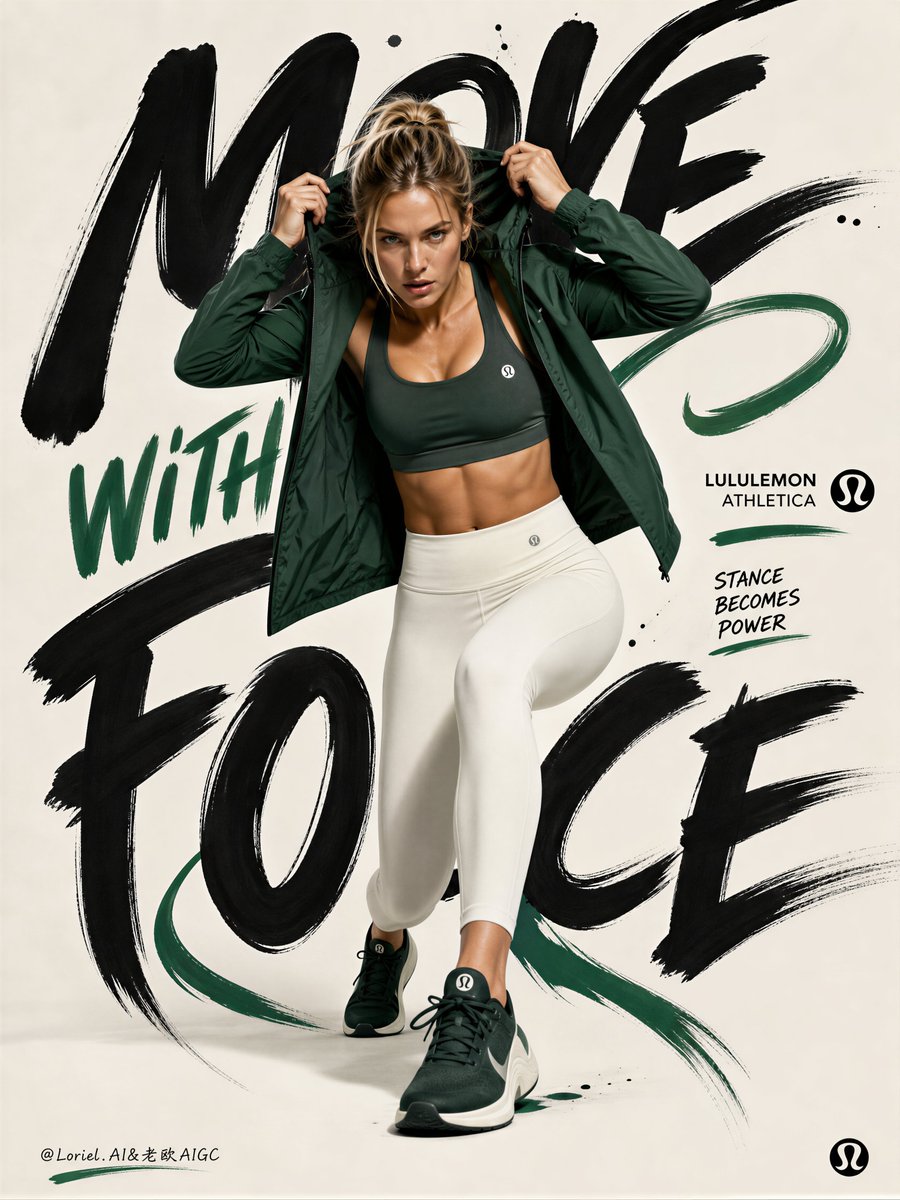
Negative Prompt List for Fitness Ad Imagery

A negative exclusion list preventing unwanted dominant color palettes, cluttered backgrounds, distorted anatomy, bad hands and fingers, generic influencer looks, cheap activewear, blurry typography, dirty shadows, and unrealistic poses in fitness imagery.

OpenAI

Source previews

These example images come from the original source. DROPIDEA has not independently tested these examples; results depend on the model and settings.

Ready to personalize

Your prompt

English

Replace the red variables with your information. Copy the full prompt and use it with your preferred agent.

TXT MD English version
yellow-dominant palette, blue-dominant palette, cluttered graffiti wall, messy background, distorted anatomy, broken limbs, bad hands, extra fingers, twisted joints, weak stance, influencer look, generic activewear, low-detail fabric, cartoon lettering, cheap fitness ad, blurry shoes, bad typography, dirty shadows, black blotches, unrealistic pose
Preview results

Your prompt

yellow-dominant palette, blue-dominant palette, cluttered graffiti wall, messy background, distorted anatomy, broken limbs, bad hands, extra fingers, twisted joints, weak stance, influencer look, generic activewear, low-detail fabric, cartoon lettering, cheap fitness ad, blurry shoes, bad typography, dirty shadows, black blotches, unrealistic pose

What you get

  • Exclusion of yellow-dominant or blue-dominant color palettes
  • Prevention of cluttered graffiti walls and messy backgrounds
  • Avoidance of distorted anatomy, broken limbs, and twisted joints
  • Prevention of extra fingers, bad hands, and unrealistic poses
  • Exclusion of generic influencer looks and cheap activewear
  • Avoidance of blurry typography, dirty shadows, and black blotches

Use cases

  • Sportswear and fitness advertising
  • Professional sports product photography
  • Fitness brand social media posts
  • High-quality athletic fashion shoots

How to use

  • Copy the full negative list and paste it into your image generation tool's negative prompt field.
  • Add the list alongside your main positive prompt without altering any of its terms.
  • If your tool supports weights, keep the list unchanged to avoid weakening the exclusions.
  • Keep the same list when generating multiple images to ensure consistent quality.
  • Upload reference images for activewear and poses if your generation tool supports them, to preserve accuracy.

Related prompts