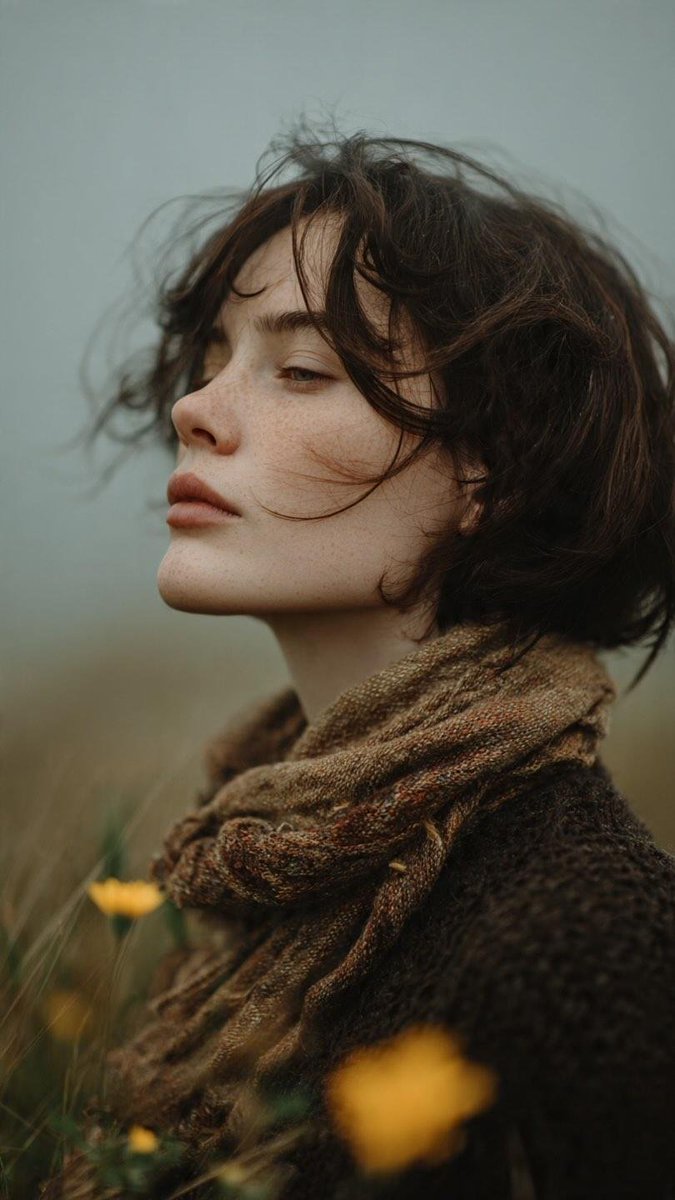
Result 1OpenAI
Four ready prompts for ultra-realistic cinematic female portraits in analog-film style: windy meadow, autumn wildflowers, foggy morning, and golden hour, each with specified cameras, lenses, and film looks.
These example images come from the original source. DROPIDEA has not independently tested these examples; results depend on the model and settings.

Replace the red variables with your information. Copy the full prompt and use it with your preferred agent.
brown sweaterColor of the knitted sweater in Prompt 1.
Prompt 1: "wearing a thick knitted brown sweater..."
Example valuethick knitted cream sweater
Kodak Portra 400Film stock defining Prompt 1's color look.
Prompt 1: "subtle Kodak Portra 400 film colors"
Example valueKodak Portra 800
50mm Summilux f/1.4Camera lens specified in Prompt 1.
Prompt 1: "50mm Summilux f/1.4"
Example value75mm Summilux f/1.4
rust-colored linen dressColor of the linen dress in Prompt 2.
Prompt 2: "wearing a rust-colored linen dress"
Example valueolive-colored linen dress
Sony A7R VCamera in Prompt 3 (technical setting, best kept as-is).
Prompt 3: "captured on a Sony A7R V"
Example valueSony A7R V
young red-haired womanHair color of the subject in Prompt 4.
Prompt 4: "a young red-haired woman with soft freckles"
Example valueyoung blonde woman
A photographic prompt crafted to generate hyper-realistic, unposed smartphone snapshots taken by a friend at a nigh...
Prompt generating an ultra-realistic photo of a young man wearing white Shalwar Kameez by a lake at sunset, specify...
An advanced cinematic AI video prompt crafting a 15-second seamless loop psychedelic Japanese horror music video fe...
Prompt to generate a photorealistic character reference sheet for a young medieval village woman featuring multi-an...