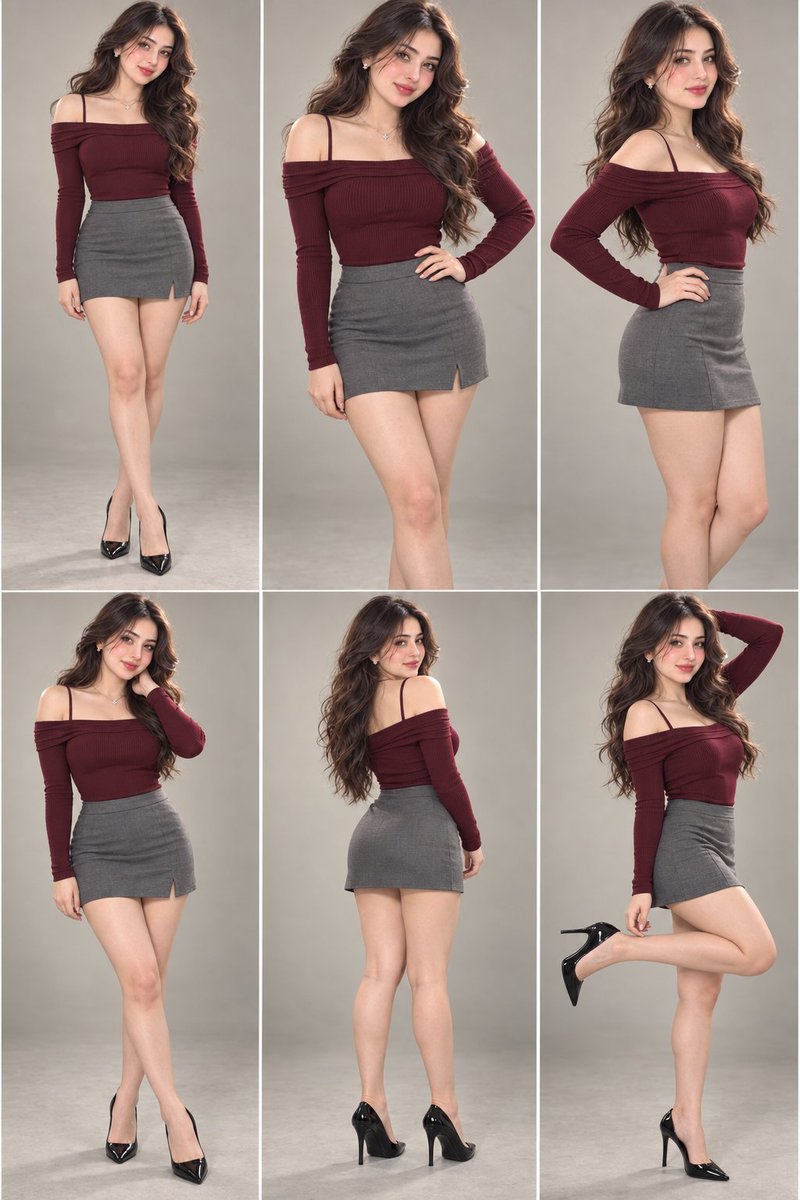
Use the FIRST uploaded image as the MASTER COMPOSITION, BODY, OUTFIT, POSE, HAIR, LIGHTING, CAMERA, AND STYLING REFERENCE.
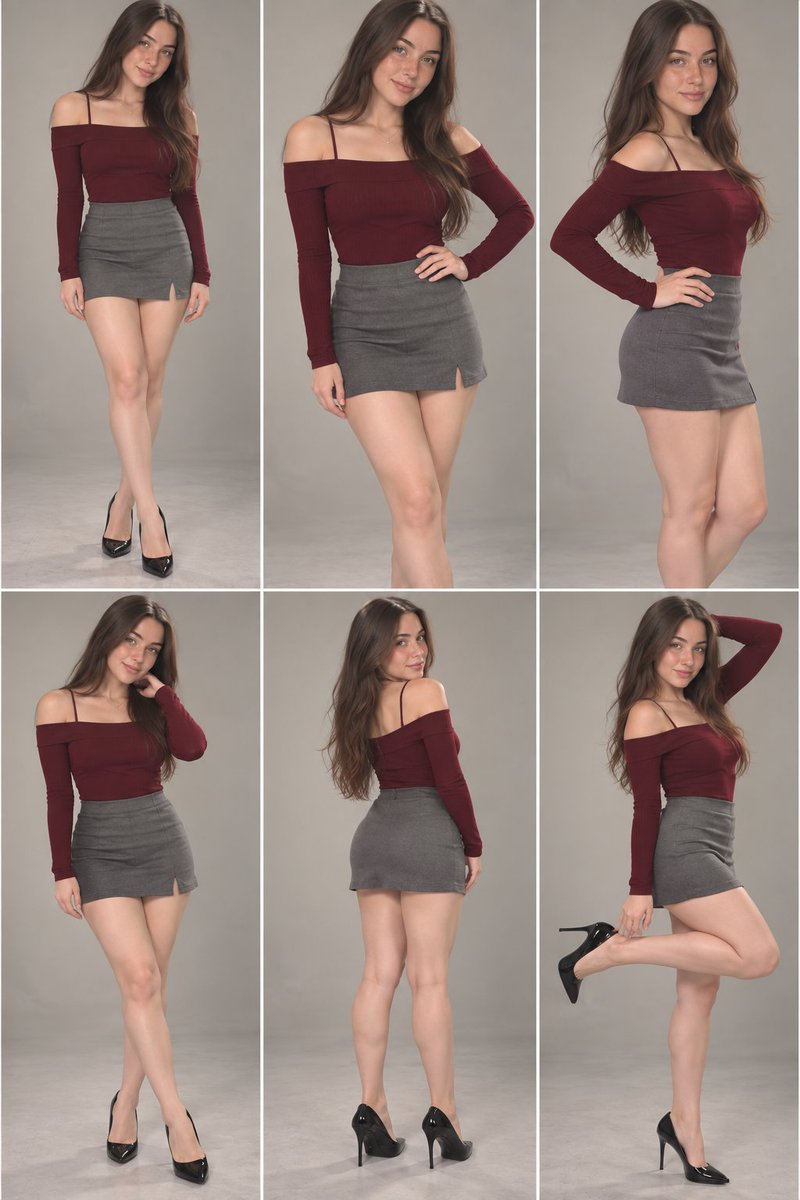
Use the SECOND uploaded image as the ONLY IDENTITY REFERENCE for the new face.
TASK:
Recreate the exact same 6-panel fashion character sheet shown in the MASTER IMAGE, but replace ONLY the person's facial identity with the face from the provided IDENTITY REFERENCE IMAGE.
ABSOLUTE IDENTITY REPLACEMENT:
Transfer the recognizable facial identity from the IDENTITY REFERENCE IMAGE onto the subject in ALL SIX PANELS.
Preserve the reference person's:
- exact facial identity
- facial structure and proportions
- eyes and eye shape
- eyebrows
- nose shape
- lips and mouth
- cheeks
- jawline
- chin
- forehead
- natural facial asymmetry
- skin characteristics
- facial proportions
- distinctive facial features
The face must clearly look like the SAME PERSON from the IDENTITY REFERENCE in all six panels.
IMPORTANT:
Do NOT redesign, beautify, idealize, age, de-age, or reinterpret the reference person's face.
Do NOT create a generic face.
Do NOT mix the original model's facial identity with the new reference identity.
The new face must remain consistent across all six panels.
MASTER IMAGE LOCK — DO NOT CHANGE:
Keep the original MASTER IMAGE exactly as the visual blueprint.
Preserve:
- exact burgundy/maroon off-shoulder fitted long-sleeve top
- thin shoulder straps
- exact gray high-waisted fitted mini skirt
- black pointed high-heel pumps
- same outfit color, material, texture, fit and construction
- same body proportions and physique
- same legs, arms, hands and body shape
- same hairstyle and hair arrangement
- same hair color and texture
- same accessories
- same poses
- same hand positions
- same leg positions
- same head angles
- same facial expressions as closely as possible
- same camera angle
- same framing
- same studio background
- same beige/gray backdrop
- same soft studio lighting
- same shadows
- same floor and environment
- same image quality
- same fashion editorial photography aesthetic
DO NOT CHANGE THE CLOTHING.
DO NOT CHANGE THE BODY.
DO NOT CHANGE THE HAIRSTYLE.
DO NOT CHANGE THE POSES.
DO NOT CHANGE THE COMPOSITION.
ONLY CHANGE THE FACIAL IDENTITY.
6-PANEL STRUCTURE:
Maintain the exact 2×3 character reference sheet layout from the MASTER IMAGE.
Panel 1:
Same full-body standing pose, same outfit, same hairstyle, same body and exact composition. Replace only the face with the identity-reference face.
Panel 2:
Same pose with one hand positioned at the waist/hip. Preserve everything exactly. Replace only the face.
Panel 3:
Same three-quarter standing pose with hand on hip and turned head. Preserve everything exactly. Replace only the face.
Panel 4:
Same standing pose with hand raised near the neck/shoulder. Preserve everything exactly. Replace only the face.
Panel 5:
Same back/three-quarter pose showing the back and side of the outfit. Preserve the exact hairstyle, clothing and body. Replace only the visible facial identity.
Panel 6:
Same playful one-leg raised pose with one arm behind/near the head. Preserve the exact pose, outfit, hairstyle and body. Replace only the face.
FACE CONSISTENCY:
The same identity-reference person must appear consistently in every panel.
Facial features must remain stable despite different head angles, poses and perspectives.
Correctly adapt the new identity to each pose without changing the person's recognizable facial structure.
PHOTOREALISM:
Create a highly realistic professional fashion photography result.
Natural skin texture.
Realistic pores and subtle facial details.
Natural eyes and reflections.
Physically accurate facial anatomy.
Realistic hair strands.
Natural shadows and highlights.
Realistic fabric folds.
Realistic body proportions.
No plastic skin.
No AI-looking face.
No beauty-filter appearance.
No excessive retouching.
No artificial facial symmetry.
COMPOSITION:
Keep the exact six-panel vertical contact-sheet layout.
Six equal portrait panels arranged in a 2×3 grid.
Thin white separators between panels.
Match the original framing, camera distance and subject scale as closely as possible.
The final result should look like the SAME ORIGINAL CHARACTER SHEET photographed with the SAME outfit and styling, except that the person's facial identity has been replaced by the provided reference identity.
FINAL PRIORITY ORDER:
1. Preserve the IDENTITY REFERENCE face exactly.
2. Preserve the MASTER IMAGE composition and six poses exactly.
3. Preserve the original outfit exactly.
4. Preserve the original body and hairstyle exactly.
5. Preserve lighting, camera, background and photography style exactly.
NO UNREQUESTED CHANGES.
ONLY THE FACE IDENTITY CHANGES.