TITLE: VELVET NOVA — PART 1: THE ENTRANCE
FORMAT
Exactly 7 seconds, 16:9 widescreen, ultra-photorealistic premium K-pop arena concert film with native synchronized stereo audio. One continuous drone-style camera move begins as the five-member adult group enters the stage and ends in a clean close-up of all five performers.
OMNI REFERENCES
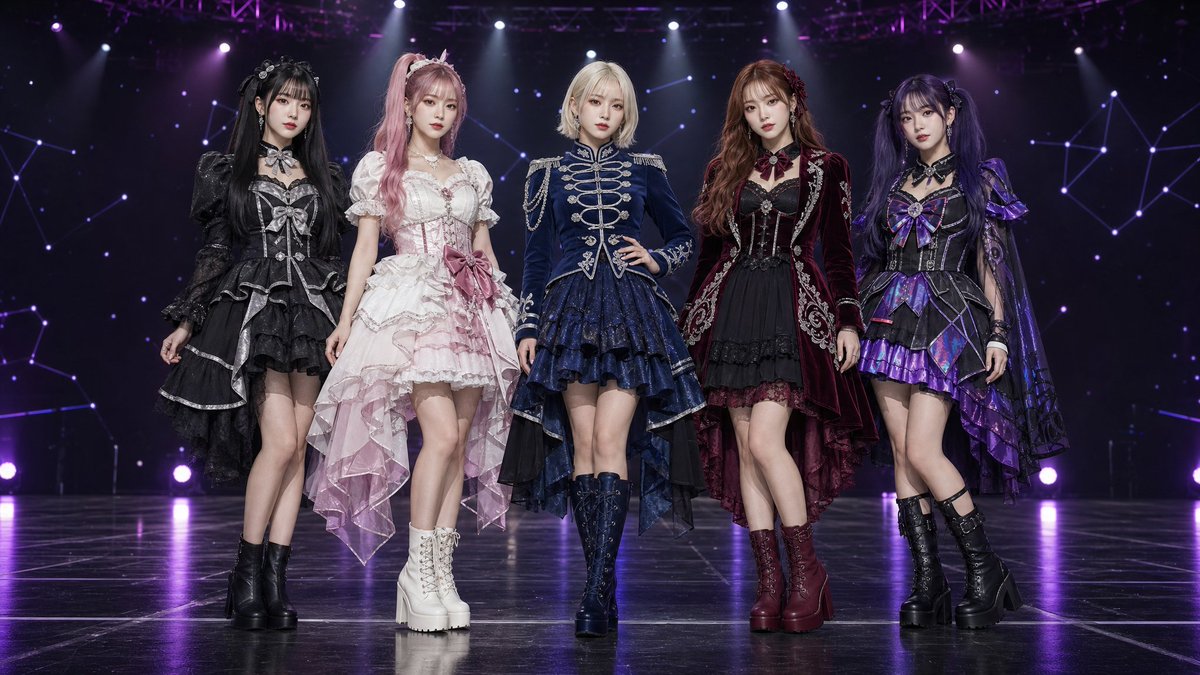
- Use [REF_1] as the master identity and wardrobe reference for the fictional group VELVET NOVA. Preserve exactly five adult women, aged 22–28, with the same faces, adult proportions, hair, costumes and colors: MIRA black/silver with long black hair; SORA ivory/rose with pink ponytail; JIYU midnight blue with platinum bob at center; HANA burgundy/black with auburn hair; RIN violet/black with purple twin low ponytails.
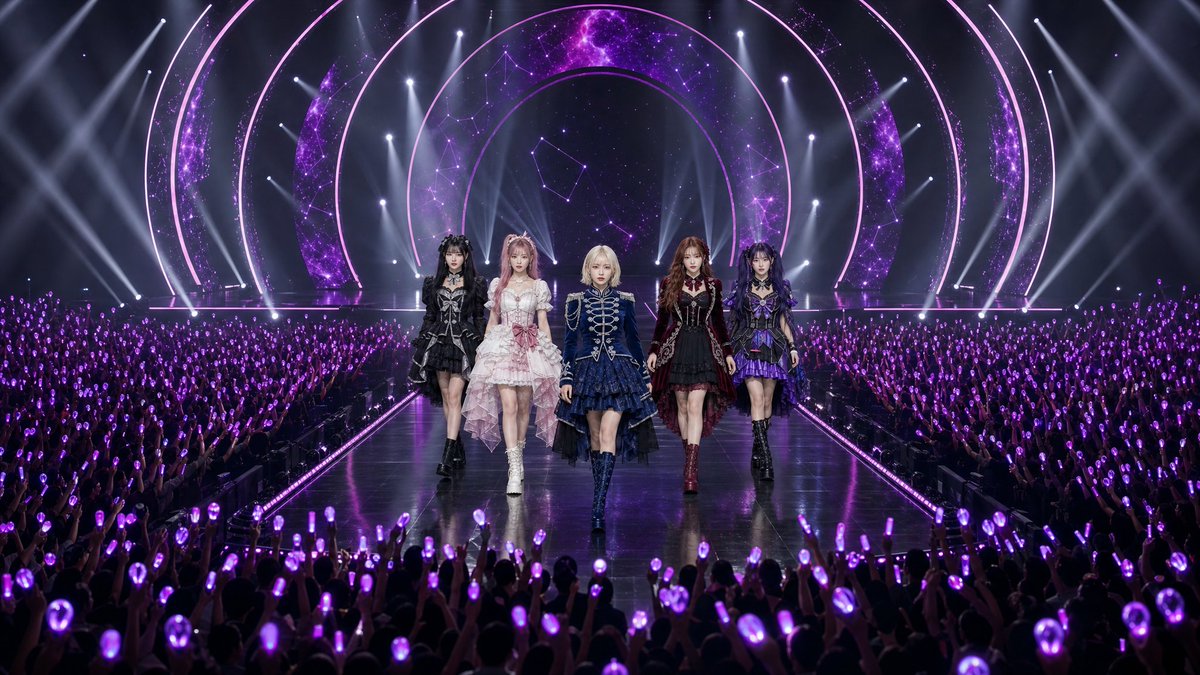
- Use [REF_2] as the exact arena, entrance runway, audience, crescent LED architecture, violet-magenta constellation graphics and opening spatial composition.
CONTINUITY
The five members always remain the same adults from [REF_1]. Keep their costume construction, hair length, accessories, boots and relative heights stable. JIYU leads at center, with MIRA and SORA on camera-left and HANA and RIN on camera-right. No backup dancers or additional performers enter the stage.
TIMELINE
0.0–1.5 seconds — REVEAL
Begin in the high, wide drone-like view of [REF_2], positioned above the excited audience and facing the main stage. The backstage portal opens in darkness and a white silhouette light reveals the five members stepping forward together in a shallow V formation. Thousands of violet and magenta light sticks surge upward as the audience cheers. Preserve a safe, orderly crowd and the clear central runway.
1.5–4.5 seconds — DRONE PUSH-IN
The camera flies smoothly forward and gradually descends along the runway axis, passing safely above the audience and never crossing through people or objects. The five performers walk toward camera with confident synchronized steps; fabric layers, bows, hair and coat tails react naturally to their movement and stage airflow. Moving white spotlights sweep behind them while the violet constellation LEDs remain spatially stable. The crowd waves light sticks and phones without blocking the camera.
4.5–7.0 seconds — GROUP CLOSE-UP
Continue the same uninterrupted move into a stabilized chest-up close shot containing all five adult members. They stop in formation, look directly into the lens and smile with controlled anticipation. JIYU raises her black wireless microphone; the other four make small confident introductory gestures. Faces, hairstyles and makeup remain sharply consistent with [REF_1]. End on their poised expressions as the concert downbeat begins, ready to cut seamlessly into Part 2.
CAMERA
One continuous stabilized drone/gimbal trajectory: high wide establishing view, fast controlled forward flight, gradual descent, smooth deceleration, then stable five-person close-up. Natural parallax and realistic lens compression. No cut, orbit, whip pan, camera shake, collision, fisheye distortion or impossible flight path.
AUDIO
Native stereo arena sound. Begin with a deep atmospheric intro pulse, distant crowd roar and thousands of light-stick clicks. The cheer grows as the portal opens. Add restrained sub-bass, rising electronic tension and spatial whooshes synchronized with the drone acceleration. At 6.5 seconds, introduce the first clean downbeat of an original high-energy K-pop instrumental to bridge directly into Part 2. No recognizable melody, copyrighted song, spoken dialogue or narration.
NEGATIVE CONSTRAINTS
No children, teenagers, school uniforms, infantilized features, sexualized behavior, real celebrities, existing group resemblance, extra members, duplicated performers, member disappearance, face changes, hair changes, costume changes, malformed hands, extra limbs, crowd on stage, unsafe crowd motion, backup dancers, logos, brand marks, readable text, subtitles, watermark, fireworks obscuring faces, teleportation, camera cuts, collision or silent audio.
#PromptShare #HailuoH3