Skip to content
ImagesFree

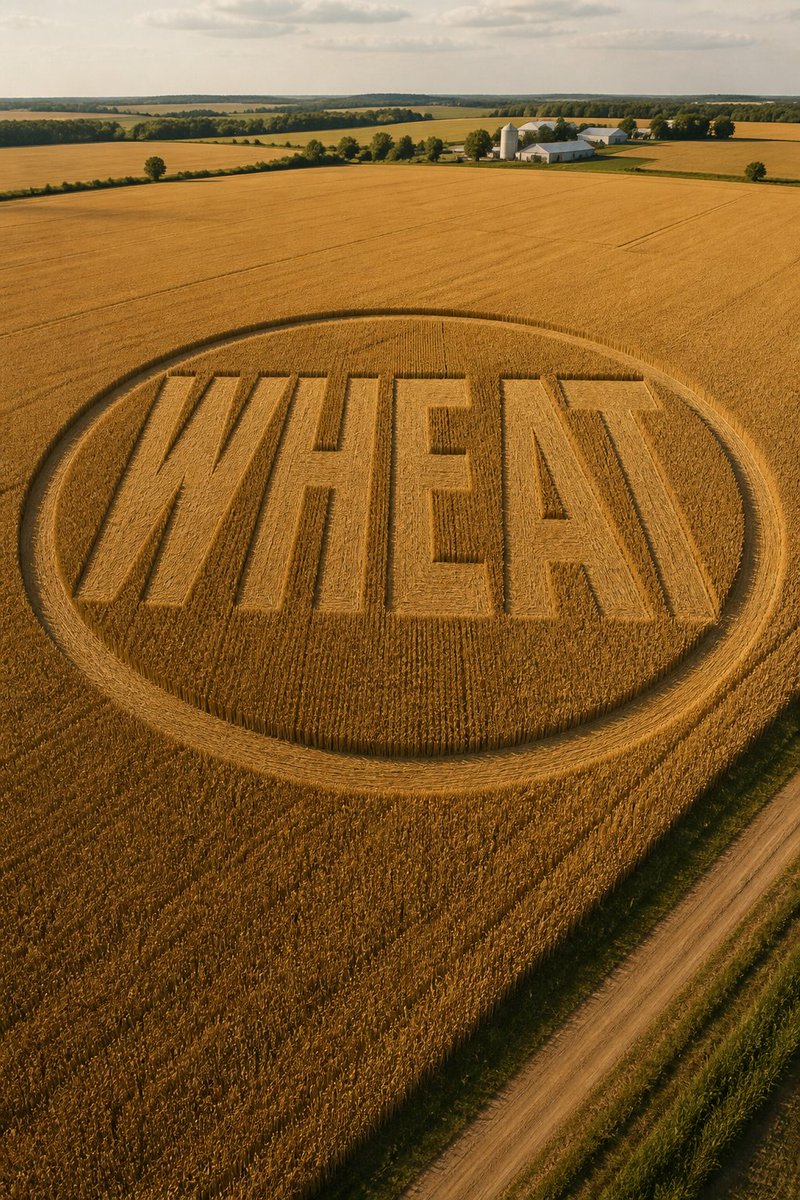
WHEAT Crop Circle in Golden Field

A prompt for a photorealistic high-angle scene of a golden wheat field featuring a vast crop circle that clearly spells "WHEAT," with a dirt road, a distant farm, and late-afternoon light. It also includes social copy for comparing images from GPT Image 2 and Muse Image.

OpenAI

Source previews

These example images come from the original source. DROPIDEA has not independently tested these examples; results depend on the model and settings.

Ready to personalize

Your prompt

English

Replace the red variables with your information. Copy the full prompt and use it with your preferred agent.

TXT MD English version
A photorealistic high-angle view of a golden wheat field. A vast crop circle in the middle of the field — the flattened wheat forms the letters of the word "WHEAT" in clean, uniform lines, while the surrounding wheat stands upright and golden. A dirt road at the edge of the field, a small farm in the distance, late afternoon light, the flattened pattern is crisp and even, 2:3 aspect ratio. 🔵 GPT Image 2: [img. 1] 🟣 Muse Image: [img. 2] RT + reply who you pick 👇 #AIart #GPTImage2 #MuseImage
Preview results

Your prompt

A photorealistic high-angle view of a golden wheat field. A vast crop circle in the middle of the field — the flattened wheat forms the letters of the word "WHEAT" in clean, uniform lines, while the surrounding wheat stands upright and golden. A dirt road at the edge of the field, a small farm in the distance, late afternoon light, the flattened pattern is crisp and even, 2:3 aspect ratio. 🔵 GPT Image 2: [img. 1] 🟣 Muse Image: [img. 2] RT + reply who you pick 👇 #AIart #GPTImage2 #MuseImage

Variable guide

WHEAT

The word formed by the flattened wheat in the field.

The text WHEAT inside quotation marks in the crop-circle description.

Example value

HARVEST

[img. 1]

The comparison image generated with GPT Image 2.

The [img. 1] marker after GPT Image 2.

Example value

A wheat-field image generated with GPT Image 2.

[img. 2]

The comparison image generated with Muse Image.

The [img. 2] marker after Muse Image.

Example value

A wheat-field image generated with Muse Image.

What you get

  • A photorealistic high-angle scene of a golden wheat field with a vast crop circle.
  • A crisp flattened pattern spelling "WHEAT" amid upright wheat.
  • A natural composition featuring a dirt road, a farm in the distance, and late-afternoon light.
  • Ready-to-use social copy for comparing two visual results.

Use cases

  • Comparing results from different image generators with the same prompt.
  • Creating artwork about farming, harvests, or crop circles.
  • Preparing interactive posts that ask the audience to choose a preferred image.
  • Designing a rural vertical image with a 2:3 aspect ratio.

How to use

  • Use the first paragraph as an image-generation prompt, retaining the 2:3 aspect ratio if you want the specified vertical composition.
  • Replace WHEAT if you want the flattened wheat to form a different word, and continue to request clean, uniform lettering.
  • Generate one version with GPT Image 2 and another with Muse Image using the same prompt for a fair comparison.
  • Attach the GPT Image 2 result in place of [img. 1] and the Muse Image result in place of [img. 2]; these markers require two actual image attachments or references.
  • Publish the accompanying copy with both images and ask the audience to repost and state their choice in a reply.

Related prompts