Result 1Image generation
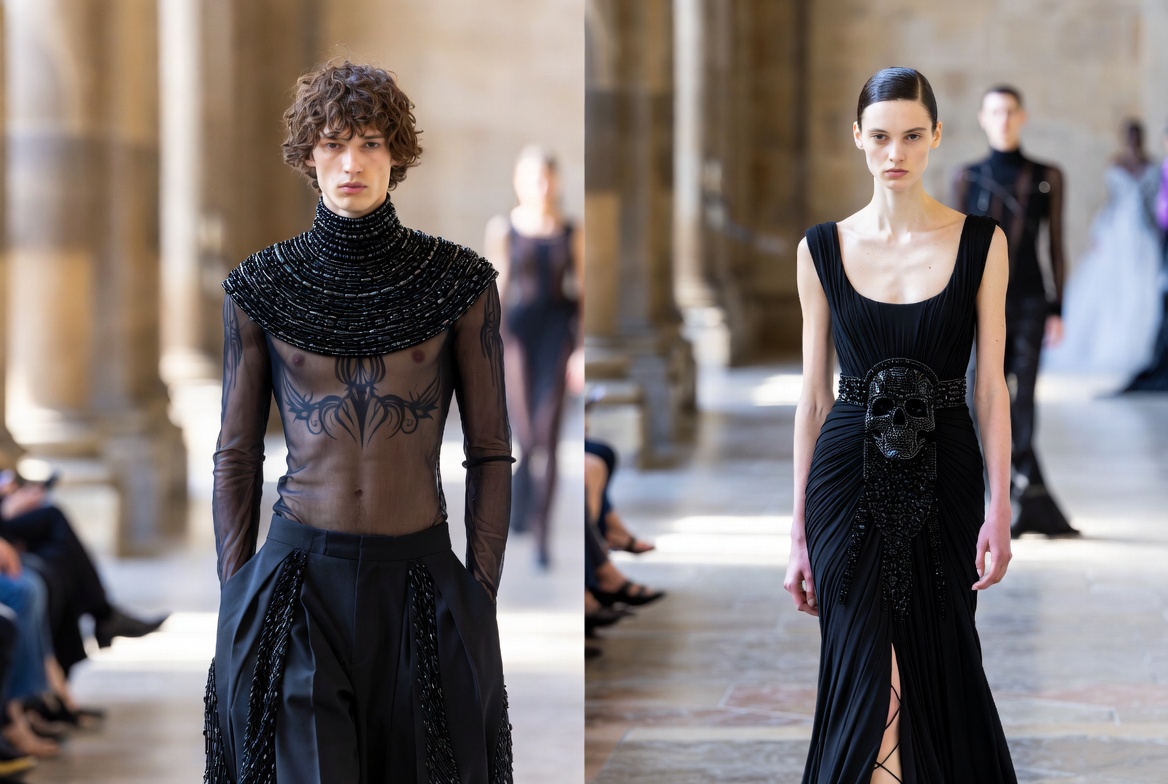
A photorealistic image prompt of two models walking side by side on a stone-tiled runway in a grand classical hall, wearing black beaded couture designs, with specified stylize settings.
These example images come from the original source. DROPIDEA has not independently tested these examples; results depend on the model and settings.
Replace the red variables with your information. Copy the full prompt and use it with your preferred agent.
sheer black long-sleeve mesh topEdit the full left model description
Paragraph starting with 'Left:'
Example valueSwap the mesh top for a beaded velvet jacket
form-fitting black sleeveless gownEdit the full right model description
Paragraph starting with 'Right:'
Example valueChange the gown color to deep red
grand classical hall with tall columnsChange the shooting location and atmosphere
Second sentence of the template
Example valueAn outdoor marble plaza at sunset
soft natural window light, subtle shadowsChange lighting and shadows
Final sentence before '8k detail'
Example valueWarm golden theatrical lighting
A prompt for creating a premium vertical four-panel streetwear campaign collage from an uploaded facial identity re...
A photorealistic image-generation prompt for a vertical summer portrait of a fictional adult Japanese woman in a st...
A prompt for a photorealistic fantasy fashion portrait featuring a woman with elven details, black and orange cloth...
An ultra-photorealistic fashion editorial prompt featuring a low-angle outdoor portrait in a suburban setting with...