Skip to content
ImagesFree

Funny Zebra at a Real Crosswalk

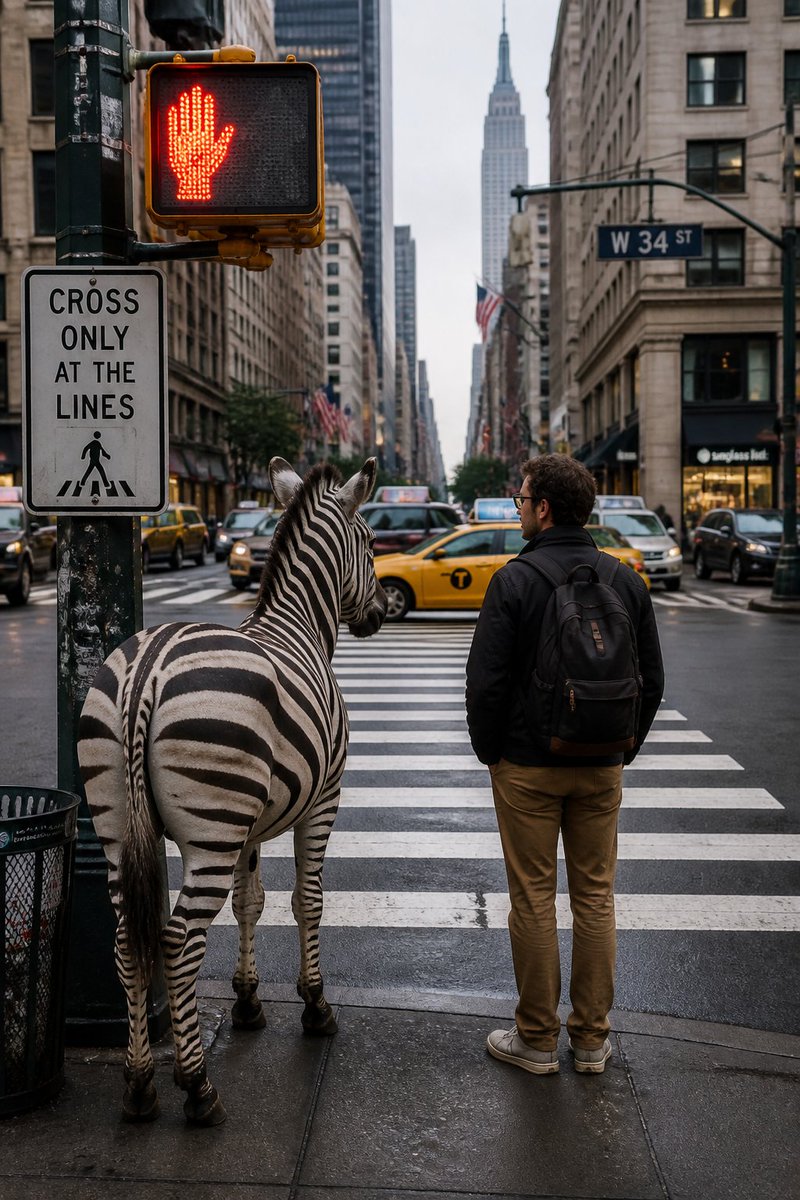
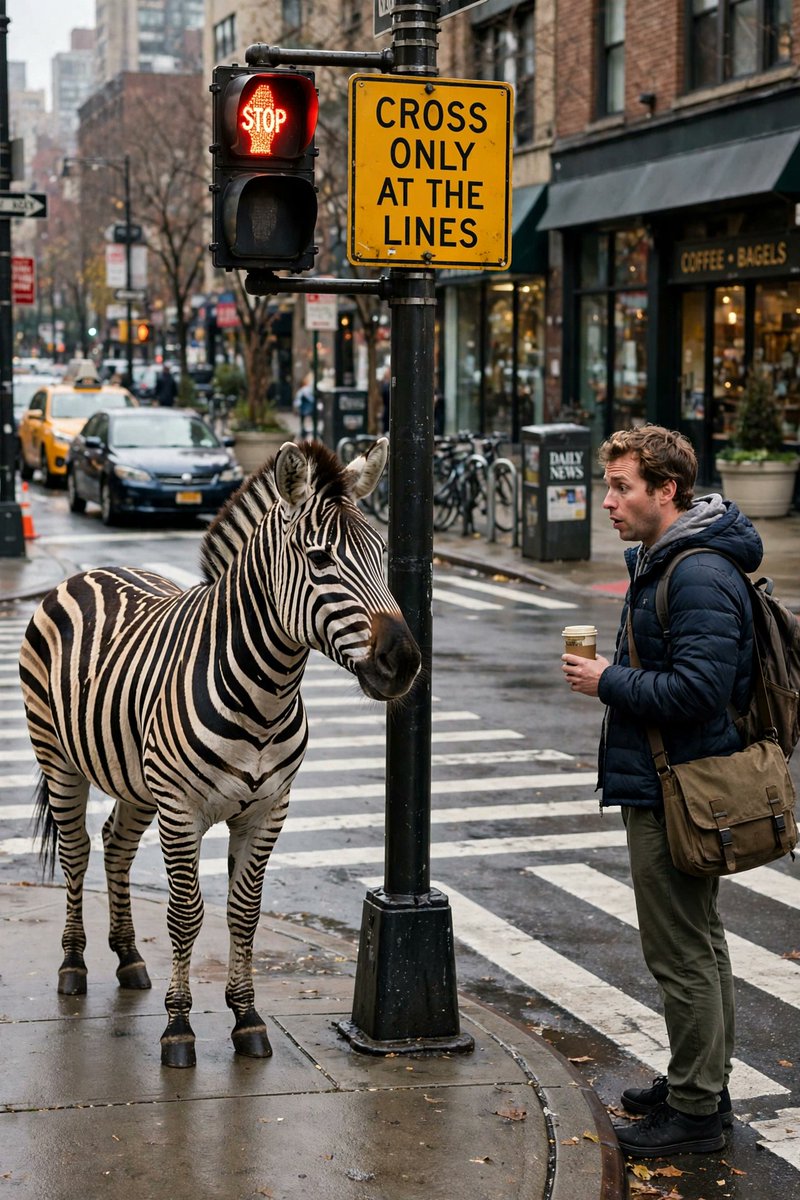
A playful, detailed scene featuring a real zebra waiting at a red light by a city crosswalk, with a pedestrian and a crossing sign. The social post compares two images and invites the audience to choose a favorite.

OpenAI

Source previews

These example images come from the original source. DROPIDEA has not independently tested these examples; results depend on the model and settings.
Ready to personalize

Your prompt

English

Replace the red variables with your information. Copy the full prompt and use it with your preferred agent.

TXT MD English version
A funny, detailed scene. A real zebra standing at a real crosswalk, waiting at the red light, a pedestrian waiting — a sign "CROSS ONLY AT THE LINES" — the city street, the confusion, the playfulness, 2:3 aspect ratio. 🔵 GPT Image 2: [img. 1] 🟣 Muse Image: [img. 2] RT + reply who you pick 👇 #AIart #GPTImage2 #MuseImage
Preview results

Your prompt

A funny, detailed scene. A real zebra standing at a real crosswalk, waiting at the red light, a pedestrian waiting — a sign "CROSS ONLY AT THE LINES" — the city street, the confusion, the playfulness, 2:3 aspect ratio. 🔵 GPT Image 2: [img. 1] 🟣 Muse Image: [img. 2] RT + reply who you pick 👇 #AIart #GPTImage2 #MuseImage

Variable guide

zebra

The real animal featured in the scene; keeping the zebra preserves the crosswalk-stripe visual pun.

Replace “zebra” in the opening sentence.

Example value

zebra

CROSS ONLY AT THE LINES

The text that must appear on the sign in the image.

Replace the quoted text following “a sign” while retaining the quotation marks.

Example value

CROSS ONLY AT THE LINES

[img. 1]

The first image generated with GPT Image 2.

Replace [img. 1] on the GPT Image 2 line.

Example value

A generated image of the zebra scene

[img. 2]

The second image generated with Muse Image.

Replace [img. 2] on the Muse Image line.

Example value

An alternative generated version of the same scene

What you get

  • A prompt for a playful, detailed vertical image set at a crosswalk on a city street.
  • A visual joke involving a zebra and crosswalk lines, accompanied by a red light, a pedestrian, and a crossing sign.
  • A ready-to-use social post that compares two images and encourages the audience to choose a favorite.

Use cases

  • Comparing results from two different image generators.
  • Creating an interactive AI art post.
  • Testing image models on humorous realism, scene composition, and sign text.
  • Producing playful content for social media.

How to use

  • Use the scene description to generate a funny, detailed image in a 2:3 aspect ratio.
  • Keep the zebra to preserve the playful visual pun involving the crosswalk stripes, or replace it if you want a different subject.
  • Make sure the sign displays "CROSS ONLY AT THE LINES" exactly if the image generator can render text accurately.
  • Create versions with GPT Image 2 and Muse Image, then attach the first at [img. 1] and the second at [img. 2].
  • Publish the comparison with the repost-and-reply call to action, retaining the hashtags when appropriate for the platform.

Related prompts