Skip to content
ImagesFree

Premium Editorial City Poster Recreation

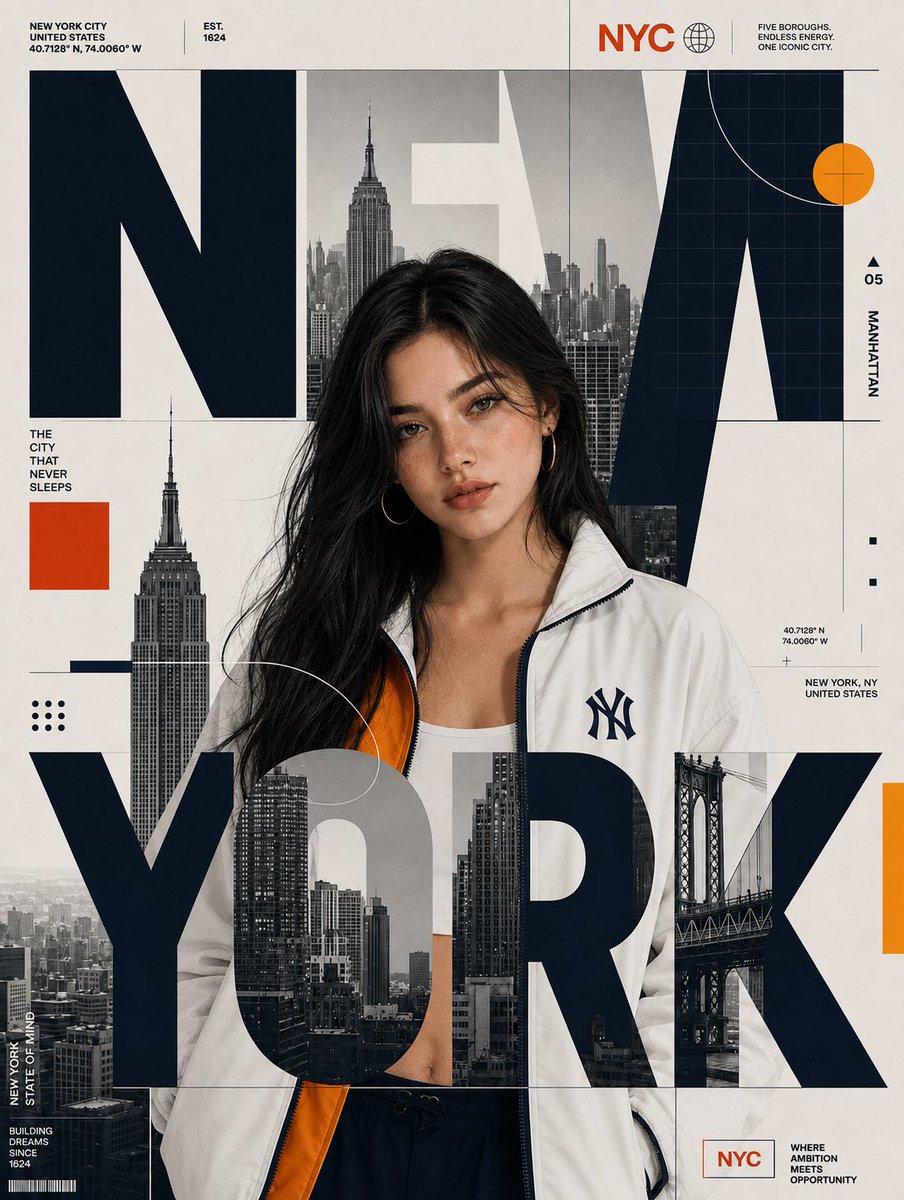
A JSON template that recreates a reference image as a premium editorial city poster: swaps the original person with an uploaded image while preserving identity, features, and pose, and swaps the city with a custom city name while rebuilding landmarks and skyline, with oversized city typography layered over the standing subject as in the reference. Requires uploading a reference image and a subject image.

OpenAI

Source previews

These example images come from the original source. DROPIDEA has not independently tested these examples; results depend on the model and settings.

Ready to personalize

Your prompt

English

Replace the red variables with your information. Copy the full prompt and use it with your preferred agent.

TXT MD English version
{ "CITY_NAME": "<city name>", "SUBJECT": "<uploaded image>", "prompt": "Recreate the reference image as a premium editorial city poster. Replace the original person with SUBJECT while preserving SUBJECT's identity, facial features, hairstyle, hair color, skin tone, and natural appearance. SUBJECT must be standing in the SAME pose, SAME body orientation, SAME framing, SAME scale, and approximately the SAME position as the reference subject.\n\nReplace the original city with CITY_NAME and rebuild the surrounding skyline, landmarks, architecture, bridge, and urban photography specifically for CITY_NAME. Replace all city-specific labels, coordinates, location information, and captions accordingly.\n\nCRITICAL TYPOGRAPHY COMPOSITION: The oversized CITY_NAME typography must be physically layered OVER the standing character, exactly like the reference. Do NOT place all of the city text behind the subject. The large CITY_NAME letters must pass across the subject's body and overlap her clothing and lower torso, visibly covering portions of her. At the same time, some portions of the typogra…
Preview results

Your prompt

{ "CITY_NAME": "<city name>", "SUBJECT": "<uploaded image>", "prompt": "Recreate the reference image as a premium editorial city poster. Replace the original person with SUBJECT while preserving SUBJECT's identity, facial features, hairstyle, hair color, skin tone, and natural appearance. SUBJECT must be standing in the SAME pose, SAME body orientation, SAME framing, SAME scale, and approximately the SAME position as the reference subject.\n\nReplace the original city with CITY_NAME and rebuild the surrounding skyline, landmarks, architecture, bridge, and urban photography specifically for CITY_NAME. Replace all city-specific labels, coordinates, location information, and captions accordingly.\n\nCRITICAL TYPOGRAPHY COMPOSITION: The oversized CITY_NAME typography must be physically layered OVER the standing character, exactly like the reference. Do NOT place all of the city text behind the subject. The large CITY_NAME letters must pass across the subject's body and overlap her clothing and lower torso, visibly covering portions of her. At the same time, some portions of the typogra…

Variable guide

<city name>

The city name the poster and its typography are built around.

CITY_NAME field at the JSON root: replace <city name>.

Example value

Dubai

<uploaded image>

The uploaded person's image replacing the original character.

SUBJECT field at the JSON root: replace <uploaded image>.

Example value

A clear, well-lit face photo

What you get

  • A premium editorial city poster built on the reference image's composition.
  • A character preserving the uploaded image's identity, features, pose, framing, and scale.
  • A city skyline, landmarks, architecture, bridge, and photographic treatment tailored to the chosen city.
  • Oversized city-name typography layered over the standing character, with portions of the text remaining behind her as in the reference.

Use cases

  • Editorial-style travel posters and decor for specific cities.
  • Marketing content for city-linked brands.
  • Personalized gifts combining a person's photo with their city poster.
  • Social media posts with a luxury magazine aesthetic.

How to use

  • Upload two images to your image generation tool: the reference image (the original city poster) and the photo of the person who will replace the character.
  • Copy the full JSON template and paste it into the tool.
  • Replace <city name> in the CITY_NAME field with your desired city.
  • Point <uploaded image> in the SUBJECT field to the person's photo you uploaded.
  • Run the template and verify the oversized city typography overlaps the standing subject as in the reference, then retry with different cities as needed.

Related prompts