Result 1OpenAI
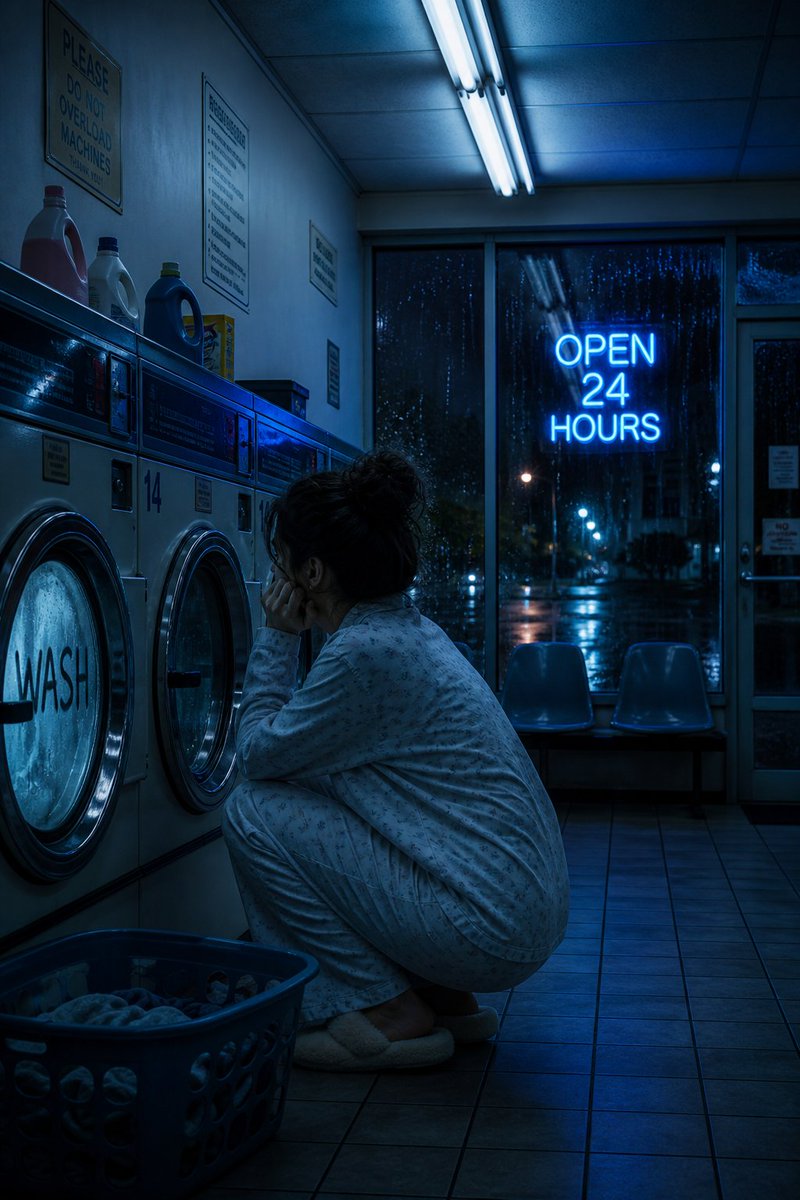
A melancholic, blue-toned cinematic photo prompt of a 24-hour laundromat at 3am with a woman in pajamas, humming fluorescent light, fogged machines, a blue neon OPEN 24 HOURS sign, and rain, plus a two-image comparison between GPT Image 2 and Muse Image.
These example images come from the original source. DROPIDEA has not independently tested these examples; results depend on the model and settings.

Replace the red variables with your information. Copy the full prompt and use it with your preferred agent.
3amThe time of night when the scene takes place; change the number to pick a different hour.
In the first sentence of the prompt, inside "at 3am".
Example value2am
MelancholicThe overall mood of the scene.
In the final descriptive sentence, the word "Melancholic".
Example valueSerene
blue-tonedThe dominant color grade of the image.
In the final sentence, before "cinematic".
Example valuecold green tones
"WASH"The word written on the fogged machine glass; it must appear in English in the result.
First descriptive line, inside "the word \"WASH\"".
Example value"SPIN"
"OPEN 24 HOURS"The outdoor neon sign text; it must appear quoted as-is in the image.
First descriptive line, inside "the neon \"OPEN 24 HOURS\"".
Example value"OPEN ALL NIGHT"
A photographic prompt crafted to generate hyper-realistic, unposed smartphone snapshots taken by a friend at a nigh...
Prompt generating an ultra-realistic photo of a young man wearing white Shalwar Kameez by a lake at sunset, specify...
An advanced cinematic AI video prompt crafting a 15-second seamless loop psychedelic Japanese horror music video fe...
Prompt to generate a photorealistic character reference sheet for a young medieval village woman featuring multi-an...