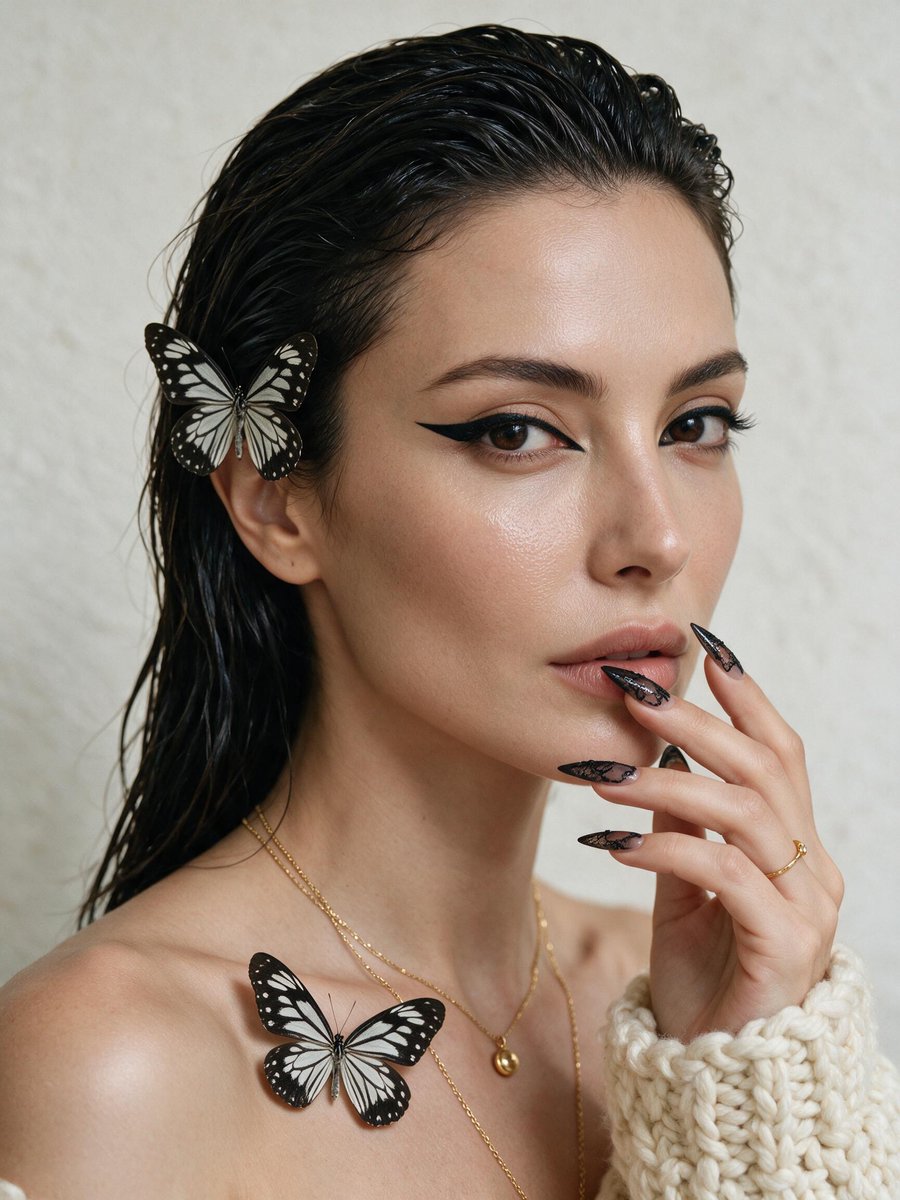
Result 1Gemini
A photographic prompt that turns an uploaded photo into a close-up, eye-level beauty portrait: stiletto nails with dark translucent lace, sharp winged black eyeliner, slicked wet-look hair, black-and-white butterflies, delicate gold accessories, minimal neutral background, soft diffused light, Sony Alpha a7R V, 85mm.
These example images come from the original source. DROPIDEA has not independently tested these examples; results depend on the model and settings.

Replace the red variables with your information. Copy the full prompt and use it with your preferred agent.
Seedream V5 pro vs Nano Banana 2The names of the two models whose outputs are compared in the template's first line.
In the first line of the template, before "on @ImagineArt_X" — replace both model names while keeping the word "vs" between them.
Example valueGPT Image 1 vs Flux 1.1 Pro
stiletto nails with a dark translucent lace patternDescription of the nail shape and decoration; specify length, color, and pattern.
In the second descriptive sentence, after "hand near the mouth highlighting" — replace the entire nail and lace description.
Example valueglossy deep-red almond nails
hair slicked back in a wet lookThe hairstyle and hair texture shown in the image.
In the second descriptive sentence, after "eyeliner with sharp wings," — replace "hair slicked back in a wet look".
Example valuelong free-flowing curly hair
A real black-and-white butterfly in the hair and another on the chestThe decorative element used and its placement in the hair and on the chest.
At the end of the second descriptive sentence, before the "Accessories:" line — replace the butterfly description and positions.
Example valuea real white flower in the hair and another on the shoulder
delicate gold chain and ringThe list of accessories and jewelry visible in the shot.
In the line starting with "Accessories:" — edit the text after the colon and before ", cream".
Example valuegold hoop earrings and a thin bracelet
(gold, ivory, deep black)The core colors of the image palette inside the parentheses, keeping the parentheses.
In the last line, after "organic muted palette" — edit the three colors inside the parentheses, keeping parentheses and commas.
Example value(silver, charcoal gray, midnight blue)
Minimal neutral backgroundDescription of the background behind the subject.
At the beginning of the last line — replace "Minimal neutral background" with your scene.
Example valuegraded gray studio background
[3:4]The image aspect ratio in square brackets in [width:height] form.
At the end of the prompt's first sentence, after "Close-up, eye-level portrait" — change only the two numbers inside the square brackets [3:4] without removing the brackets.
Example value[1:1]
Sony Alpha a7R V, 85mmCamera and lens specifications for the professional photographic look.
At the end of the last line — replace the camera and lens while keeping the technical lens format with its millimeter rating.
Example valueCanon EOS R5, 50mm
A photographic prompt crafted to generate hyper-realistic, unposed smartphone snapshots taken by a friend at a nigh...
Prompt generating an ultra-realistic photo of a young man wearing white Shalwar Kameez by a lake at sunset, specify...
An advanced cinematic AI video prompt crafting a 15-second seamless loop psychedelic Japanese horror music video fe...
Prompt to generate a photorealistic character reference sheet for a young medieval village woman featuring multi-an...