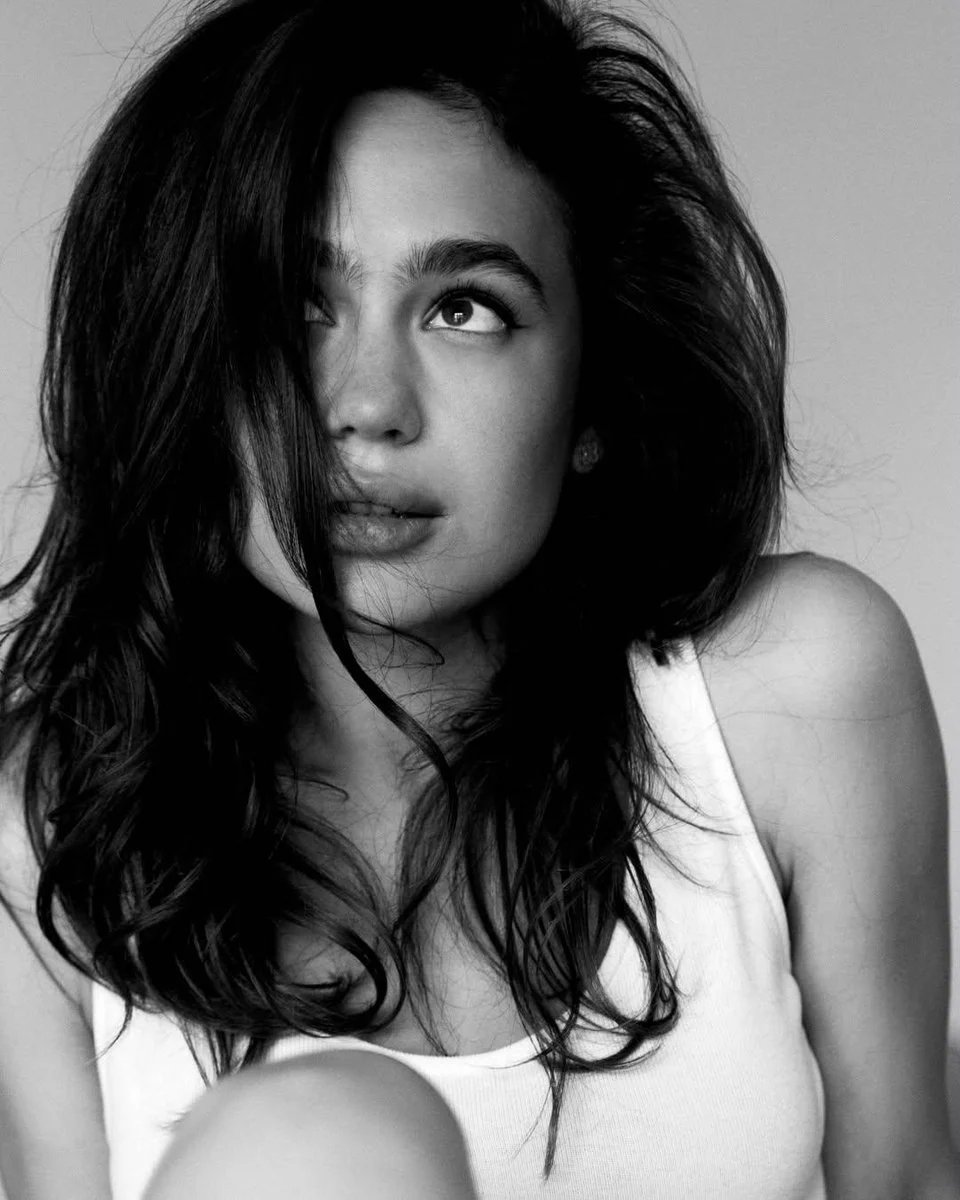
Ultra-Realistic Black-and-White Editorial Fashion Portrait
A photorealistic black-and-white luxury magazine-style prompt with two close-up shots of a young woman with long dark hair in a minimalist studio, soft window lighting, rich grayscale tones, 85mm lens, f/1.8.
Source previews
These example images come from the original source. DROPIDEA has not independently tested these examples; results depend on the model and settings.
Your prompt
Replace the red variables with your information. Copy the full prompt and use it with your preferred agent.
Variable guide
fitted white ribbed tank topColor and cut of the top worn in Shot 1.
Inside the sentence "She wears a fitted white ribbed tank top" in the Shot 1 section.
Example valuefitted red ribbed tank top
elegant diamond jewelry (bracelet, watch, earrings)Description of the jewelry worn in Shot 2, including the parenthesized list.
In the Shot 2 description after "black spaghetti-strap top".
Example valueelegant gold jewelry (necklace, bracelet, ring)
soft light gray backgroundStudio background color.
First line of the template, in the studio description.
Example valuesoft light beige background
What you get
- A photorealistic black-and-white fashion portrait with a luxury magazine aesthetic.
- Two cohesive close-up shots: a chest-up shot in a white ribbed tank top and an intimate shot in a black spaghetti-strap top with diamond jewelry.
- Soft diffused window lighting with gentle shadows, rich grayscale tones, and shallow depth of field.
- Crisp facial details with a candid dreamy expression in Shot 1 and a warm genuine smile in Shot 2.
Use cases
- Editorial pages or covers for fashion magazines and luxury content.
- Social media posts for fashion and jewelry brands.
- Moodboards for black-and-white photography campaigns.
- Marketing material for beauty salons, designers, or photographers.
How to use
- Copy the template as-is, or edit the customizable values such as the top, jewelry, or background color to match your vision.
- Keep all technical tokens unchanged: 85mm lens, f/1.8 aperture, and the shot numbering Shot 1 and Shot 2.
- Paste the template into an image generation tool that supports long, detailed prompts for best results.
- If your tool supports multiple images per request, keep both shots together for a cohesive editorial sequence.
- Generate several times and pick the result with the best grayscale tones and facial detail.
- Upload reference images of the person or clothing if your tool supports it to lock the overall look.
Related prompts
Four-Panel Streetwear Fashion Campaign
A prompt for creating a premium vertical four-panel streetwear campaign collage from an uploaded facial identity re...
Summer Beach Bar Photorealistic Portrait
A photorealistic image-generation prompt for a vertical summer portrait of a fictional adult Japanese woman in a st...
Fantasy Portrait with Chromatic Glitch
A prompt for a photorealistic fantasy fashion portrait featuring a woman with elven details, black and orange cloth...
Low-Angle Suburban Fashion Portrait
An ultra-photorealistic fashion editorial prompt featuring a low-angle outdoor portrait in a suburban setting with...