Skip to content
ImagesFree

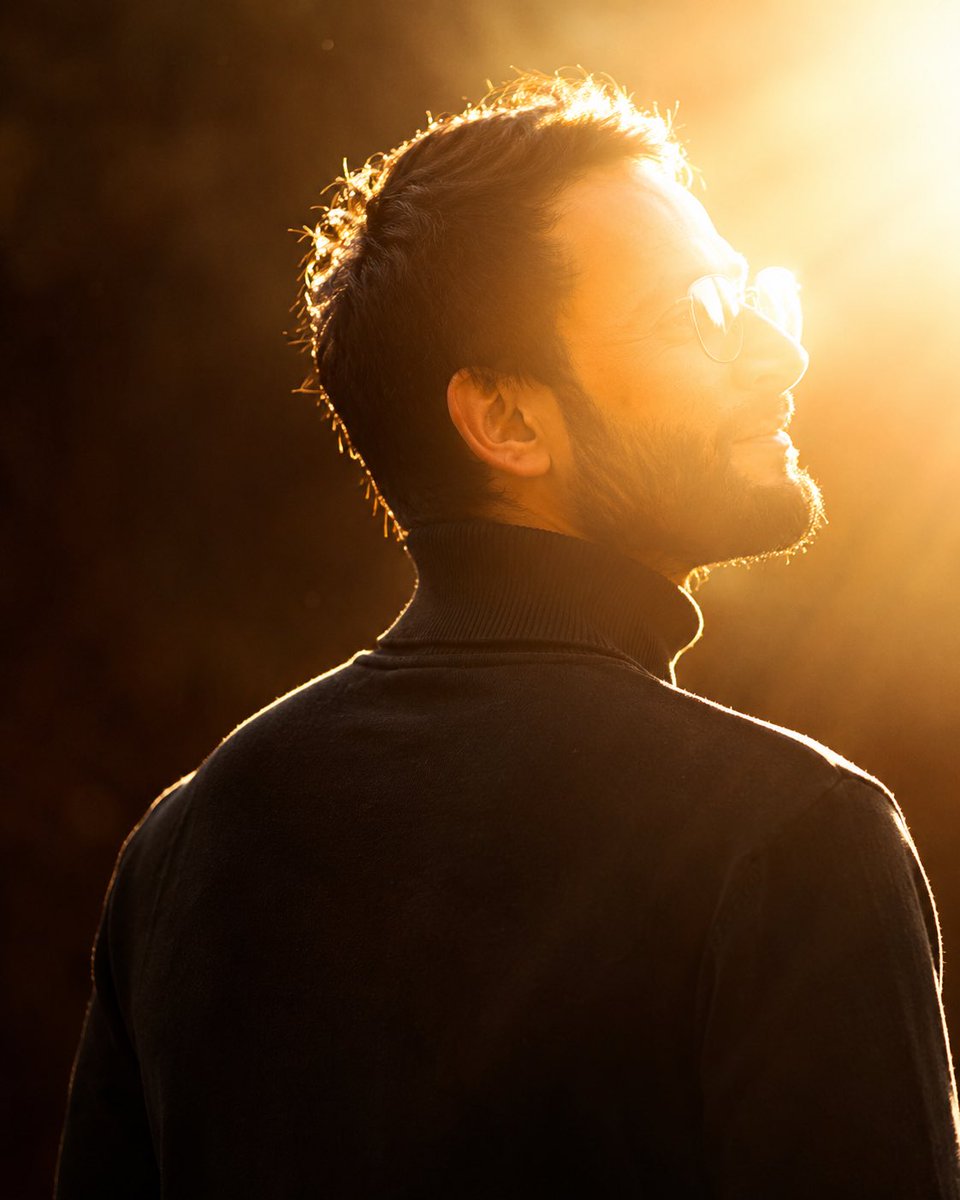
Cinematic Golden Hour Portrait From a Single Reference

A social post describing a cinematic golden hour portrait created from a single reference photo using GPT Image 2 inside @openart_ai, inviting comments to receive the prompt.

OpenAI

Source previews

These example images come from the original source. DROPIDEA has not independently tested these examples; results depend on the model and settings.

Ready to personalize

Your prompt

English

Replace the red variables with your information. Copy the full prompt and use it with your preferred agent.

TXT MD English version
This might be my favorite portrait I’ve created with GPT Image 2 so far. Starting with a single reference photo of my brother, I wanted to recreate that cinematic golden hour look where the light does most of the storytelling. The backlighting, soft haze, and warm glow completely changed the mood while still keeping his identity recognizable. Created with GPT Image 2 inside @openart_ai If you’d like the prompt for this style, comment prompt and I’ll share it.
Preview results

Your prompt

This might be my favorite portrait I’ve created with GPT Image 2 so far. Starting with a single reference photo of my brother, I wanted to recreate that cinematic golden hour look where the light does most of the storytelling. The backlighting, soft haze, and warm glow completely changed the mood while still keeping his identity recognizable. Created with GPT Image 2 inside @openart_ai If you’d like the prompt for this style, comment prompt and I’ll share it.

Variable guide

my brother

The person appearing in the portrait.

“a single reference photo of my brother” in the second sentence.

Example value

my close friend

cinematic golden hour

The visual style description.

“cinematic golden hour look” in the second sentence.

Example value

nighttime neon lighting

@openart_ai

The social platform handle.

“inside @openart_ai” in the second-to-last line.

Example value

@midjourney

What you get

  • A complete Arabic description of a cinematic golden hour portrait style.
  • Identity preservation with a transformed lighting mood through backlighting, soft haze, and warm glow.
  • Exact preservation of technical tokens: GPT Image 2 (twice) and @openart_ai.

Use cases

  • Creating family or personal portraits with a cinematic look.
  • Social media posts documenting image-generation experiments.
  • Reusing the style description as a base for other lighting experiments.

How to use

  • Choose one clear reference photo of the person you want the portrait of.
  • Replace “my brother” with your intended subject.
  • Adjust the “cinematic golden hour” style descriptor if you want a different lighting mood.
  • Keep GPT Image 2 and @openart_ai unchanged as technical settings.
  • Copy the final Arabic template, upload the reference image, and run it in your image tool.

Related prompts