Result 1OpenAI
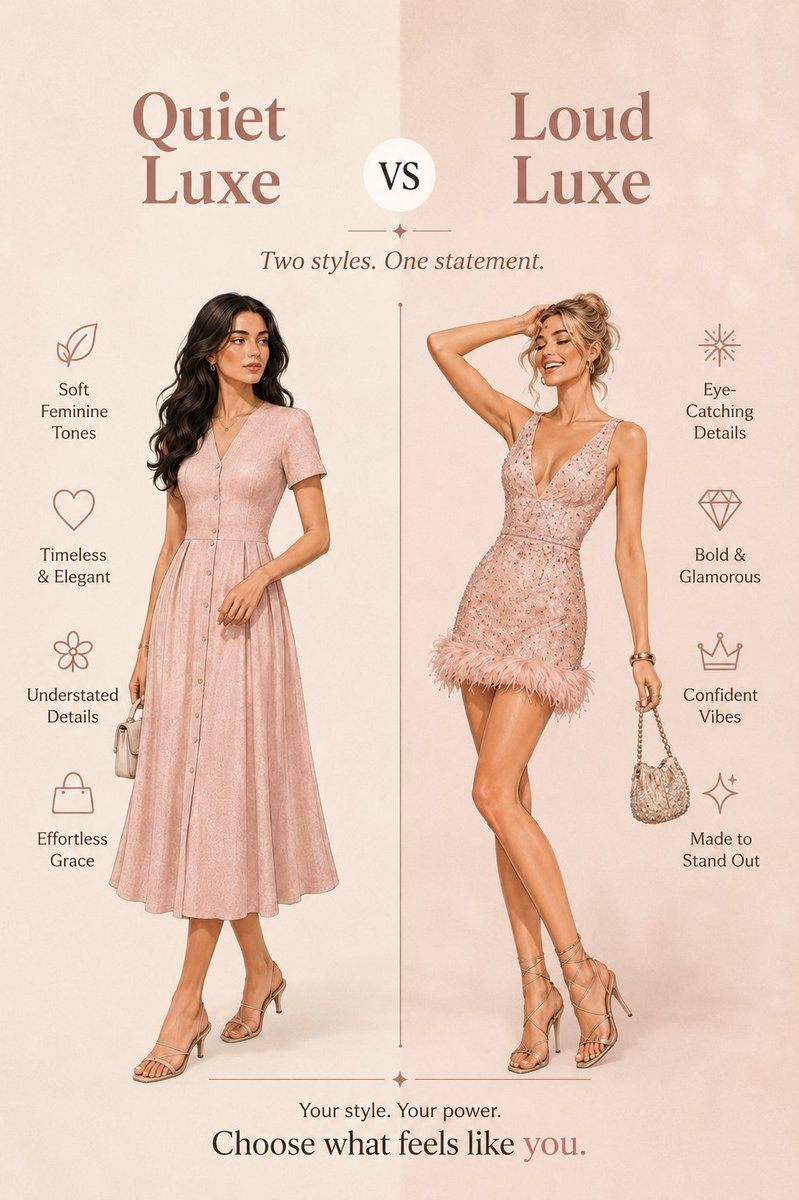
Editorial split-screen poster contrasting Quiet Luxe vs Loud Luxe with two realistic models, studio lighting, elegant typography, and 4:5 ratio for viral Instagram carousel content.
These example images come from the original source. DROPIDEA has not independently tested these examples; results depend on the model and settings.

Replace the red variables with your information. Copy the full prompt and use it with your preferred agent.
Quiet LuxeThe left-side style name shown as a label on the poster's left half
In the template, the sentence: Label the left side “...” — replace the text inside the quotation marks
Example valueQuiet Luxe
Loud LuxeThe right-side style name shown as a label on the poster's right half
In the template, the sentence: and the right side “...” — replace the text inside the quotation marks
Example valueLoud Luxe
Quiet Luxe vs Loud LuxeThe top heading displayed at the top of the poster
In the template, Text elements: Top heading “...” — replace the text inside the quotation marks
Example valueQuiet Luxe vs Loud Luxe
Two styles. One statement.The centered tagline shown in the middle of the poster
In the template, Text elements: Middle tagline “...” — replace the text inside the quotation marks
Example valueTwo styles. One statement.
Choose your vibe.The bottom text displayed at the bottom of the poster
In the template, Text elements: Bottom text “...” — replace the text inside the quotation marks
Example valueChoose your vibe.
4:5Output image aspect ratio — a technical setting best kept as-is for Instagram
In the template, the sentence: Aspect ratio: 4:5
Example value4:5
A prompt for creating a premium vertical four-panel streetwear campaign collage from an uploaded facial identity re...
A photorealistic image-generation prompt for a vertical summer portrait of a fictional adult Japanese woman in a st...
A prompt for a photorealistic fantasy fashion portrait featuring a woman with elven details, black and orange cloth...
An ultra-photorealistic fashion editorial prompt featuring a low-angle outdoor portrait in a suburban setting with...