
Result 1OpenAI
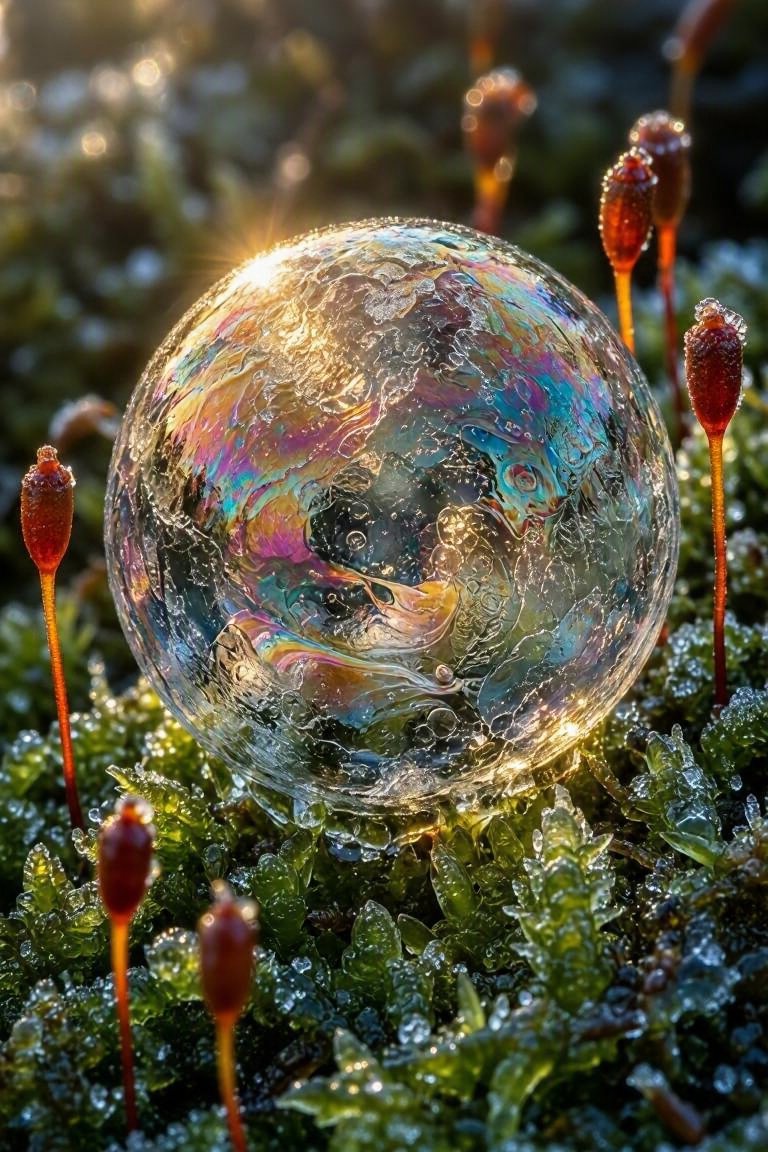
A social media post comparing two AI-generated extreme macro images: a frozen soap-bubble on luminous green moss with oil-slick colors, inviting followers to vote between the two image models.
These example images come from the original source. DROPIDEA has not independently tested these examples; results depend on the model and settings.
Replace the red variables with your information. Copy the full prompt and use it with your preferred agent.
A frozen soap-bubbleThe editable main image subject.
Template start: "A frozen soap-bubble".
Example valueA frozen dewdrop
luminous green mossThe surface the subject sits on, with its qualities.
"luminous green moss" in the first sentence.
Example valuewet black basalt rock
rose, cyan, goldThe list of colors on the ice film.
"rose, cyan, gold" after "oil-slick color".
Example valueviolet, silver, copper
winter sun, smallThe lighting description after "Light:".
"winter sun, small".
Example valueblue dawn light, soft
[img. 1]Slot for the GPT Image 2.5 output.
The 🔵 GPT Image 2.5 line.
Example value[img. 1]
[img. 2]Slot for the MAI Image output.
The 🟣 MAI Image line.
Example value[img. 2]
Prompt generating a breathtaking professional earth-science photograph of intense multiple lightning strikes over a...
A peaceful and serene photographic prompt featuring a soft light brown bunny among colorful wildflowers with muted...
Prompt generating a vertical 4K sci-fi fantasy wallpaper featuring a massive spiraling cosmic explosion and energy...
Midjourney photo prompt capturing a majestic Norwegian Forest cat in a three-quarter portrait against a cool misty...