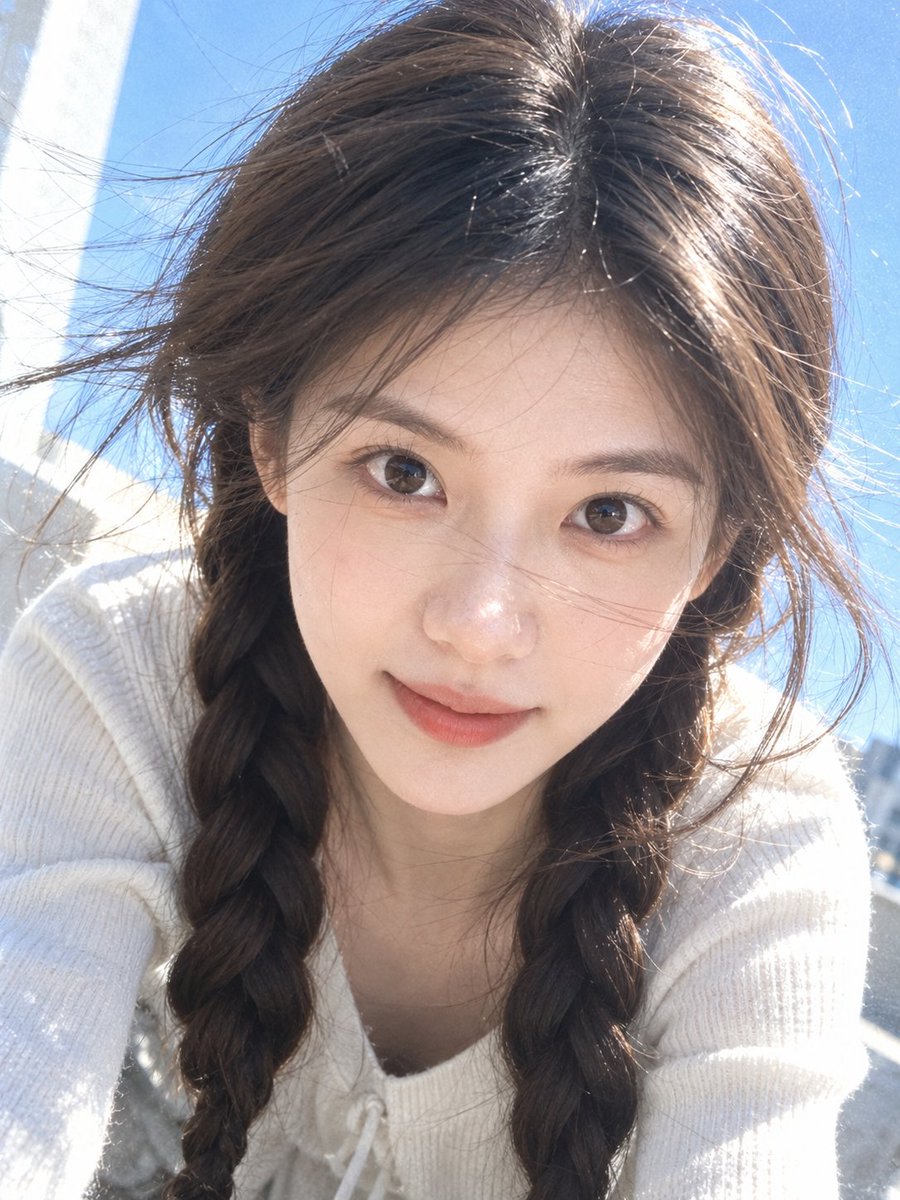
Realistic iPhone Camera Selfie in Sunlight
A prompt that renders a close-up top-down selfie in the native iPhone camera style, with strong natural sunlight, a clear blue-sky background, and a transparent blue-and-white tone, while preserving facial identity, real skin texture, and adding slight sensor noise and digital grain.
Source previews
These example images come from the original source. DROPIDEA has not independently tested these examples; results depend on the model and settings.
Your prompt
Replace the red variables with your information. Copy the full prompt and use it with your preferred agent.
Variable guide
clear blue-sky backgroundThe editable image background; swap it for any other outdoor background while keeping natural lighting.
Replace “clear blue-sky background” in the lighting/background sentence of the English template.
Example valuea hazy city street at noon
3:4The image aspect ratio in number:number form; default is 3:4.
Replace “3:4” at the end of the English template after “aspect ratio”.
Example value9:16
What you get
- A close-up slightly top-down selfie in the native iPhone camera look.
- Strong natural outdoor sunlight with a slight overexposed feel and a clear blue-sky background.
- A transparent blue-and-white tone with realistic highlights.
- Real skin texture with pores and tiny imperfections, plus slight sensor noise and digital grain.
- Hair kept in its original style and color with a natural wind-blown effect and loose strands brushing the face.
Use cases
- Turning a personal photo into a realistic casual snapshot for social media.
- Creating a natural, non-studio profile picture with a smartphone-capture feel.
- Producing outdoor beauty or fashion content with an honest, unretouched look.
- Testing realistic selfie styles while keeping the person's identity intact.
How to use
- Upload a clear face photo showing the original features and hairstyle, since the prompt relies on a reference image to preserve identity.
- To change the background, replace “clear blue-sky background” in the English template with another outdoor background while keeping the strong natural light.
- Set the aspect ratio; the default 3:4 suits vertical posts and may be replaced with another number:number ratio.
- Paste the edited prompt into your image tool together with the uploaded reference image, leaving the technical settings unchanged.
- Generate the result; if the skin looks over-smoothed or the features drift, retry while emphasizing real skin texture, pores, and tiny imperfections.
Related prompts
Candid Smartphone Restaurant Moment Photo Prompt
A photographic prompt crafted to generate hyper-realistic, unposed smartphone snapshots taken by a friend at a nigh...
Photorealistic Portrait of Man in White by Lake
Prompt generating an ultra-realistic photo of a young man wearing white Shalwar Kameez by a lake at sunset, specify...
Gothic Yokai Carnival Music Video
An advanced cinematic AI video prompt crafting a 15-second seamless loop psychedelic Japanese horror music video fe...
Photorealistic Medieval Village Woman Character Sheet
Prompt to generate a photorealistic character reference sheet for a young medieval village woman featuring multi-an...
