Skip to content
ImagesFree

Ultra Realistic Photo of a Young Woman

A photographic prompt generating a realistic portrait of a young woman using a reference face, brown long hair, cream floral sundress, gold necklace, soft natural lighting and shallow depth of field in 2:3ar.

OpenAI

Source previews

These example images come from the original source. DROPIDEA has not independently tested these examples; results depend on the model and settings.
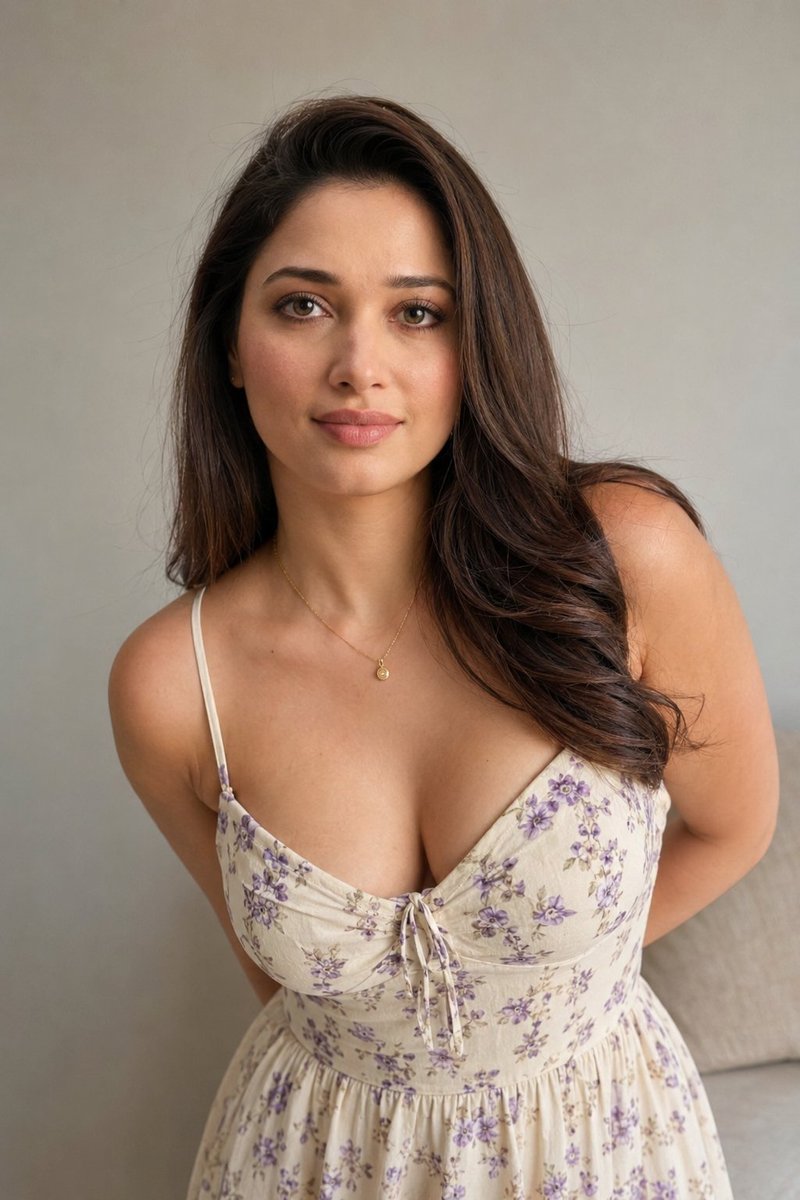
Ready to personalize

Your prompt

English

Replace the red variables with your information. Copy the full prompt and use it with your preferred agent.

TXT MD English version
ultra realistic photo of a young woman using reference face, long thick straight brown hair with soft curly ends wearing a light cream sundress with purple floral pattern, spaghetti straps, sweetheart neckline with small tie detail in the center, fitted waist and flowy skirt dress slightly pushing up the bust, creating a naturally fuller and lifted chest shape (tasteful, realistic, not exaggerated), subtle cleavage wearing a delicate gold necklace with small round pendant leaning slightly forward pose, hands behind back, shoulders slightly pulled back, enhancing natural body curves, soft gentle smile, looking directly at camera flawless makeup, healthy glowing skin, fair skin with natural pink undertone (not porcelain), smooth skin texture, natural blush, glossy lips, subtle eye makeup camera focus on face, shallow depth of field, soft natural lighting, clean minimal background shot on smartphone camera, RAW HDR style, high dynamic range, ultra HD, 4k, crisp details, realistic skin texture, natural color grading 2:3ar
Preview results

Your prompt

ultra realistic photo of a young woman using reference face, long thick straight brown hair with soft curly ends wearing a light cream sundress with purple floral pattern, spaghetti straps, sweetheart neckline with small tie detail in the center, fitted waist and flowy skirt dress slightly pushing up the bust, creating a naturally fuller and lifted chest shape (tasteful, realistic, not exaggerated), subtle cleavage wearing a delicate gold necklace with small round pendant leaning slightly forward pose, hands behind back, shoulders slightly pulled back, enhancing natural body curves, soft gentle smile, looking directly at camera flawless makeup, healthy glowing skin, fair skin with natural pink undertone (not porcelain), smooth skin texture, natural blush, glossy lips, subtle eye makeup camera focus on face, shallow depth of field, soft natural lighting, clean minimal background shot on smartphone camera, RAW HDR style, high dynamic range, ultra HD, 4k, crisp details, realistic skin texture, natural color grading 2:3ar

Variable guide

reference face

Specify the reference face source (uploaded image).

First line, after «using».

Example value

reference face from the uploaded image

long thick straight brown hair with soft curly ends

Hair color, length and texture.

First line of the template.

Example value

short wavy black hair

light cream sundress with purple floral pattern

Dress type, color and pattern.

Second line of the template.

Example value

blue satin dress with thin straps

delicate gold necklace with small round pendant

Worn accessory description.

Fourth line of the template.

Example value

silver necklace with heart pendant

What you get

  • A realistic photographic portrait of a young woman resembling the reference face.
  • Soft natural lighting and shallow depth of field with focus on the face.
  • Realistic skin details and natural colors at 4k resolution.
  • A vertical 2:3ar aspect ratio suited for portraits.

Use cases

  • Fashion and realistic personal portraits.
  • Marketing content showcasing dresses and accessories.
  • Profile pictures or social media posts.
  • Visually testing different outfits and color choices.

How to use

  • Upload a clear, high-quality reference face photo of the person you want in the result.
  • Optionally replace the hair, dress, or accessory descriptions to change the look.
  • Paste the template as-is into your image generation tool together with the uploaded reference face.
  • Keep «2:3ar» at the end for the aspect ratio, and keep «4k» and «RAW HDR» unchanged as technical settings.
  • Generate, review the result, and retry with small description tweaks if needed.

Related prompts