Result 1Gemini
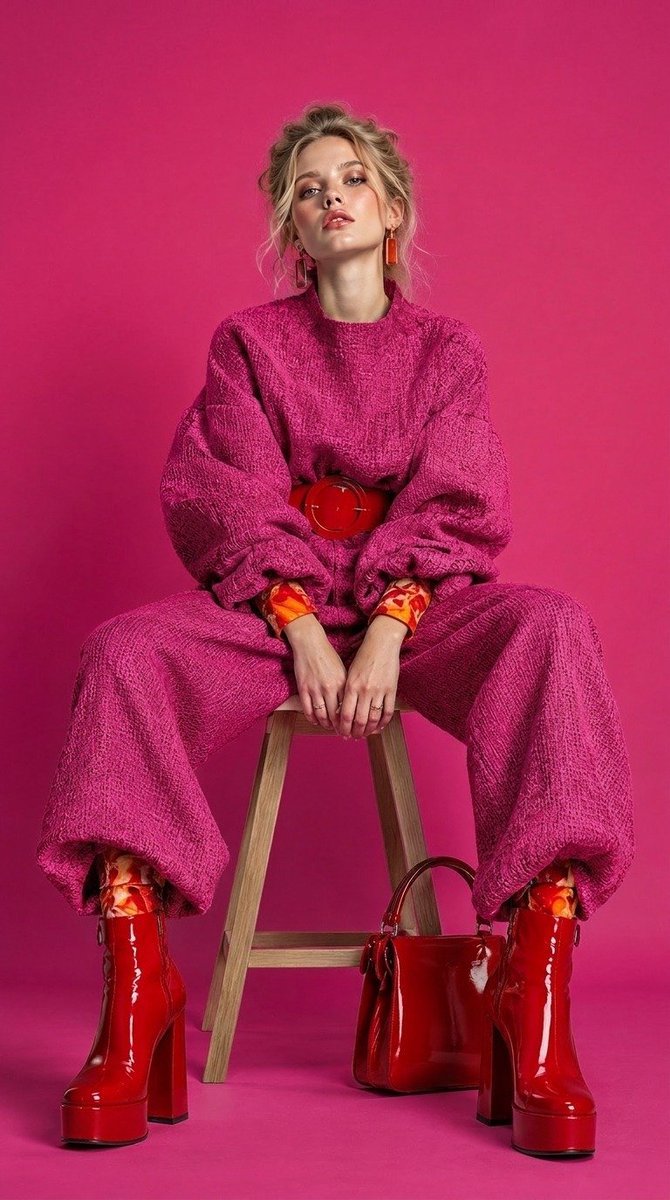
A structured JSON prompt for generating a photorealistic high-fashion editorial portrait, featuring bold pink and red color coordination in a studio setting with a 9:16 aspect ratio.
These example images come from the original source. DROPIDEA has not independently tested these examples; results depend on the model and settings.

Replace the red variables with your information. Copy the full prompt and use it with your preferred agent.
young blonde woman seated confidently on a wooden stoolDescription of the model, ethnicity, or main focal person
Value of the 'subject' key in the JSON object
Example valueyoung brunette woman seated confidently on a metal stool
oversized hot-pink knitted sweater and wide-leg pants, red statement belt, patterned orange-red cuffs, glossy red platform bootsDetails of the clothing pieces, footwear, and textile textures
Value of the 'outfit' key in the JSON object
Example valuenavy blue cable-knit sweater and wide-leg trousers, black leather boots
red patent handbag, orange statement earrings, delicate ringsJewelry, handbags, belts, and complementary props
Value of the 'accessories' key in the JSON object
Example valueoversized sunglasses, gold hoop earrings, and a mini leather clutch
seamless vibrant hot-pink studio backdrop and floorColor and backdrop setting for the photo studio
Value of the 'background' key in the JSON object
Example valueseamless vibrant mustard-yellow studio backdrop and floor
A prompt for creating a premium vertical four-panel streetwear campaign collage from an uploaded facial identity re...
A photorealistic image-generation prompt for a vertical summer portrait of a fictional adult Japanese woman in a st...
A prompt for a photorealistic fantasy fashion portrait featuring a woman with elven details, black and orange cloth...
An ultra-photorealistic fashion editorial prompt featuring a low-angle outdoor portrait in a suburban setting with...