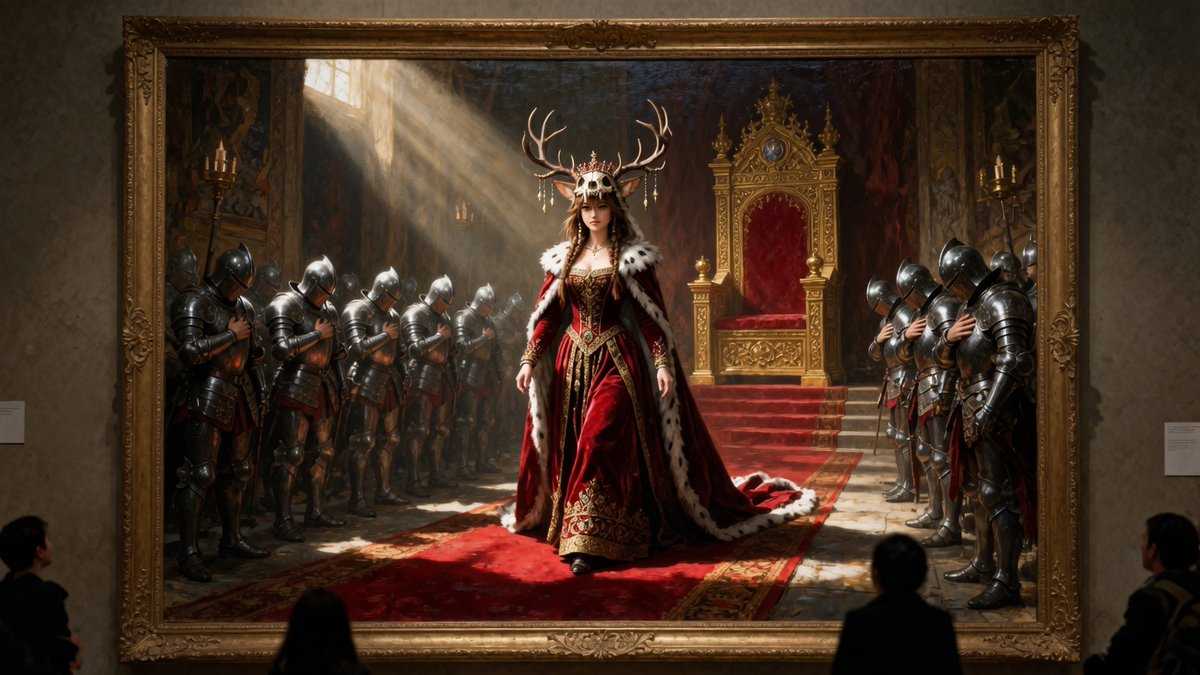
Result 1Image generation
Template that turns a reference image into a dramatic Renaissance oil painting of a royal character walking a red carpet toward a throne past 12 bowing knights, while faithfully preserving the reference character's features.
These example images come from the original source. DROPIDEA has not independently tested these examples; results depend on the model and settings.

Replace the red variables with your information. Copy the full prompt and use it with your preferred agent.
@image(#)The character reference image that must be uploaded
At the top of the prompt and in the preservation lines
Example value@image(#)
12 knightsNumber of bowing knights beside the carpet
Inside the <scene> tag
Example value12 knights
16:9Image aspect ratio (technical)
Inside the <composition> tag
Example value16:9
4kOutput quality (technical)
Inside the <Quality> tag
Example value4k
Heroic pose.The character's general pose
Inside the <general mood> tag
Example valueHeroic pose.
@TylerWool56405 @AsNmJackal48xl @Leaflit @Wolfie1775Character account handles listed at the end
After the 'Characters:' line at the end
Example value@TylerWool56405 @AsNmJackal48xl @Leaflit @Wolfie1775
Transforms an uploaded reference image into an editorial character poster using sophisticated flat geometric shapes...
A 1970s-inspired cut-paper folk art prompt featuring textured surfaces, elongated figures, earthy pastels, and deco...
A vertical semi-realistic editorial sketchbook illustration depicting a playful woman in a humorous candid moment e...
Artistic prompt featuring a layered papercraft fox strolling through a forest of origami maple leaves under soft mo...