Result 1OpenAI
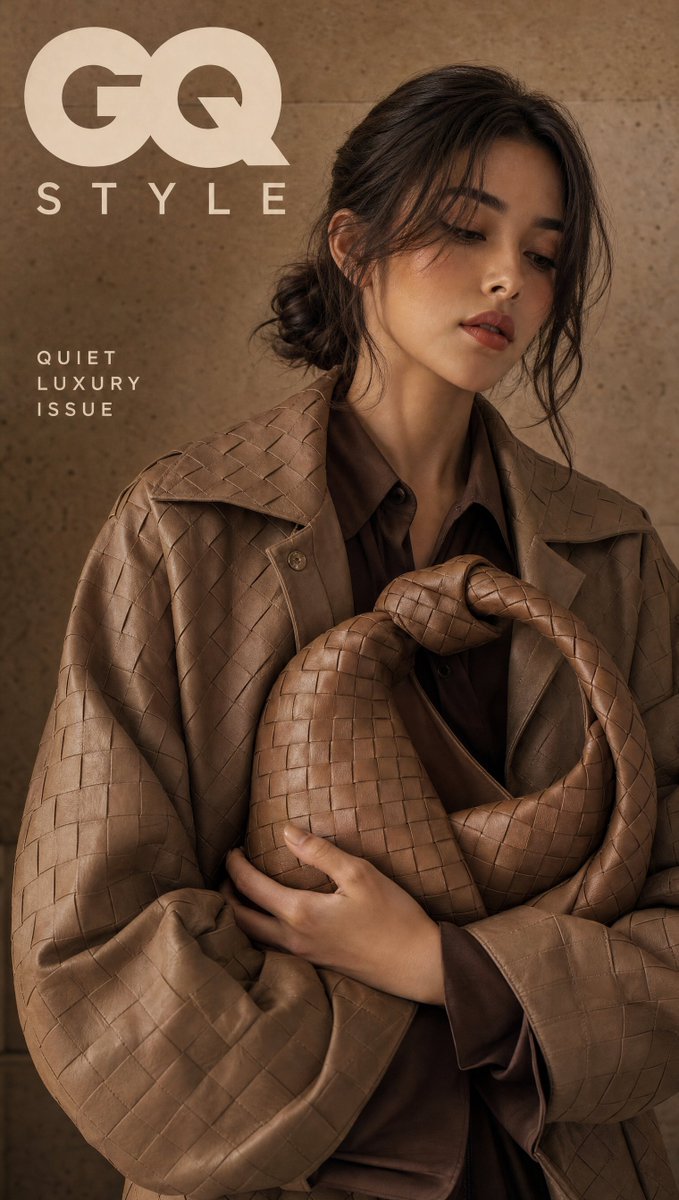
Image generation prompt for an ultra-realistic fashion magazine cover: a refined Korean woman in a full Bottega Veneta look cradling the Intrecciato Jodie bag, against a warm caramel travertine studio backdrop with a minimal "GQ STYLE" masthead and "QUIET LUXURY ISSUE" callout, 85mm lens, 8K photorealistic.
These example images come from the original source. DROPIDEA has not independently tested these examples; results depend on the model and settings.
Replace the red variables with your information. Copy the full prompt and use it with your preferred agent.
"GQ STYLE"The magazine masthead shown at the top of the cover; swap it for another magazine name, keeping the quotes.
Inside the quotes in the phrase "GQ STYLE" within the main prompt paragraph.
Example valueVOGUE
"QUIET LUXURY ISSUE"The editorial callout accompanying the masthead; replace it with another issue phrase, keeping the quotes.
Inside the quotes in the phrase "QUIET LUXURY ISSUE" right after the masthead.
Example value"FALL EDITION"
Bottega VenetaThe luxury brand for the outfit and bag; replace it with another brand and adapt the bag description accordingly.
Appears three times across the outfit and bag description in the main prompt text.
Example valueThe Row
A prompt for creating a premium vertical four-panel streetwear campaign collage from an uploaded facial identity re...
A photorealistic image-generation prompt for a vertical summer portrait of a fictional adult Japanese woman in a st...
A prompt for a photorealistic fantasy fashion portrait featuring a woman with elven details, black and orange cloth...
An ultra-photorealistic fashion editorial prompt featuring a low-angle outdoor portrait in a suburban setting with...