Result 1Image generation
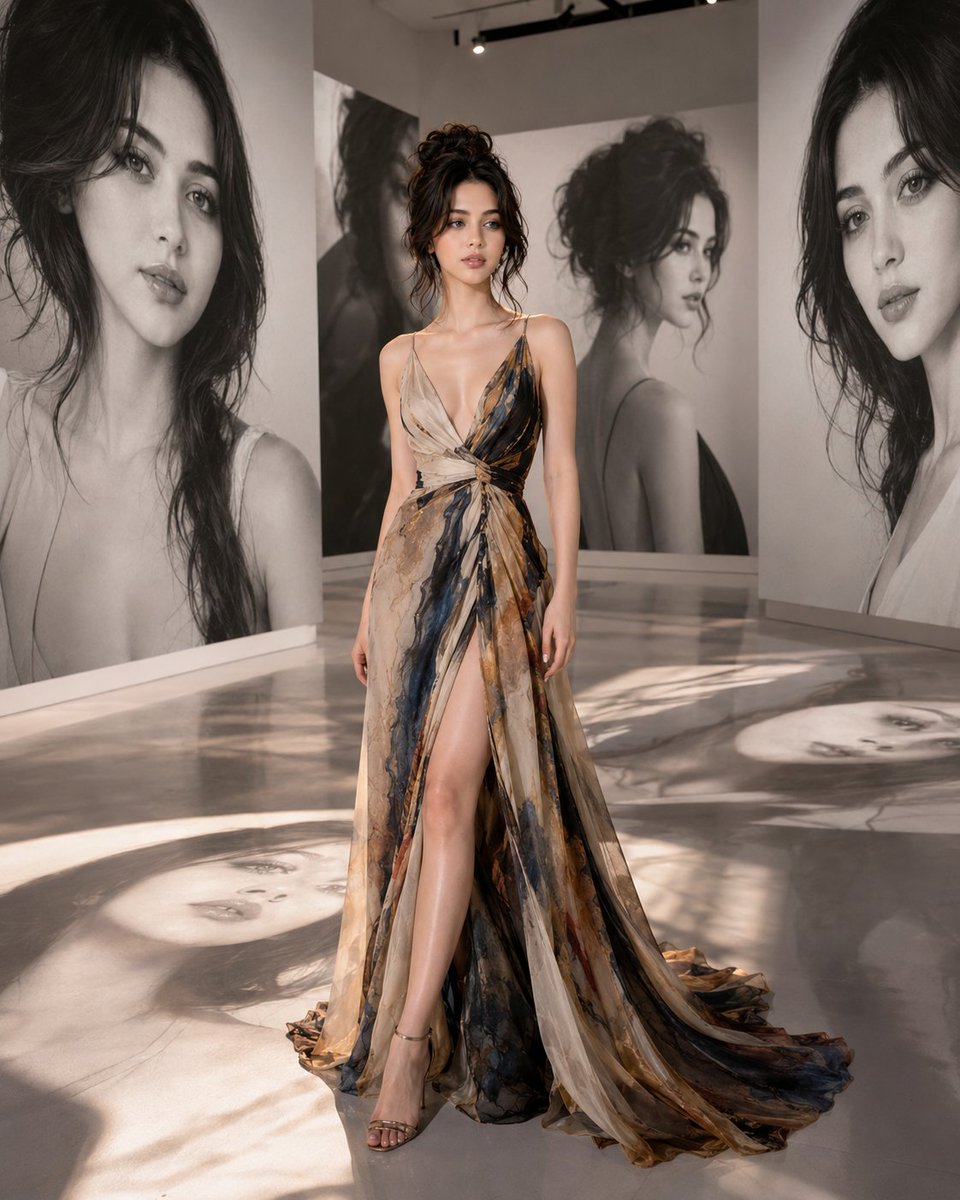
An ultra-realistic photographic prompt of an elegant woman in a printed couture gown inside a modern white gallery surrounded by monochrome portrait projections, with a full negative prompt for quality control.
These example images come from the original source. DROPIDEA has not independently tested these examples; results depend on the model and settings.
Replace the red variables with your information. Copy the full prompt and use it with your preferred agent.
use the uploaded image as the primary facial referenceThe face reference image you must upload.
Template start: "use the uploaded image as the primary facial reference".
Example valueA clear frontal face photo
muted gold, champagne beige, charcoal black, deep blue and soft rust tonesThe gown print color palette to edit.
Gown description: "muted gold, champagne beige, charcoal black, deep blue and soft rust tones".
Example valueSilver and ice-blue tones
refined messy high bun with soft curls and polished face-framing strandsThe hairstyle to edit.
"refined messy high bun with soft curls and polished face-framing strands".
Example valueLong flowing wavy hair
A prompt for creating a premium vertical four-panel streetwear campaign collage from an uploaded facial identity re...
A photorealistic image-generation prompt for a vertical summer portrait of a fictional adult Japanese woman in a st...
A prompt for a photorealistic fantasy fashion portrait featuring a woman with elven details, black and orange cloth...
An ultra-photorealistic fashion editorial prompt featuring a low-angle outdoor portrait in a suburban setting with...