Skip to content
ImagesFree

Transform the uploaded image into a retro Windows MS Paint outfit-builder interface aesthetic. Keep the full-body cutout of the su

Transform the uploaded image into a retro Windows MS Paint outfit-builder interface aesthetic. Keep the full-body cutout of the su

OpenAI

Source previews

These example images come from the original source. DROPIDEA has not independently tested these examples; results depend on the model and settings.
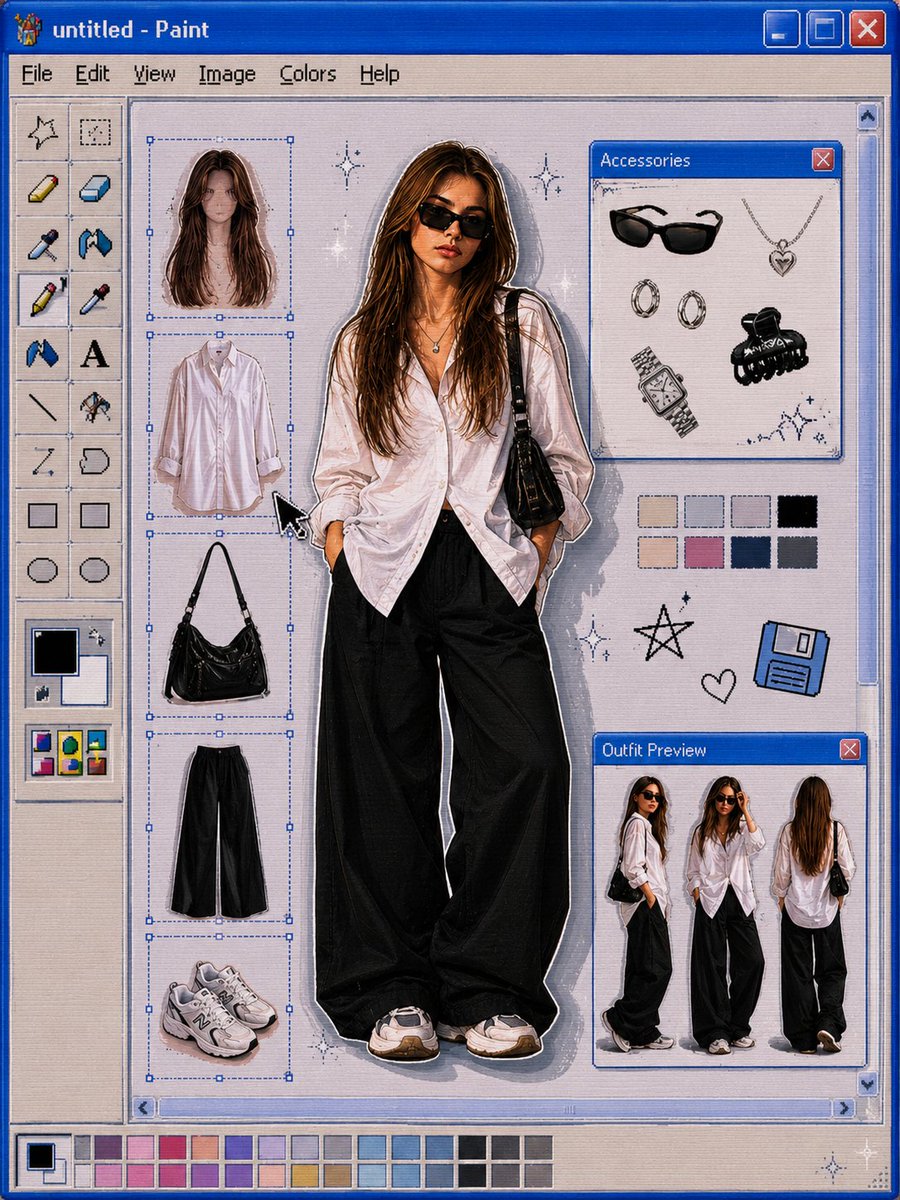
Ready to personalize

Your prompt

Source text

Replace the red variables with your information. Copy the full prompt and use it with your preferred agent.

TXT MD English version
Transform the uploaded image into a retro Windows MS Paint outfit-builder interface aesthetic. Keep the full-body cutout of the subject centered on a clean white canvas, as if placed inside an old Windows XP / MS Paint workspace. Layout details: Left side: classic MS Paint toolbar with pixel-style icons and old UI elements. A vertical column of floating wardrobe/accessory slots (hair, top, bag, pants, shoes, etc.) shown as detachable outfit pieces. Bottom: a pastel color palette bar similar to old Paint color swatches. Window title bar at top with simple retro naming (e.g. “untitled - Paint”). Subject appears like a digital paper doll / dress-up character. Visual style: Early-2000s internet aesthetic Slight low-resolution softness Airbrushed + scanned magazine feel Soft glow around the subject Tiny sparkle highlights Muted pastel colors with one or two saturated accent colors Minimal shadows Cute, playful, nostalgic UI composition Image treatment: Preserve pose and clothing identity from the original image Cutout edges slightly softened Keep proportions elongated and editorial White negative space for a clean composition Subtle JPEG compression / vintage screen texture Keywords: MS Paint UI, Windows XP aesthetic, digital dress-up game, Y2K nostalgia, paper doll fashion, retro desktop, kawaii editorial, internetcore, soft glow, scrapbook UI, fashion collage.Watermark: Add a subtle watermark in the bottom-right corner of the image. The text should be vertical (rotated 90°) and read “VNCNTAI”. Use Montserrat font, white color with low opacity (semi-transparent), medium size.
Preview results

Your prompt

Transform the uploaded image into a retro Windows MS Paint outfit-builder interface aesthetic. Keep the full-body cutout of the subject centered on a clean white canvas, as if placed inside an old Windows XP / MS Paint workspace. Layout details: Left side: classic MS Paint toolbar with pixel-style icons and old UI elements. A vertical column of floating wardrobe/accessory slots (hair, top, bag, pants, shoes, etc.) shown as detachable outfit pieces. Bottom: a pastel color palette bar similar to old Paint color swatches. Window title bar at top with simple retro naming (e.g. “untitled - Paint”). Subject appears like a digital paper doll / dress-up character. Visual style: Early-2000s internet aesthetic Slight low-resolution softness Airbrushed + scanned magazine feel Soft glow around the subject Tiny sparkle highlights Muted pastel colors with one or two saturated accent colors Minimal shadows Cute, playful, nostalgic UI composition Image treatment: Preserve pose and clothing identity from the original image Cutout edges slightly softened Keep proportions elongated and editorial White negative space for a clean composition Subtle JPEG compression / vintage screen texture Keywords: MS Paint UI, Windows XP aesthetic, digital dress-up game, Y2K nostalgia, paper doll fashion, retro desktop, kawaii editorial, internetcore, soft glow, scrapbook UI, fashion collage.Watermark: Add a subtle watermark in the bottom-right corner of the image. The text should be vertical (rotated 90°) and read “VNCNTAI”. Use Montserrat font, white color with low opacity (semi-transparent), medium size.

Related prompts