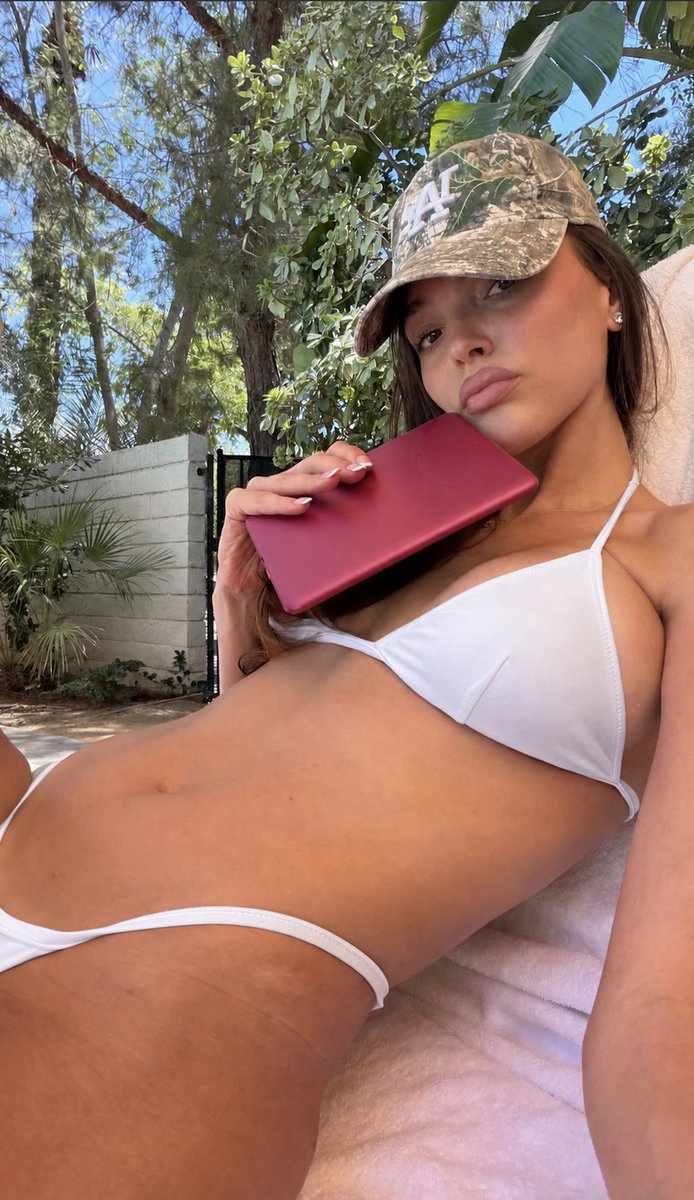
Poolside Selfie Reconstruction with Bikini Color Edit
A JSON prompt that recreates a photorealistic poolside smartphone selfie while preserving the same woman, pose, camouflage cap, magenta phone, and sunny setting, applying a single edit: changing the bikini from bright red/orange to clean white. Requires uploading the original reference image.
Source previews
These example images come from the original source. DROPIDEA has not independently tested these examples; results depend on the model and settings.
Your prompt
Replace the red variables with your information. Copy the full prompt and use it with your preferred agent.
Variable guide
clean whiteThe new bikini color; replace the four "clean white" occurrences and update the related plain-white mentions in modify[0], straps, and details.
In the JSON: objective, wardrobe.bikini_top.color, wardrobe.bikini_bottom.color, and final_generation_instruction (the phrase "clean white"), plus reference_fidelity.modify[0], straps, and details (plain white).
Example valueblack
What you get
- An extremely photorealistic vertical 9:16 smartphone selfie matching the reference: same woman, pose, expression, camouflage cap, magenta phone, lounge chair, and sunny background.
- A fully white bikini (top and bottom) with the same style, cut, and fit as the original, while red and orange remain listed in negative_prompt to prevent them.
- An image free of text, watermarks, and interface overlays with an authentic smartphone-camera look.
Use cases
- Trying different swimsuit colors on personal photos before purchasing.
- Creating seasonal or promotional beachwear and poolside content while preserving the original photo's identity.
- Reproducing reference imagery in a consistent style for social media campaigns.
How to use
- Upload the original poolside selfie as a reference image together with this prompt; it is designed to reconstruct that photo and will not work without it.
- Keep the required 9:16 aspect ratio and portrait orientation to match smartphone selfie dimensions.
- Replace the four literal "clean white" occurrences if you want a different bikini color, and update the plain-white mentions in modify[0], straps, and details so the prompt stays consistent.
- Leave all other technical settings (camera, lighting, framing, negative_prompt) untouched, as they enforce fidelity to the reference.
- Paste the full JSON prompt into an image generation tool that supports reference images, and keep the output free of text or logos.
Related prompts
Candid Smartphone Restaurant Moment Photo Prompt
A photographic prompt crafted to generate hyper-realistic, unposed smartphone snapshots taken by a friend at a nigh...
Photorealistic Portrait of Man in White by Lake
Prompt generating an ultra-realistic photo of a young man wearing white Shalwar Kameez by a lake at sunset, specify...
Gothic Yokai Carnival Music Video
An advanced cinematic AI video prompt crafting a 15-second seamless loop psychedelic Japanese horror music video fe...
Photorealistic Medieval Village Woman Character Sheet
Prompt to generate a photorealistic character reference sheet for a young medieval village woman featuring multi-an...