Editorial Golden-Hour Windlit Portrait Prompt
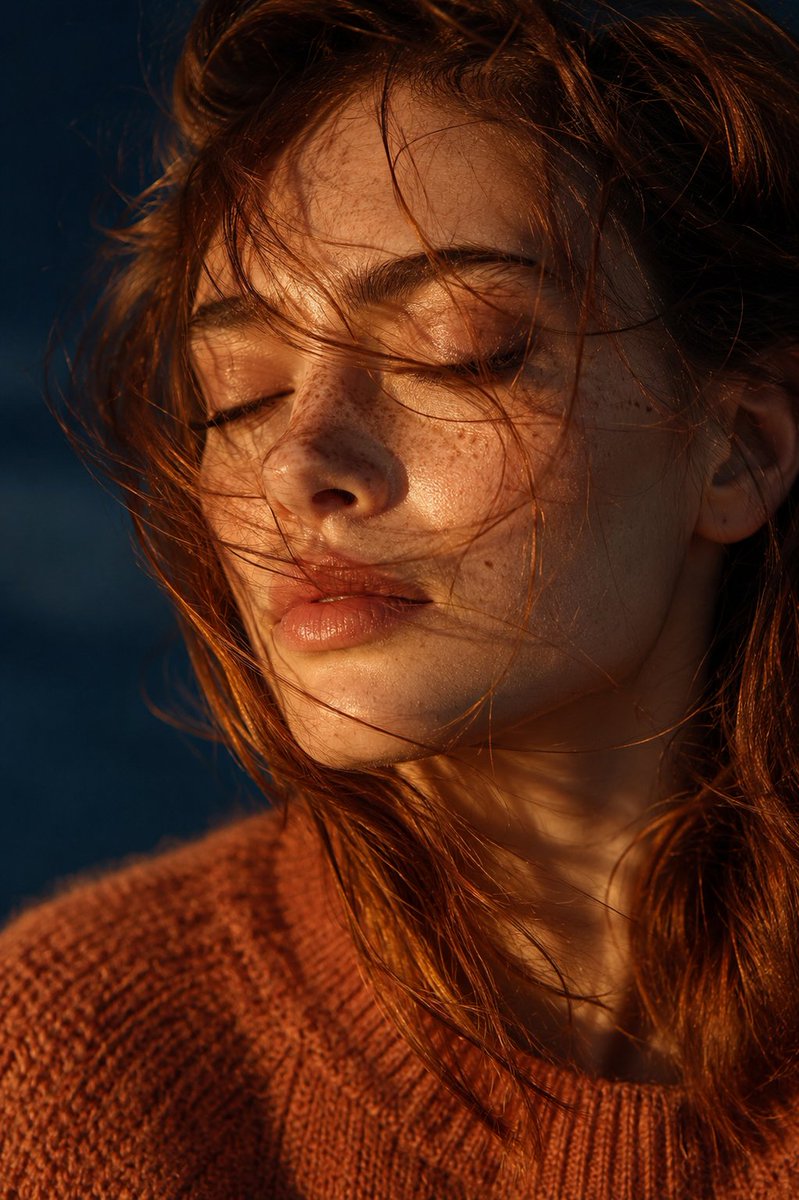
A complete production-ready photographic prompt for a close-up editorial portrait of a freckled young woman with wind-tossed copper hair, warm golden-hour lighting against a cool dark teal background, 85mm lens, shallow depth of field, cinematic hyper-detailed 8k output.
Source previews
These example images come from the original source. DROPIDEA has not independently tested these examples; results depend on the model and settings.
Your prompt
Replace the red variables with your information. Copy the full prompt and use it with your preferred agent.
Variable guide
auburn/copperThe model's hair color.
Hair description in the Subject section and in the combined prompt.
Example valueJet black
rust-orangeThe color of the chunky knit sweater.
Sweater phrase in the Subject section and the combined prompt.
Example valueCharcoal gray
deep, softly blurred dark tealThe dark blurred background color.
Environment/Setting section and the combined prompt.
Example valueDark olive green
from the leftLight source side, adjusting the opposite shadow side accordingly.
Lighting & Color Palette section and the combined prompt.
Example valueFrom the right
What you get
- A photorealistic close-up editorial portrait of a freckled young woman with wind-tossed copper hair.
- Warm low-angle golden-hour light sculpting the cheekbones and lips with a soft shadow on the opposite side.
- A deep, softly blurred dark teal background suggesting dusk and isolating the subject.
- Cinematic hyper-detailed quality: fine skin texture, backlit hair strands, subsurface scattering, and soft natural film grain.
- High-resolution output in a natural-light fashion photography style.
Use cases
- Fashion and beauty inspiration imagery for haircare and skincare brands.
- Editorial covers or features for fashion and photography magazines.
- Moody posters and art prints for studios and galleries.
- Seasonal autumn and knitwear marketing campaign visuals.
- A style reference for photographers studying golden-hour lighting and color contrast.
How to use
- Copy the combined production-ready prompt and paste it into a text-to-image tool that supports long prompts, such as Midjourney or similar.
- Optionally edit the creative variables — hair color, sweater color, background color, light direction — while keeping all technical settings unchanged.
- Keep the technical values exactly as written: the 85mm lens, the f/1.8–f/2.2 aperture, and the 8k resolution, to preserve the intended cinematic result.
- No reference image upload is needed; the prompt is fully self-contained and generates the image from the description alone.
- Generate several variations and pick the best, since stochastic outputs differ from run to run.
- Apply a portrait-friendly aspect ratio such as 2:3 or 4:5 if your tool allows it.
Related prompts
Candid Smartphone Restaurant Moment Photo Prompt
A photographic prompt crafted to generate hyper-realistic, unposed smartphone snapshots taken by a friend at a nigh...
Photorealistic Portrait of Man in White by Lake
Prompt generating an ultra-realistic photo of a young man wearing white Shalwar Kameez by a lake at sunset, specify...
Gothic Yokai Carnival Music Video
An advanced cinematic AI video prompt crafting a 15-second seamless loop psychedelic Japanese horror music video fe...
Photorealistic Medieval Village Woman Character Sheet
Prompt to generate a photorealistic character reference sheet for a young medieval village woman featuring multi-an...