Skip to content
ImagesFree

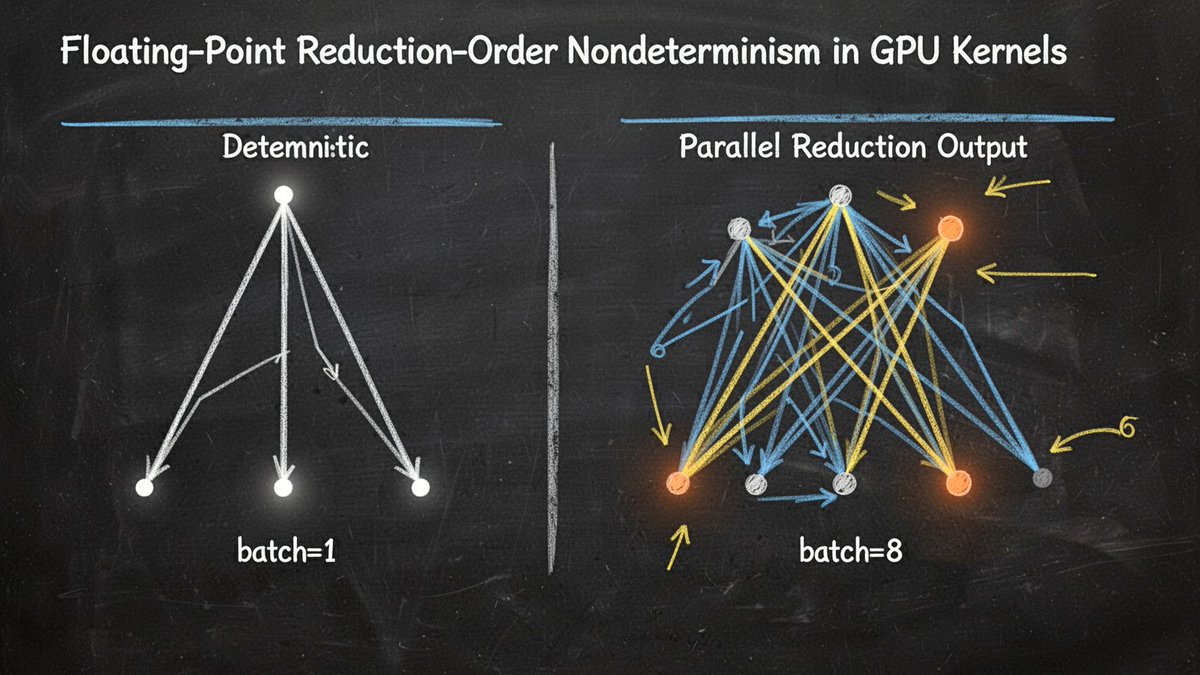
Technical Diagram of Floating-Point Reduction Nondeterminism

Image prompt for a clean infographic-style technical diagram on a dark blackboard comparing deterministic batch=1 summation with divergent batch=8 parallel reduction in GPU kernels; high-contrast vector illustration with no readable text.

Image generation

Source previews

These example images come from the original source. DROPIDEA has not independently tested these examples; results depend on the model and settings.

Ready to personalize

Your prompt

English

Replace the red variables with your information. Copy the full prompt and use it with your preferred agent.

TXT MD English version
"Clean minimalist technical diagram on a dark blackboard background, illustrating floating-point reduction-order nondeterminism in GPU kernels. Left panel: a single narrow binary summation tree labeled 'batch=1', clean white chalk lines converging to one glowing dot, deterministic. Right panel: a wide parallel reduction tree labeled 'batch=8', branches reordered and colliding, two output nodes glowing slightly different shades of orange to show divergence. Thin blue and yellow chalk accent lines, small annotation arrows, infographic vector-illustration style, high contrast, no readable text/logos, engineering-whiteboard aesthetic" Recipe: Flux 2 dev + Turbo LoRA · 1536x864 · seed 3337244318830348490 · 8 steps — local on the 5090, $0.
Preview results

Your prompt

"Clean minimalist technical diagram on a dark blackboard background, illustrating floating-point reduction-order nondeterminism in GPU kernels. Left panel: a single narrow binary summation tree labeled 'batch=1', clean white chalk lines converging to one glowing dot, deterministic. Right panel: a wide parallel reduction tree labeled 'batch=8', branches reordered and colliding, two output nodes glowing slightly different shades of orange to show divergence. Thin blue and yellow chalk accent lines, small annotation arrows, infographic vector-illustration style, high contrast, no readable text/logos, engineering-whiteboard aesthetic" Recipe: Flux 2 dev + Turbo LoRA · 1536x864 · seed 3337244318830348490 · 8 steps — local on the 5090, $0.

Variable guide

batch=1

The left panel's label for the deterministic case; change it to test another batch size consistently.

The quoted text 'batch=1' in the left panel description inside the prompt.

Example value

batch=1

batch=8

The right panel's parallel batch-size label; editable as a literal string.

The quoted text 'batch=8' in the right panel description inside the prompt.

Example value

batch=8

dark blackboard background

The background description as a creative value; can be changed while keeping the overall style.

The phrase 'dark blackboard background' at the start of the prompt.

Example value

dark blackboard background

orange

The glow color of the two output nodes; an editable creative color choice.

The phrase 'slightly different shades of orange' in the right panel description.

Example value

orange

3337244318830348490

The generation seed; a technical setting best kept as-is, noting that any prompt edit changes the result even with the same seed.

The recipe line after 'seed'.

Example value

3337244318830348490

What you get

  • A clean infographic-style vector technical diagram on a dark blackboard background.
  • Two facing panels: a single deterministic summation tree labeled batch=1 and a wide branching parallel reduction tree labeled batch=8.
  • Two output nodes glowing in slightly different shades of orange to illustrate reduction-order divergence.
  • Thin white, blue, and yellow chalk lines with small annotation arrows, high contrast, and no readable text or logos.

Use cases

  • Explaining floating-point reduction-order nondeterminism on GPUs in lectures or educational content.
  • Illustrations for engineering articles or technical blogs about determinism and parallelism in deep learning.
  • Presentation material for high-performance computing teams discussing reproducibility.
  • Visual assets for academic posters or conference slides with an engineering-whiteboard aesthetic.

How to use

  • Copy the full prompt into an image generation tool running Flux 2 dev with the Turbo LoRA.
  • Keep the technical settings unchanged: dimensions 1536x864, seed 3337244318830348490, and 8 steps.
  • Edit only the creative values if needed, such as background color, divergence color, or the batch labels, while preserving the rest of the structure.
  • No reference image uploads are required; the prompt is self-contained and generates the diagram from scratch.
  • If the result is unsatisfactory, retry with the same seed before changing it, and note that stochastic results may vary between runs.

Related prompts