Skip to content
ImagesFree

Negative Prompt List for Realistic Image Quality

A ready-to-use negative prompt for image generators to prevent blurriness, low resolution, anatomical defects, cartoon-like features, oversaturation, watermarks, text, and artifacts, aiming at clean photorealistic results.

OpenAI

Source previews

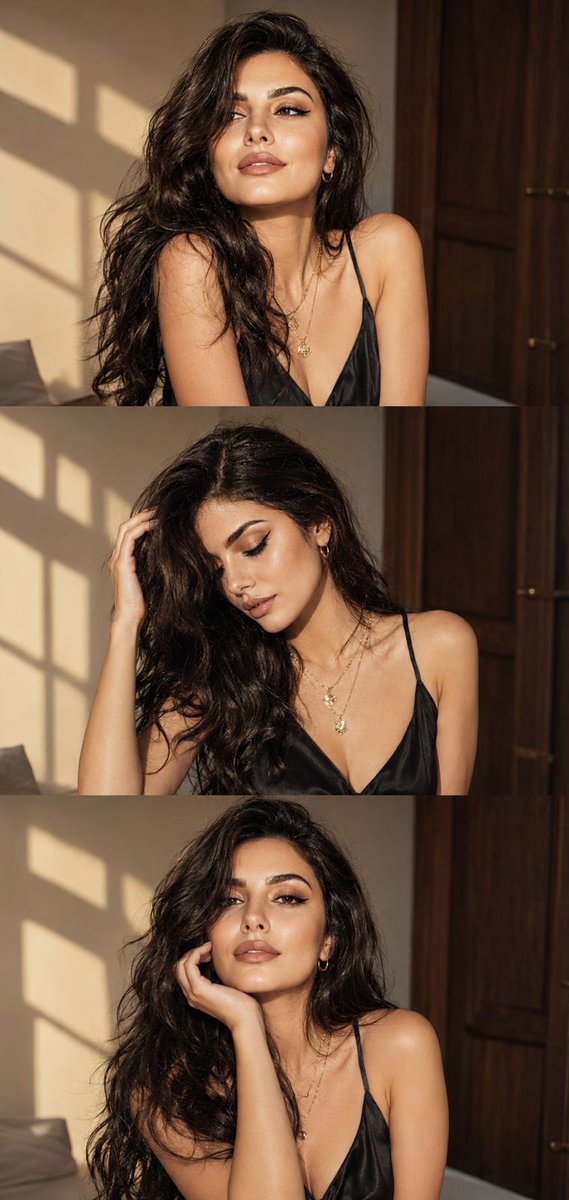
These example images come from the original source. DROPIDEA has not independently tested these examples; results depend on the model and settings.

Ready to personalize

Your prompt

English

Replace the red variables with your information. Copy the full prompt and use it with your preferred agent.

TXT MD English version
blurry, low resolution, bad anatomy, asymmetrical face, extra fingers, extra limbs, duplicated subject, distorted hands, cartoon, anime, CGI, waxy skin, overprocessed skin, unrealistic eyes, excessive sharpening, harsh contrast, oversaturated colors, watermark, logo, text, artifacts, noise, deformed features, poorly rendered details.
Preview results

Your prompt

blurry, low resolution, bad anatomy, asymmetrical face, extra fingers, extra limbs, duplicated subject, distorted hands, cartoon, anime, CGI, waxy skin, overprocessed skin, unrealistic eyes, excessive sharpening, harsh contrast, oversaturated colors, watermark, logo, text, artifacts, noise, deformed features, poorly rendered details.

What you get

  • A negative list preventing blurriness, low resolution, and bad anatomy.
  • Prevention of cartoon, anime, and CGI looks to keep a realistic character.
  • Avoidance of waxy or overprocessed skin and unrealistic eyes.
  • Prevention of excessive sharpening, harsh contrast, and oversaturated colors.
  • Exclusion of watermarks, logos, text, artifacts, and noise.

Use cases

  • Improving the quality of realistic photographic portraits.
  • Cleaning product and marketing images from defects and unwanted text.
  • Ensuring realistic outputs when using image generation models.
  • Reducing deformities in hands, fingers, and limbs in generated images.
  • Standardizing quality criteria across multiple image generation projects.

How to use

  • Copy the full negative list above and paste it into the Negative Prompt field of your image generation tool.
  • Add your main positive prompt describing the desired image in the regular prompt field.
  • If your tool supports term weighting, increase the weight of the most important terms such as blurry or bad anatomy.
  • Generate the image and inspect the result; if specific defects appear, regenerate or add extra fitting negative terms.
  • Save the list as a fixed template to reuse in your future photographic projects.

Related prompts