Skip to content
ImagesFree

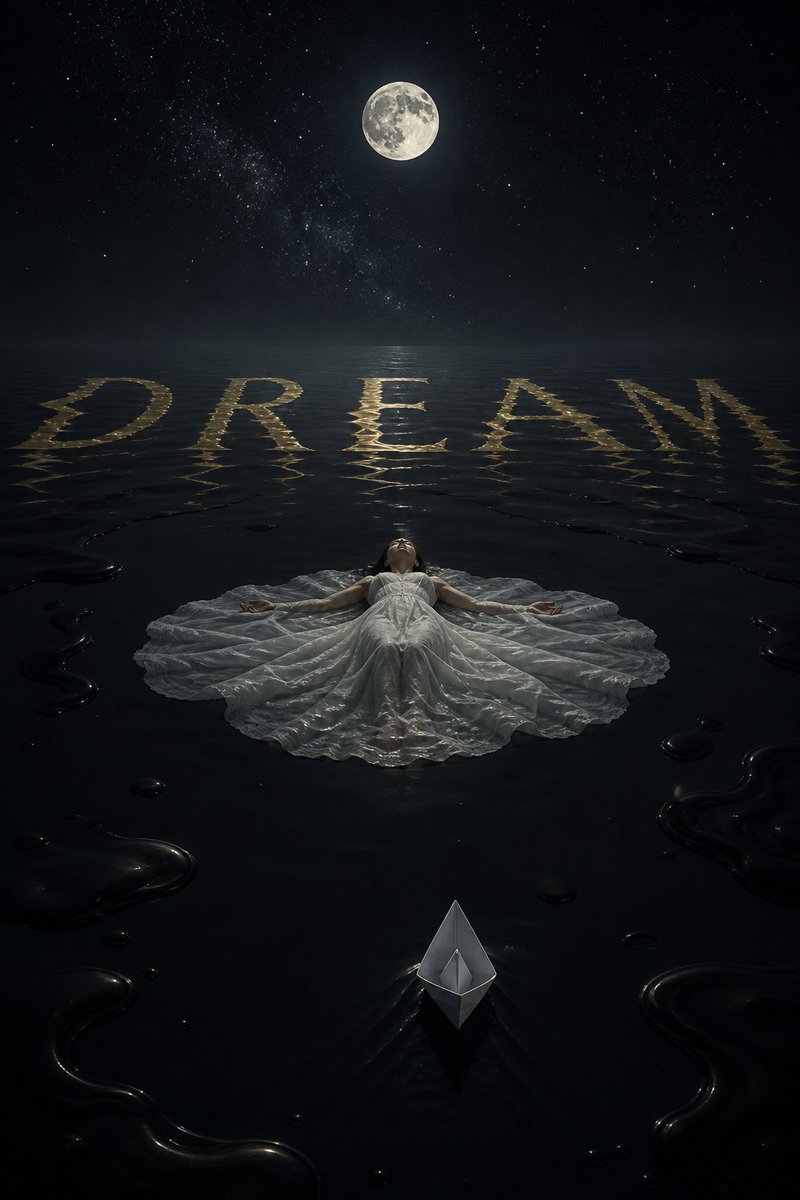
Woman Floating on a Still Sea of Black Ink

A surreal night scene of a woman floating on her back over a still sea of black ink, with the golden word DREAM rippling on the surface and a white paper boat drifting toward her, formatted as an image-engine comparison post.

OpenAI

Source previews

These example images come from the original source. DROPIDEA has not independently tested these examples; results depend on the model and settings.

Ready to personalize

Your prompt

English

Replace the red variables with your information. Copy the full prompt and use it with your preferred agent.

TXT MD English version
A surreal night scene. A vast sea of black ink, perfectly still, and a woman floating on her back in the center — her white dress spreading like a lily pad — the surface of the ink spelling a single word in gold, "DREAM", the letters rippling in the distance. The moon above, the stars, a single white paper boat drifting toward her. Quiet, monumental, 2:3 aspect ratio. 🔵 GPT Image 2: [img. 1] 🟣 Muse Image: [img. 2] RT + reply who you pick 👇 #AIart #GPTImage2 #MuseImage
Preview results

Your prompt

A surreal night scene. A vast sea of black ink, perfectly still, and a woman floating on her back in the center — her white dress spreading like a lily pad — the surface of the ink spelling a single word in gold, "DREAM", the letters rippling in the distance. The moon above, the stars, a single white paper boat drifting toward her. Quiet, monumental, 2:3 aspect ratio. 🔵 GPT Image 2: [img. 1] 🟣 Muse Image: [img. 2] RT + reply who you pick 👇 #AIart #GPTImage2 #MuseImage

Variable guide

"DREAM"

The golden word drawn on the ink surface; must stay quoted in the result.

Scene line: "DREAM"

Example value

HOPE

[img. 1]

Reference to the GPT Image 2 output; replace with the actual uploaded image.

🔵 GPT Image 2: [img. 1]

Example value

[img. 1] → link to the GPT Image 2 image

[img. 2]

Reference to the Muse Image output; replace with the actual uploaded image.

🟣 Muse Image: [img. 2]

Example value

[img. 2] → link to the Muse Image image

What you get

  • A ready-to-publish post with the full surreal scene description in Arabic.
  • The 2:3 aspect ratio, technical tokens and both image references preserved exactly.
  • A clear image-engine comparison structure with a call to action.

Use cases

  • Image-engine comparison posts on social media.
  • Community polls where followers vote on the best AI output.
  • Showcasing one surreal visual style across different generators.
  • Inspiring artists with the black ink sea and paper boat concept.

How to use

  • Generate one image from this description in GPT Image 2 and another in Muse Image, both at a 2:3 aspect ratio.
  • Upload both images and attach them to your post on X (Twitter).
  • Replace [img. 1] with the attached GPT Image 2 attachment and [img. 2] with the Muse Image attachment in their marked spots.
  • Publish the post with the hashtags #AIart #GPTImage2 #MuseImage and invite followers to vote.
  • Retweet with your reply naming the engine you pick.

Related prompts