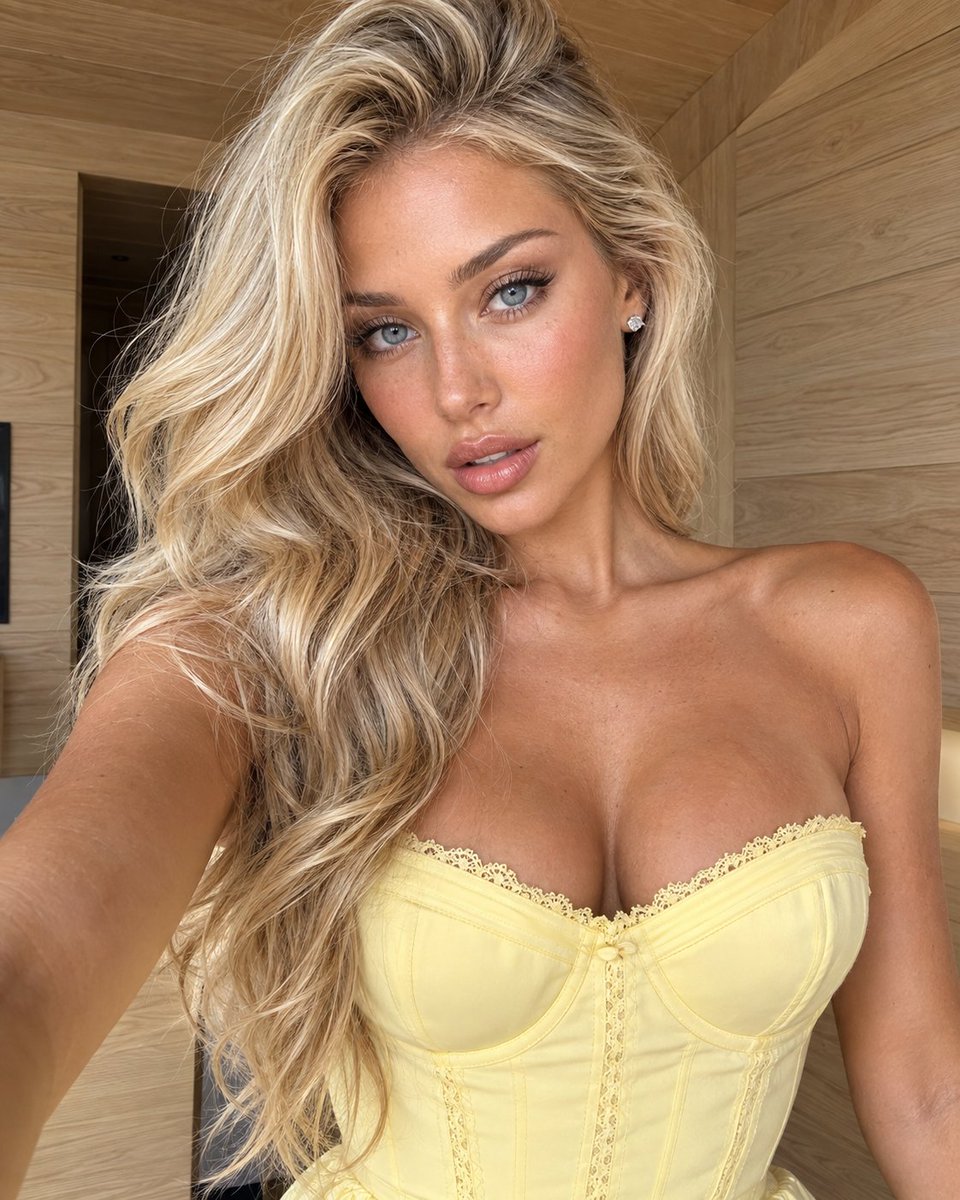
Reference Portrait Edit: Realistic Selfie Redo
A JSON prompt that recreates a reference selfie with high composition fidelity, changing only hair color, eye color, dress color, and background while preserving pose, daylight, and a genuine smartphone look.
Source previews
These example images come from the original source. DROPIDEA has not independently tested these examples; results depend on the model and settings.
Your prompt
Replace the red variables with your information. Copy the full prompt and use it with your preferred agent.
Variable guide
dimensional beige blondeNew hair color
change_only[0] and hair.color
Example valuelight ash blonde
pale blue-grayNew eye color
change_only[1] and subject.eyes
Example valuelight hazel green
buttery pastel yellowNew dress color
change_only[2] and wardrobe.dress
Example valuesoft pastel pink
pale natural oakNew background
change_only[3] and environment
Example valuematte white wall
What you get
- A vertical 4:5 selfie that looks captured on a front-facing smartphone camera
- Composition, pose, and expression matching the reference while keeping the hairstyle, dress construction, and lighting
- Dimensional beige blonde hair, pale blue-gray eyes, a buttery pastel-yellow dress, and a pale natural oak background
- Photographic skin with pores and realistic tonal variation, free of beauty-filter looks
- No text, logos, watermarks, or UI elements
Use cases
- Trying hair, eye, or outfit color changes on a personal photo before a real decision
- Creating realistic fashion or beauty content for social media
- Building alternate persona images with the same pose in different color identities
- Reworking a portrait's background decor while keeping natural daylight
- Presenting realistic look edits for client previews in studios
How to use
- Upload the reference selfie image (at least one) alongside this prompt so the model can preserve composition and pose.
- Copy the full JSON file into the instruction field without altering keys or technical values such as 24-28mm, 55 cm, 4:5, HDR, and CGI.
- If desired, edit only the creative values: hair, eye, dress, and background colors, keeping the wording identical across the two related sections.
- Leave the preserve, realism_priority, and avoid lists untouched, as they protect the realism of the result.
- Generate one image and inspect it: if skin looks airbrushed or the background blur seems artificial, retry while emphasizing the realism_priority items.
Related prompts
Four-Panel Streetwear Fashion Campaign
A prompt for creating a premium vertical four-panel streetwear campaign collage from an uploaded facial identity re...
Summer Beach Bar Photorealistic Portrait
A photorealistic image-generation prompt for a vertical summer portrait of a fictional adult Japanese woman in a st...
Fantasy Portrait with Chromatic Glitch
A prompt for a photorealistic fantasy fashion portrait featuring a woman with elven details, black and orange cloth...
Low-Angle Suburban Fashion Portrait
An ultra-photorealistic fashion editorial prompt featuring a low-angle outdoor portrait in a suburban setting with...