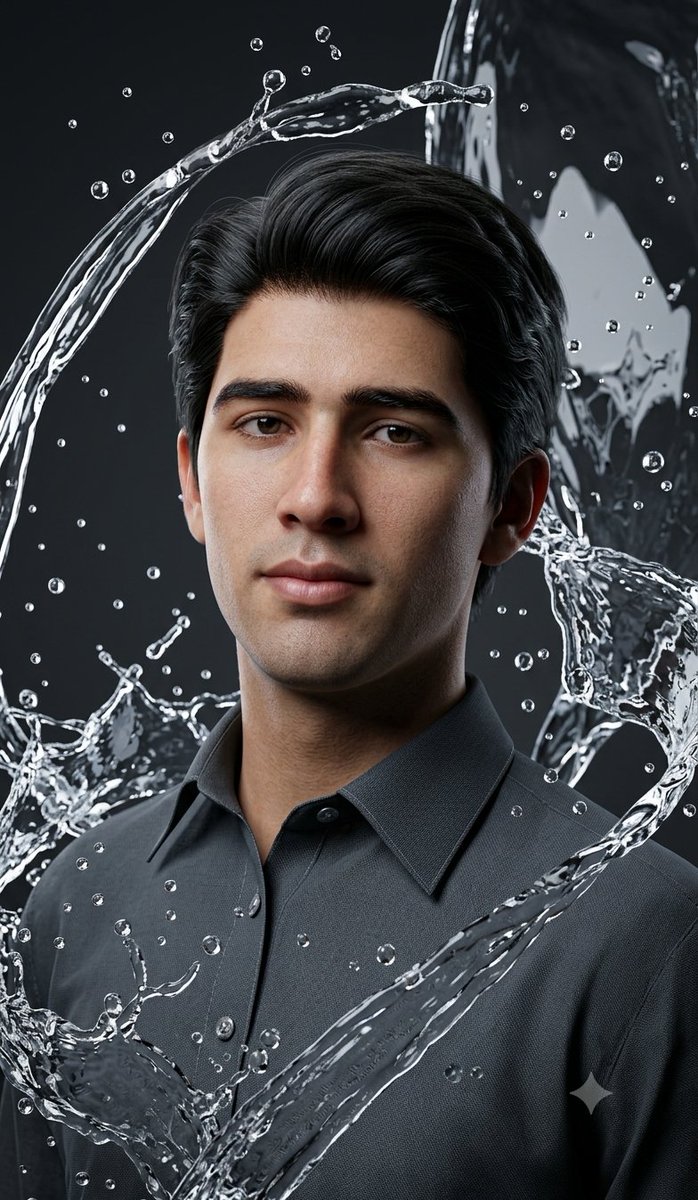
Result 1OpenAI
A prompt for a photorealistic cinematic fashion collage of a stylish middle-aged man, surrounded by dramatic splashing water on a dark studio background, with premium commercial lighting and a vertical 4:5 ratio.
These example images come from the original source. DROPIDEA has not independently tested these examples; results depend on the model and settings.
Replace the red variables with your information. Copy the full prompt and use it with your preferred agent.
light blue linen shirt, beige trousers and white sneakers, sunglassesThe outfit and accessories the man wears; replace the full text with another outfit description.
Replace «light blue linen shirt, beige trousers and white sneakers, sunglasses» after the word wearing.
Example valuean elegant navy suit, white shirt and black leather shoes, with a luxury watch
salt-and-pepper hair and light stubbleHair color and facial hair; replace the full text to describe a different look.
Replace «salt-and-pepper hair and light stubble» after the word with.
Example valueshort black hair and a cleanly shaved face
dark gray studio backgroundThe studio background behind the subject; replace it with another color while keeping the rest intact.
Replace «dark gray studio background».
Example valuea dark blue studio background
A prompt for creating a premium vertical four-panel streetwear campaign collage from an uploaded facial identity re...
A photorealistic image-generation prompt for a vertical summer portrait of a fictional adult Japanese woman in a st...
A prompt for a photorealistic fantasy fashion portrait featuring a woman with elven details, black and orange cloth...
An ultra-photorealistic fashion editorial prompt featuring a low-angle outdoor portrait in a suburban setting with...