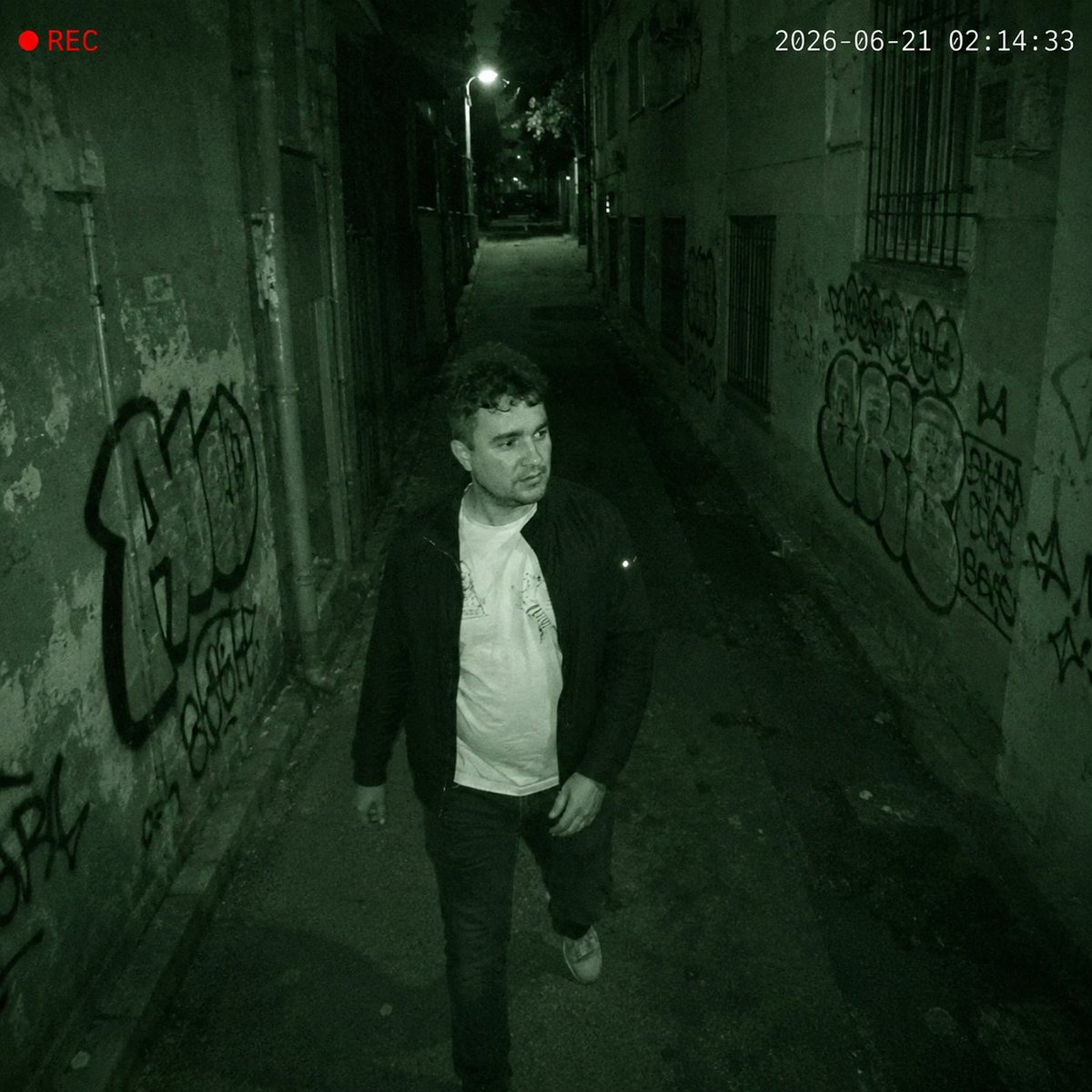
Ultra-Realistic CCTV Snapshot in a Narrow Urban Alley
Template generating a realistic security-camera image of a reference person walking through a narrow nighttime urban alley, with green night-vision aesthetics, heavy noise, and a specific timestamp.
Source previews
These example images come from the original source. DROPIDEA has not independently tested these examples; results depend on the model and settings.
Your prompt
Replace the red variables with your information. Copy the full prompt and use it with your preferred agent.
Variable guide
2026-06-21 02:14:33The timestamp shown in the top-right corner; it must match literally in the final output.
The line after 'timestamp in the top-right corner reading exactly:' in the English source.
Example value2026-11-08 23:47:05
A real person from the reference image is walking through a narrow urban alleywayDescription of the reference person and their movement in the alley; appearance remains derived from the reference image.
The second opening paragraph of the source template.
Example valueA real person from the reference image is walking through a narrow urban alleyway
What you get
- An authentic-looking CCTV camera image in monochrome green night vision.
- A person matching the reference image walking candidly through a narrow urban alley.
- A red REC indicator top-left and the timestamp 2026-06-21 02:14:33 top-right.
- Digital noise, sensor grain, and compression artifacts that evoke real surveillance footage.
Use cases
- Visual material for true-crime or documentary-style content.
- Urban exploration projects and moody atmosphere design.
- Illustrative images for articles or presentations about surveillance systems.
- Visual elements for interactive games or crime stories.
How to use
- Upload a clear reference image of the person you want shown; the face, clothing, and overall build are taken entirely from this image.
- Copy the template as-is and keep the timestamp 2026-06-21 02:14:33 appearing exactly once if you do not wish to change it.
- Paste the template into your preferred image generation tool and attach the reference image to the request.
- Only adjust the subject or clothing description if you need extra customization, keeping all technical settings (green night vision, noise, camera angle) unchanged.
- Review the result to confirm the red REC indicator and timestamp appear with no other text or logos.
Related prompts
Candid Smartphone Restaurant Moment Photo Prompt
A photographic prompt crafted to generate hyper-realistic, unposed smartphone snapshots taken by a friend at a nigh...
Photorealistic Portrait of Man in White by Lake
Prompt generating an ultra-realistic photo of a young man wearing white Shalwar Kameez by a lake at sunset, specify...
Gothic Yokai Carnival Music Video
An advanced cinematic AI video prompt crafting a 15-second seamless loop psychedelic Japanese horror music video fe...
Photorealistic Medieval Village Woman Character Sheet
Prompt to generate a photorealistic character reference sheet for a young medieval village woman featuring multi-an...