Result 1OpenAI
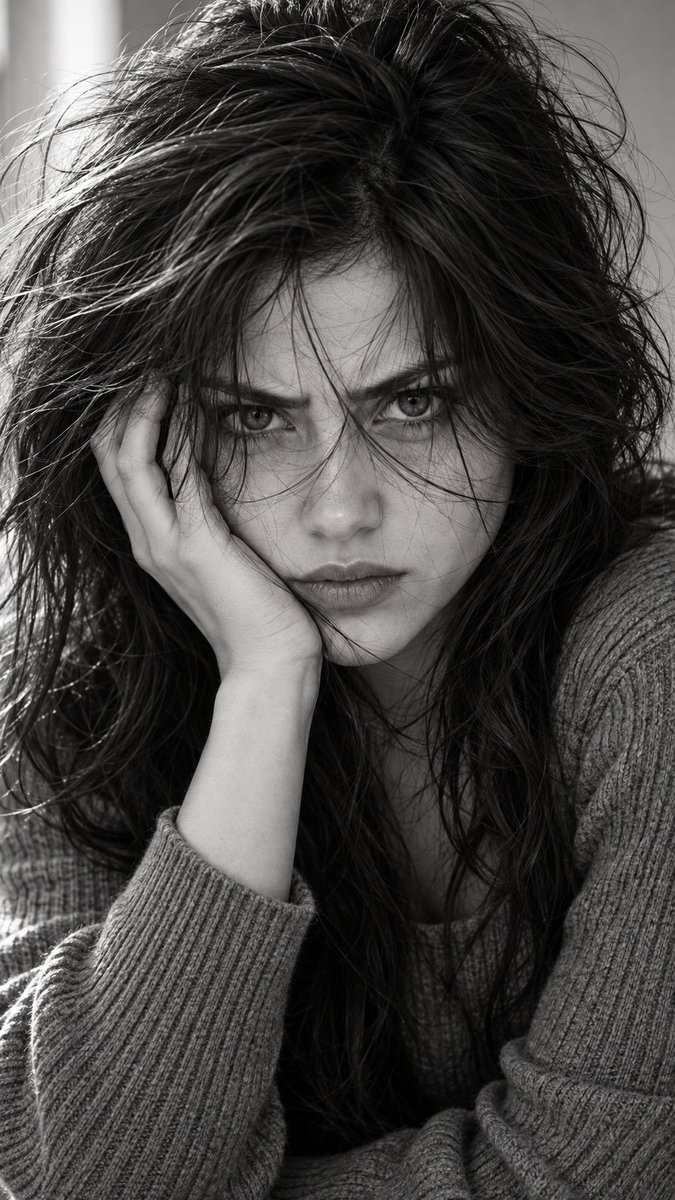
An advanced prompt for generating an intense, high-contrast black-and-white 9:16 vertical cinematic portrait, preserving exact facial identity from an uploaded image with dramatic lighting and raw emotional depth.
These example images come from the original source. DROPIDEA has not independently tested these examples; results depend on the model and settings.
Replace the red variables with your information. Copy the full prompt and use it with your preferred agent.
simple soft gray ribbed knit sweater with long sleevesThe type and color of clothing the subject is wearing
Replace 'simple soft gray ribbed knit sweater with long sleeves' in the prompt body
Example valuesimple soft gray ribbed knit sweater with long sleeves
long, extremely messy and heavily tousled, with abundant volume and irregular wavesDescription of hair length, messiness, and flow over the face
Replace the hair description segment starting with 'long, extremely messy...'
Example valuelong, extremely messy and heavily tousled, with abundant volume and irregular waves
Fair luminous porcelain skin with a bright ivory to light beige tone and a neutral-cool undertoneSkin tone, undertone, and texture description
Replace the skin description segment in the prompt text
Example valueFair luminous porcelain skin with a bright ivory to light beige tone and a neutral-cool undertone
A photographic prompt crafted to generate hyper-realistic, unposed smartphone snapshots taken by a friend at a nigh...
Prompt generating an ultra-realistic photo of a young man wearing white Shalwar Kameez by a lake at sunset, specify...
An advanced cinematic AI video prompt crafting a 15-second seamless loop psychedelic Japanese horror music video fe...
Prompt to generate a photorealistic character reference sheet for a young medieval village woman featuring multi-an...