Skip to content
ImagesFree

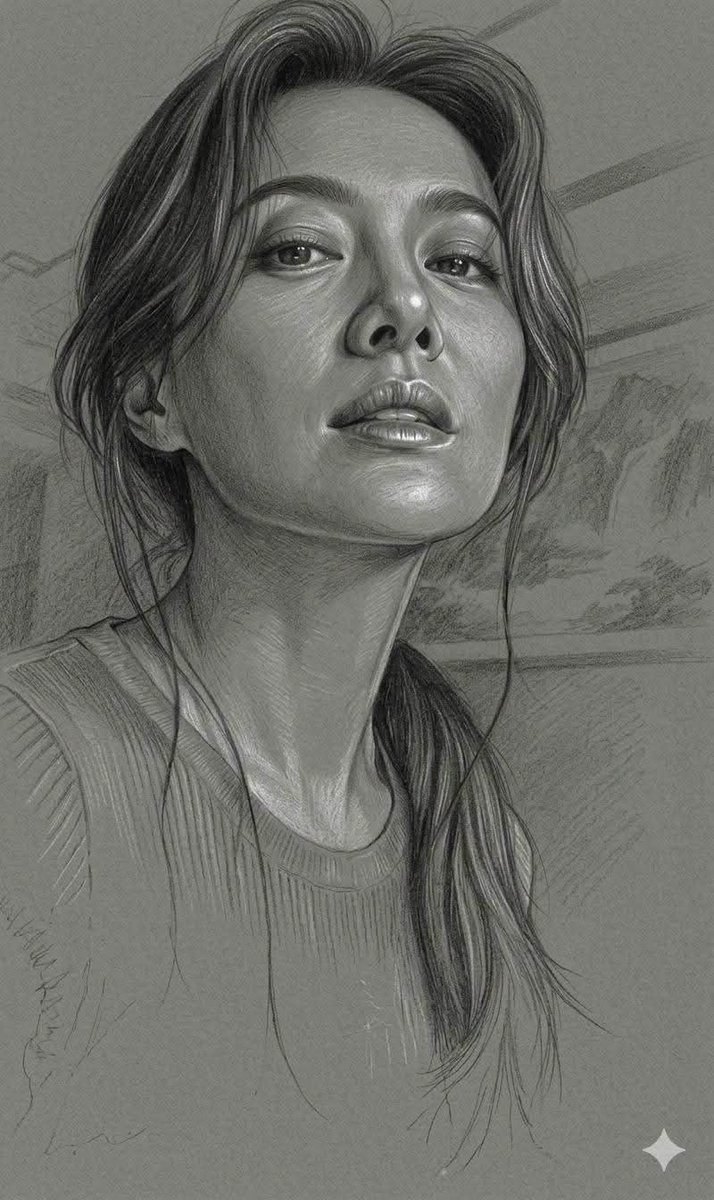
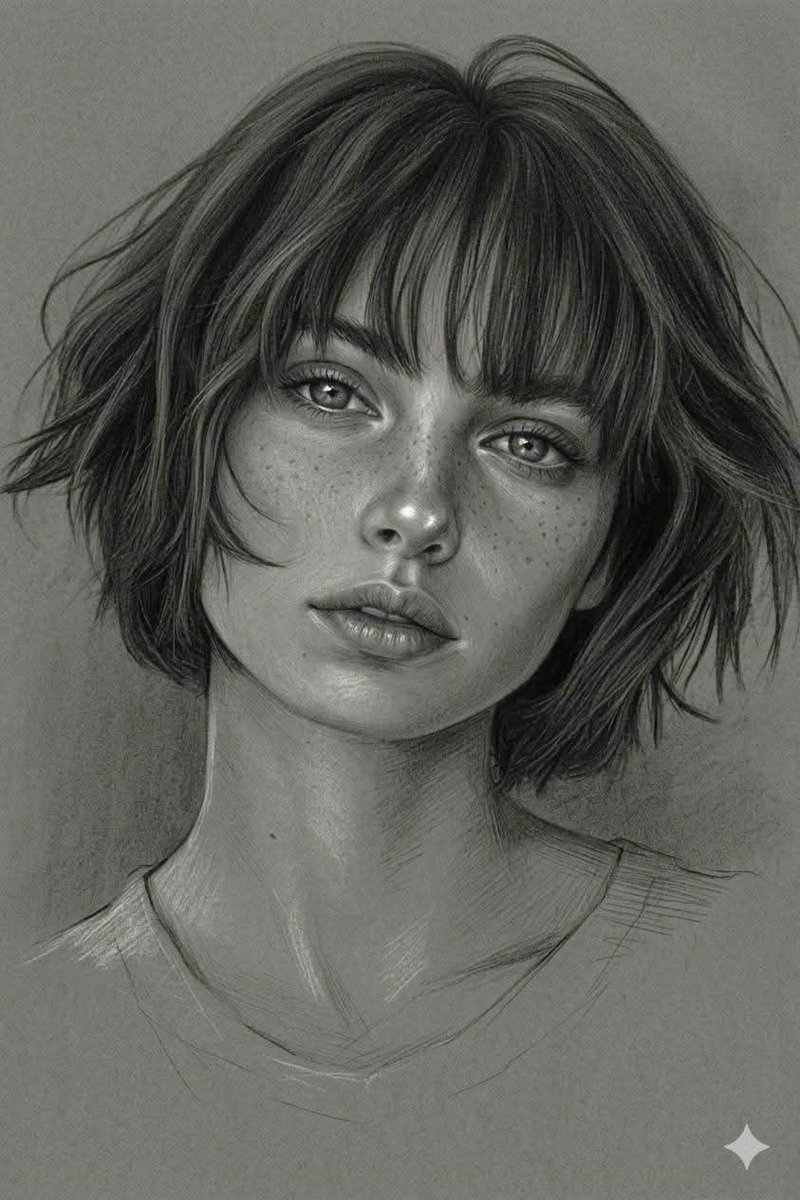
Museum-Quality Realistic Graphite Portrait on Dark Paper

Prompt template for an ultra-realistic monochrome graphite portrait with pure white highlights, refined skin and hair detail, visible graphite grain, and a subject gradually dissolving into textured gray paper.

Gemini

Source previews

These example images come from the original source. DROPIDEA has not independently tested these examples; results depend on the model and settings.
Ready to personalize

Your prompt

English

Replace the red variables with your information. Copy the full prompt and use it with your preferred agent.

TXT MD English version
Created with Google Gemini Nano banana pro Prompt ⤵️ Ultra-realistic monochrome graphite portrait illustration on textured dark gray drawing paper. Pure white highlights reserved only for the brightest illuminated areas, creating strong value contrast against the mid-gray paper tone. Masterful pencil rendering with layered graphite shading, subtle burnished highlights, delicate tonal transitions, and highly refined skin textures. Precise hair construction using hundreds of individually drawn strands with soft directional flow and natural volume. Detailed facial modeling through smooth gradients, controlled edge work, and realistic light falloff. Fine graphite grain visible throughout the image, preserving the traditional hand-drawn aesthetic. Soft atmospheric background integrated directly into the paper texture without hard separation. The subject gradually dissolves from the shoulders downward, fading seamlessly into the textured gray paper through unfinished sketch marks, disappearing contours, and subtle tonal evaporation. Elegant negative space composition, museum-quality academic drawing, realistic depth, understated contrast, and timeless fine-art portrait craftsmanship.
Preview results

Your prompt

Created with Google Gemini Nano banana pro Prompt ⤵️ Ultra-realistic monochrome graphite portrait illustration on textured dark gray drawing paper. Pure white highlights reserved only for the brightest illuminated areas, creating strong value contrast against the mid-gray paper tone. Masterful pencil rendering with layered graphite shading, subtle burnished highlights, delicate tonal transitions, and highly refined skin textures. Precise hair construction using hundreds of individually drawn strands with soft directional flow and natural volume. Detailed facial modeling through smooth gradients, controlled edge work, and realistic light falloff. Fine graphite grain visible throughout the image, preserving the traditional hand-drawn aesthetic. Soft atmospheric background integrated directly into the paper texture without hard separation. The subject gradually dissolves from the shoulders downward, fading seamlessly into the textured gray paper through unfinished sketch marks, disappearing contours, and subtle tonal evaporation. Elegant negative space composition, museum-quality academic drawing, realistic depth, understated contrast, and timeless fine-art portrait craftsmanship.

Variable guide

dark gray

The base paper color for the drawing.

First sentence of the template: 'textured dark gray drawing paper'.

Example value

medium gray

What you get

  • An ultra-realistic monochrome graphite portrait with academic quality.
  • Pure white highlights reserved for the brightest areas with strong contrast.
  • Hair built from hundreds of individual strands and refined skin textures.
  • Visible graphite grain, elegant negative space, and a subject gradually dissolving into the paper.

Use cases

  • Personal artistic portraits or custom gifts.
  • Gallery artwork or interior decor.
  • Classic drawing-style profile imagery.
  • Visual assets for premium brand identities.
  • Educational exercises for studying graphite shading.

How to use

  • Copy the Arabic template into your supported image generation tool.
  • Optionally replace 'dark gray' with another paper tone to suit your taste.
  • Upload or reference a photo of the subject if your tool supports it to guide the portrait features.
  • Adjust aspect ratio or output resolution as needed (technical settings outside the prompt text).
  • Generate the image and iterate with small tweaks if you want different contrast or texture.

Related prompts