Skip to content
ImagesFree

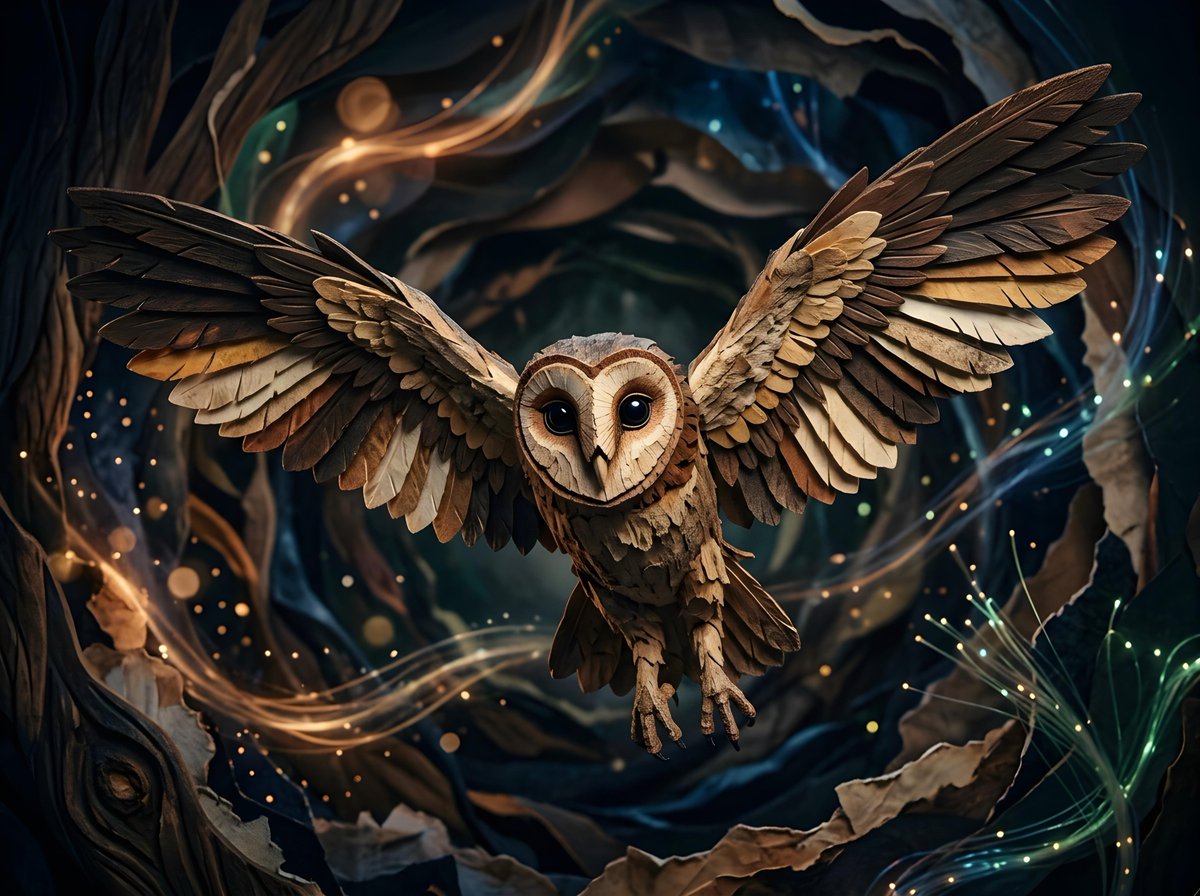
Barn Owl Mid-Flight with Abstract Dark Background

A scene of a barn owl flying mid-flight with wings spread wide against a dark abstract background featuring shapes and streaks of light suggesting a mystical atmosphere.

Gemini

Source previews

These example images come from the original source. DROPIDEA has not independently tested these examples; results depend on the model and settings.

Ready to personalize

Your prompt

English

Replace the red variables with your information. Copy the full prompt and use it with your preferred agent.

TXT MD English version
A barn owl is captured mid-flight, its wings spread wide, with a dark, abstract background. The owl's face is turned directly towards the viewer, its large, dark eyes prominent. The background features abstract shapes and streaks of light, suggesting a mystical or otherworldly environment.
Preview results

Your prompt

A barn owl is captured mid-flight, its wings spread wide, with a dark, abstract background. The owl's face is turned directly towards the viewer, its large, dark eyes prominent. The background features abstract shapes and streaks of light, suggesting a mystical or otherworldly environment.

What you get

  • An image of a barn owl mid-flight with wings spread wide.
  • The owl's face turned directly toward the viewer with prominent large dark eyes.
  • A dark abstract background featuring shapes and streaks of light.
  • A mystical or otherworldly atmosphere in the overall scene.

Use cases

  • Digital artwork and nature-themed paintings with a mystical tone.
  • Book covers or posters inspired by nocturnal nature.
  • Marketing content or social media designs.
  • Backgrounds and assets for graphic design projects.
  • Illustrative educational materials about owls in an artistic style.

How to use

  • Read the description carefully to understand the scene elements: owl, wings, and abstract background.
  • Use the description as-is in an image generation tool to obtain the intended result.
  • Modify creative elements such as the background or the owl's pose as needed while keeping the overall style.
  • Add extra details like lighting or camera angle if you want deeper customization.
  • Generate the image, compare it with the description, and retry to fine-tune details if needed.

Related prompts