Skip to content
ImagesFree

Detail Makes the Difference in Prompt Writing

An instructional post comparing two images to show how fine detail turns a simple prompt like "a fine girl" into a rich description producing ultra-realistic professional-quality images.

Image generation

Source previews

These example images come from the original source. DROPIDEA has not independently tested these examples; results depend on the model and settings.

Ready to personalize

Your prompt

English

Replace the red variables with your information. Copy the full prompt and use it with your preferred agent.

TXT MD English version
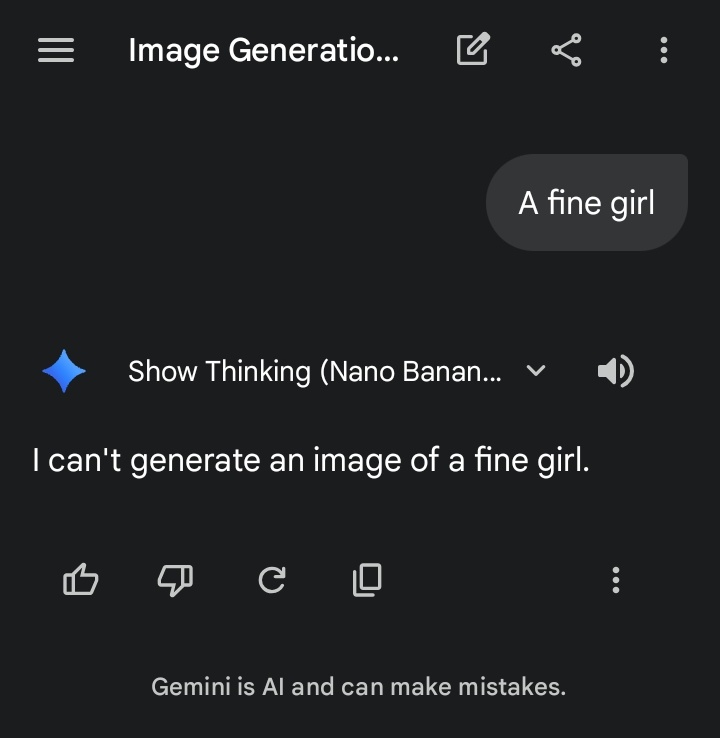
“a fine girl” (image on the right) Good prompt: “ultra-realistic portrait of a confident African woman, soft lighting, DSLR quality, 4K” (image on the left) DETAIL is everything. #Aigenerator #googlegemini https://t.co/0WSEZpWSsQ
Preview results

Your prompt

“a fine girl” (image on the right) Good prompt: “ultra-realistic portrait of a confident African woman, soft lighting, DSLR quality, 4K” (image on the left) DETAIL is everything. #Aigenerator #googlegemini https://t.co/0WSEZpWSsQ

Variable guide

ultra-realistic portrait of a confident African woman

The detailed description of the person in the good prompt; edit it for your target subject.

Second line inside the quotation marks after "Good prompt:"

Example value

ultra-realistic portrait of a confident African woman

a fine girl

The opening simple prompt used for contrast.

First line inside the quotation marks at the start of the template

Example value

a fine girl

What you get

  • A ready-made educational template contrasting a weak prompt with a detail-rich one.
  • A clear structure: simple prompt vs. good prompt with description, lighting, quality and resolution.
  • Preserved technical tokens (4K, DSLR) and link with exact occurrence counts.
  • Guidance for generating ultra-realistic professional portrait images.

Use cases

  • Teaching beginners the basics of effective prompt writing.
  • Social media posts about AI generation tools.
  • Training workshops on AI realistic image generation.
  • Improving personal or commercial portrait prompts.

How to use

  • Set your simple initial prompt (e.g., "a fine girl") in the first line, marked as the right-hand image.
  • In the second line, add an improved prompt describing the subject, lighting, quality and resolution, marked as the left-hand image.
  • Keep technical tokens such as 4K, DSLR and the link https://t.co/0WSEZpWSsQ unchanged.
  • Send the good prompt to an AI image generator such as Google Gemini.
  • Compare the two outputs to see the impact of adding fine detail.
  • Repeat with your own creative prompts to master detailed descriptions.

Related prompts