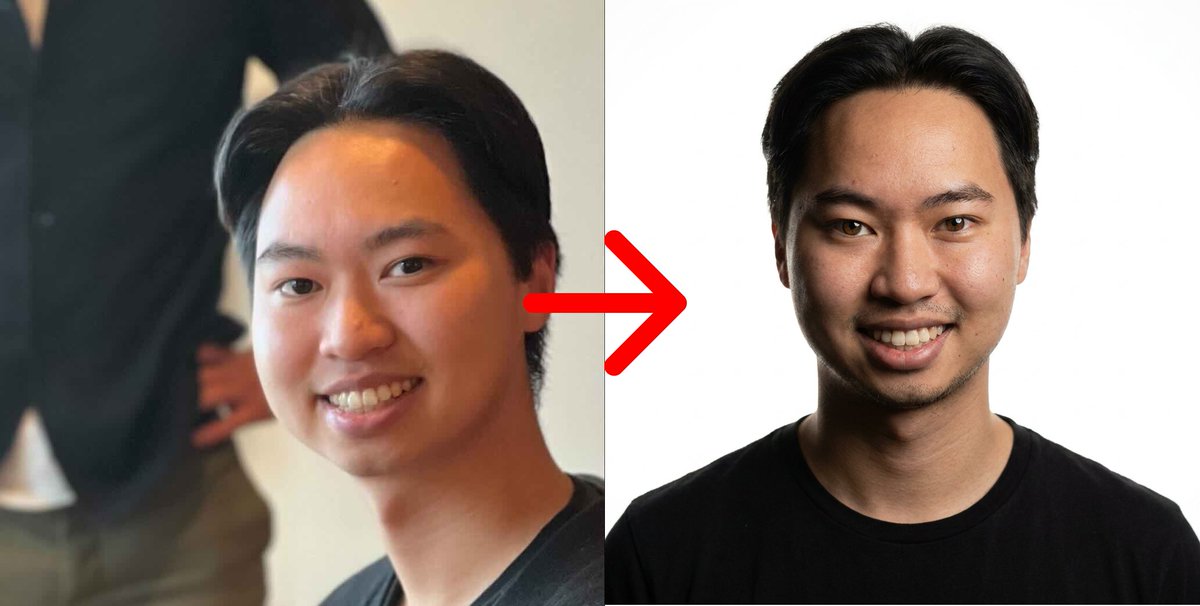
Result 1Gemini
A template to turn a reference image into an ultra-realistic close-up portrait of a confident man looking straight at the camera, with premium studio quality, cinematic lighting, and a pure white background while fully preserving the original facial identity.
These example images come from the original source. DROPIDEA has not independently tested these examples; results depend on the model and settings.
Replace the red variables with your information. Copy the full prompt and use it with your preferred agent.
{same}The facial expression required in the output image.
At the start of the template: "with {same} expressions"; replace {same}.
Example valuea slight confident smile
Warm brown eyesEye color; source specifies warm brown. Changing it may reduce reference likeness.
Second paragraph: "Warm brown eyes".
Example valuewarm brown
Bg: Pure white.Background color or description.
Last line: "Bg: Pure white.".
Example valuelight gray
(Remove the mic & chain)Items to be removed from the image.
Fourth paragraph: "(Remove the mic & chain)".
Example valuethe hat and glasses
Show his body from up of his hairs to slightly up from the navel.Body framing boundaries in the shot.
Last paragraph: "Show his body from up of his hairs to slightly up from the navel.".
Example valuefrom the top of the hair to the upper chest
A photographic prompt crafted to generate hyper-realistic, unposed smartphone snapshots taken by a friend at a nigh...
Prompt generating an ultra-realistic photo of a young man wearing white Shalwar Kameez by a lake at sunset, specify...
An advanced cinematic AI video prompt crafting a 15-second seamless loop psychedelic Japanese horror music video fe...
Prompt to generate a photorealistic character reference sheet for a young medieval village woman featuring multi-an...